Digital Business card is a modern and eco-friendly way to share your contact information and professional details with others. Here are the steps to activate your Digital business card:
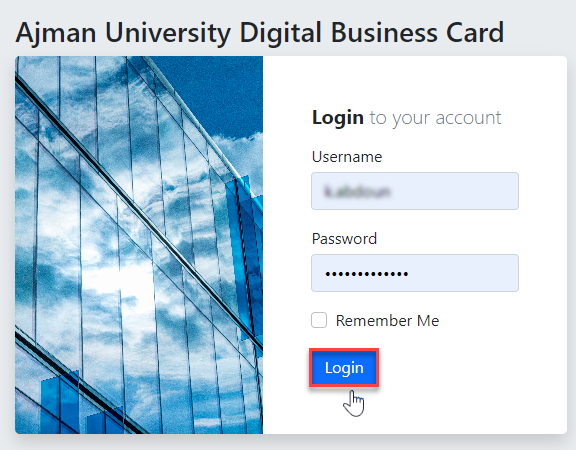
- Visit the website at: https://ecard.ajman.ac.ae/ using your AU username without the domain (example: x.lastname, NOT x.lastname@ajman.ac.ae) and password. Then click on "Login".
- Your profile information in both English and Arabic will be automatically fetched from the HR system. Review and make any necessary edits to your personal information.
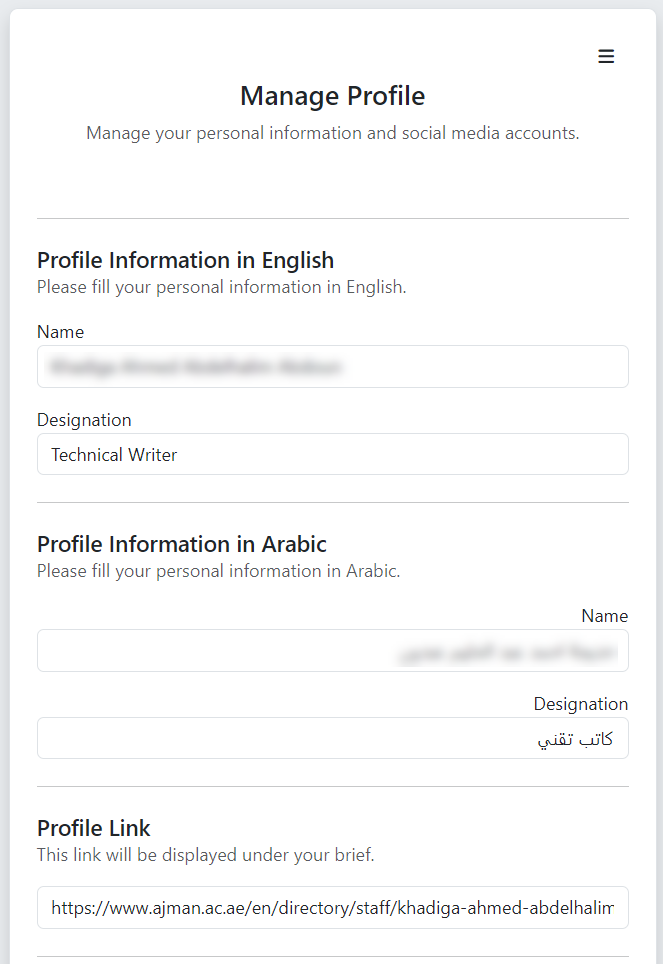
Note: by default, your profile link will automatically be generated as your directory link.
- Fill in your email address and the contact number. You can also include links to your social media platforms, Scopus, Google Scholar. etc. Once completed, click on "Save Profile" to save the changes.
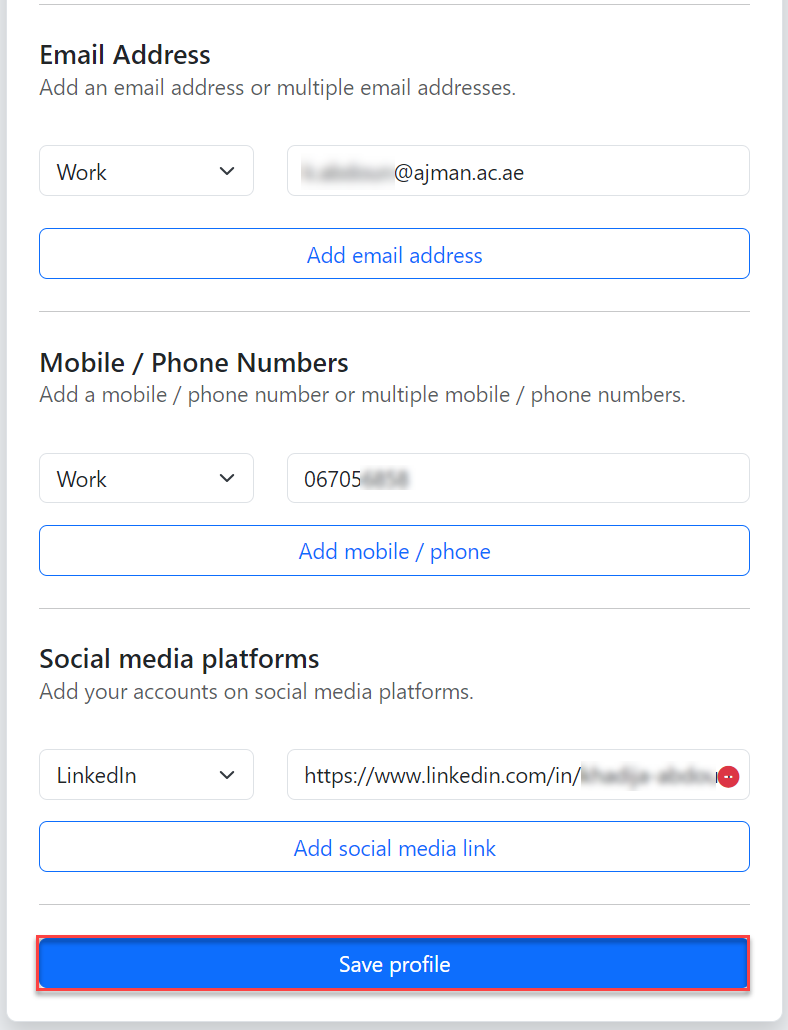
Note: You can add multiple contact details.
- Your digital business card is now activated, you may click on the QR code or vCard to download it.
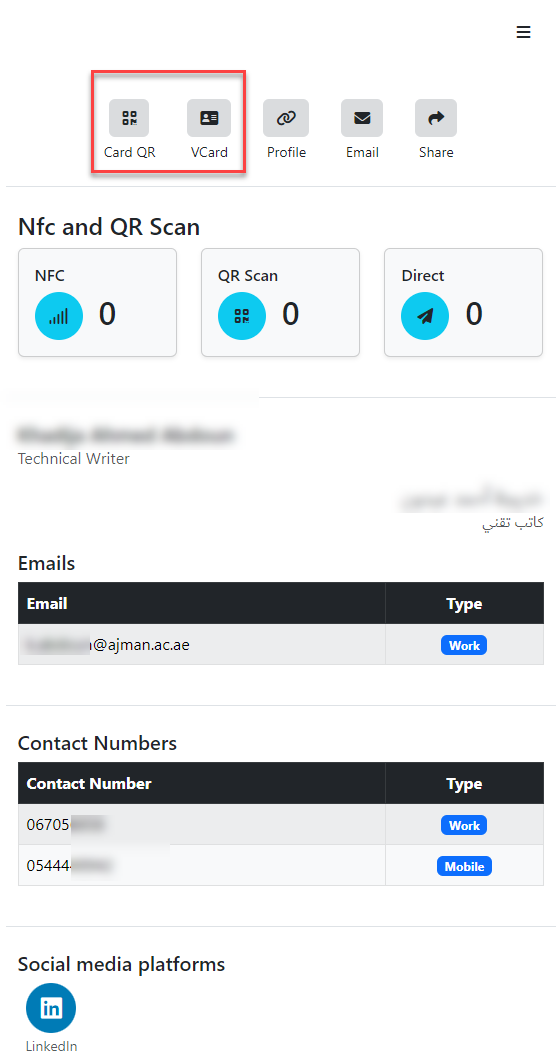
Moreover, you have the option to add your activated QR code into your physical business card. If you request a new physical card through the HRNet system, you have to specify in the comments that you wish to include the QR code on your physical business card.