

Submit a Self Service Request
- 09 Sep 2024
- 1 دقيقة للقراءة
- المساهمون

- طباعة
- داكنفاتح
- PDF
Submit a Self Service Request
- تحديث في 09 Sep 2024
- 1 دقيقة للقراءة
- المساهمون
- طباعة
- داكنفاتح
- PDF
The content is currently unavailable in Arabic. You are viewing the default English version.
ملخص المقال
هل وجدت هذا الملخص مفيدا؟
شكرا لك على ملاحظاتك
In this section, you can request various letters such as NOCs and salary certificates. Additionally, you may submit requests for business cards, medical insurance cards, and discount cards.
On the Home page, click on "Self Services Requests.".
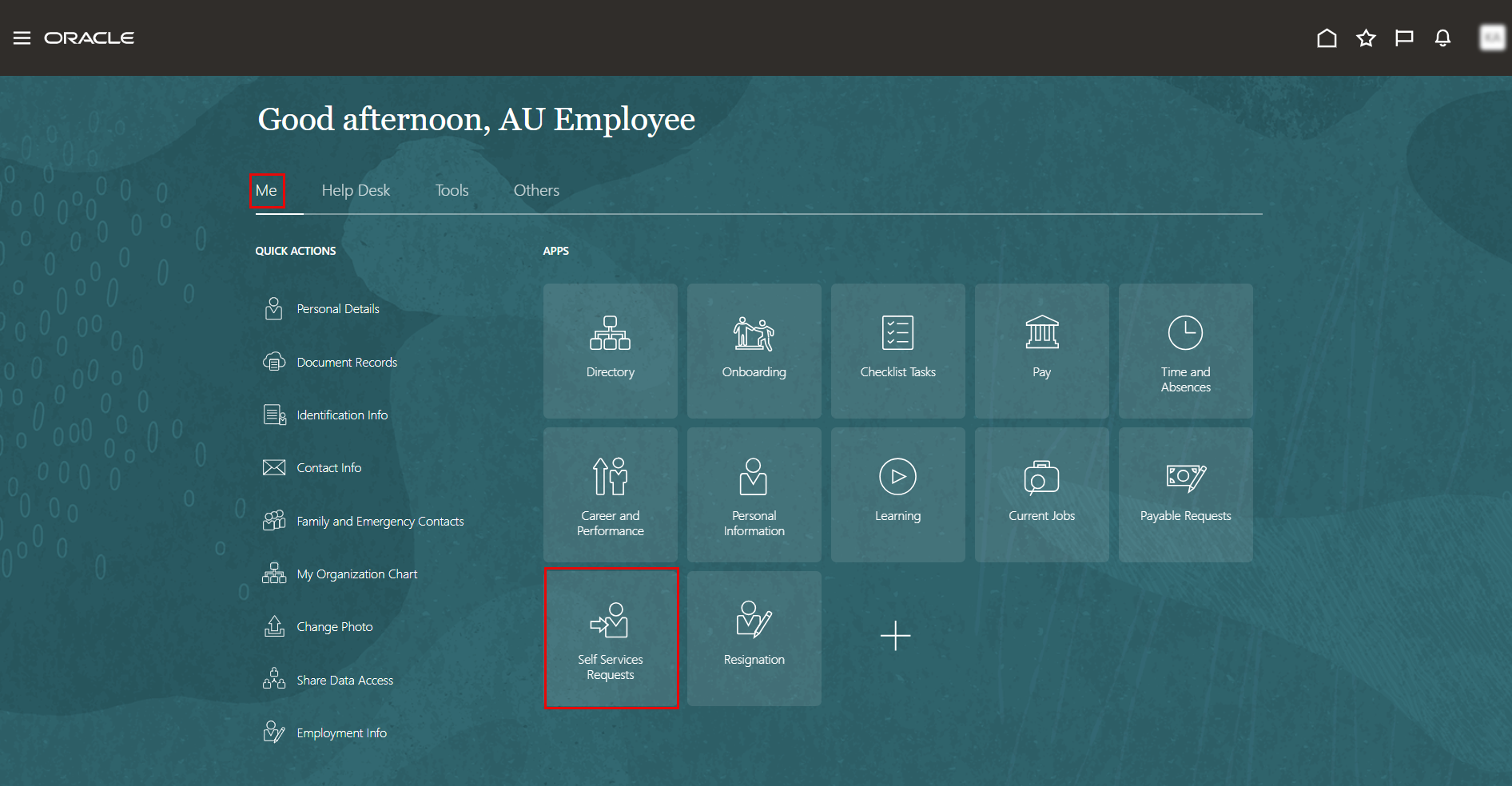
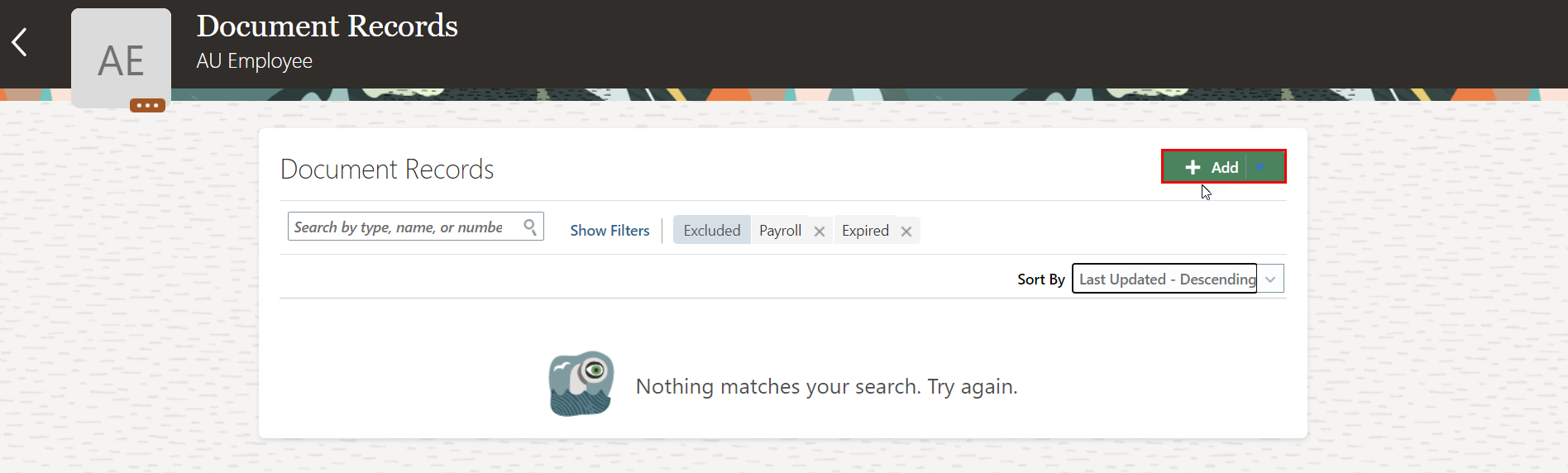
On Document Records page, click on Add.
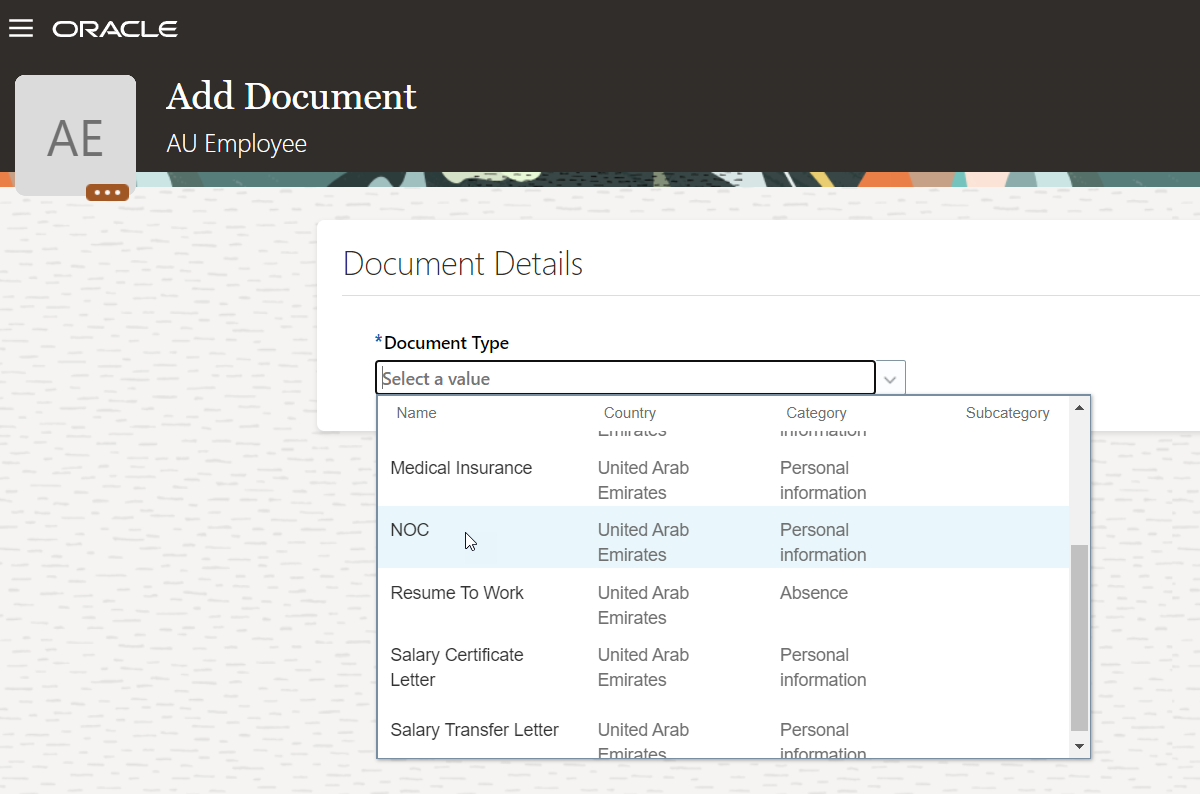
Select the document type from the list; in this example, we'll request an NOC.
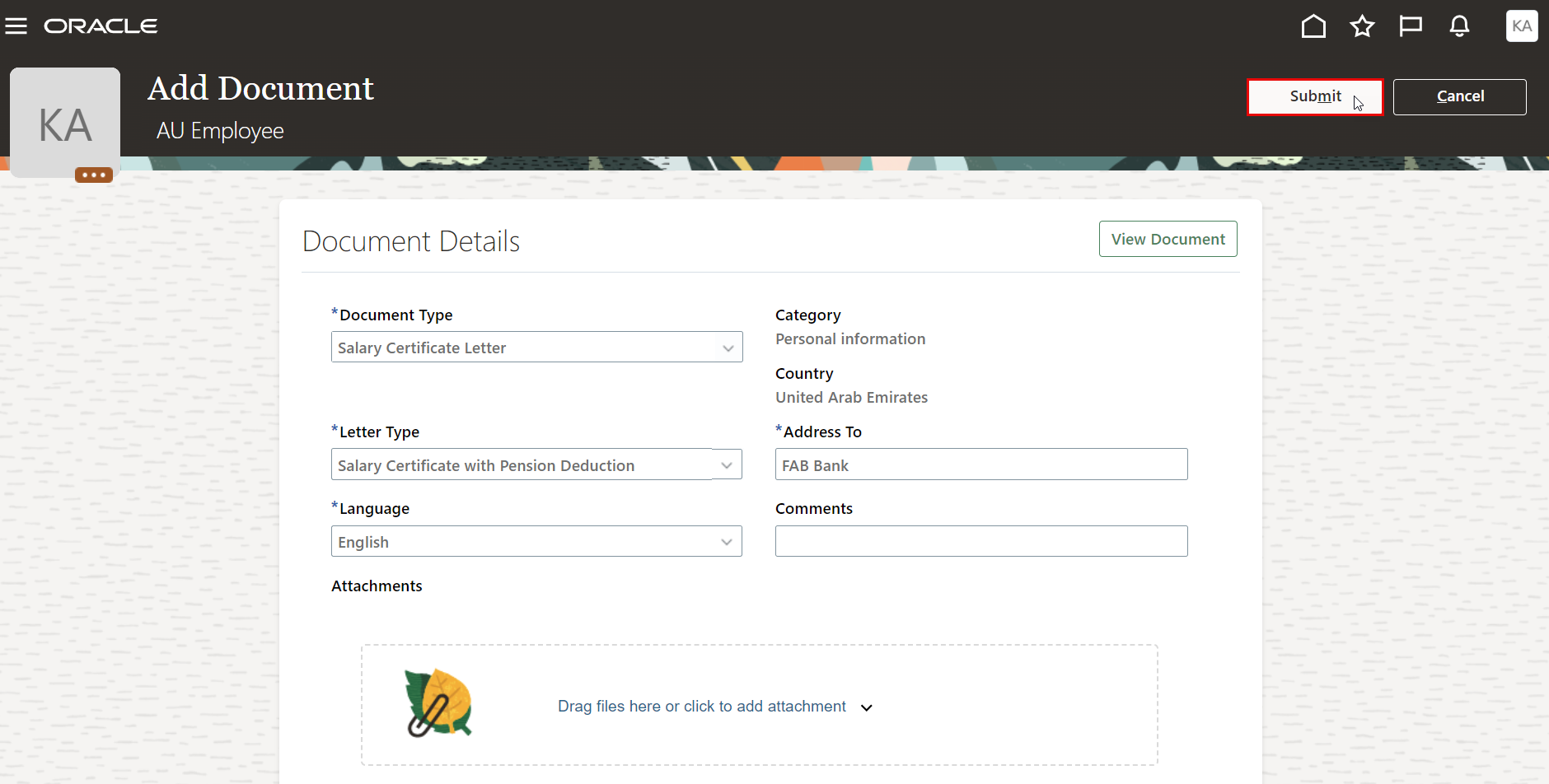
Complete the required information, Click on Submit.
Note:
The workflow varies by document type. Some documents are auto-approved, while others must go through a workflow process that requires HR operations approval.
To view the list of all types of document records and it's approval workflow, you may refer to the previous user manual.
هل كانت هذه المقالة مفيدة؟
