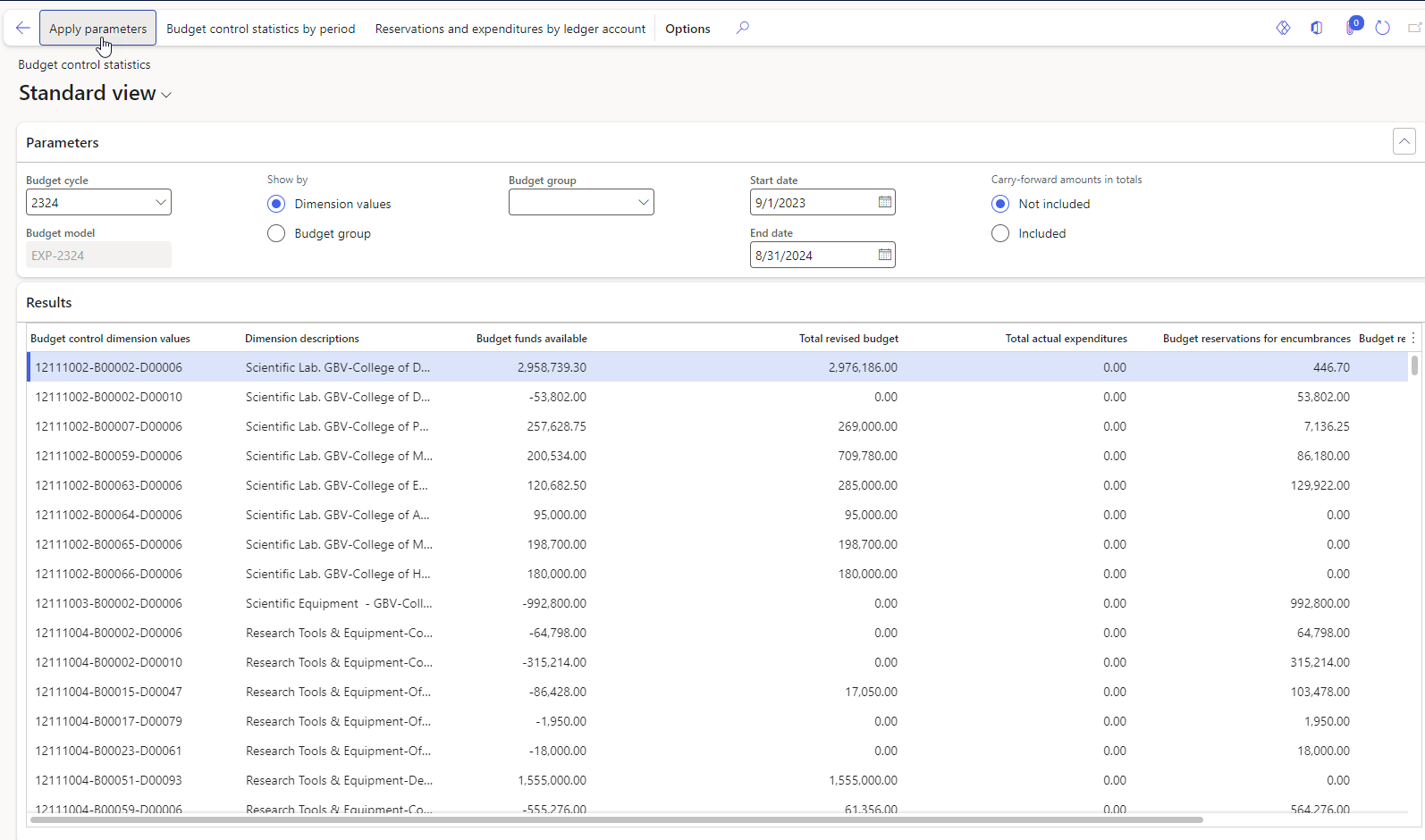
Budget control statistics are part of the budgeting module in Dynamics 365. They provide an overview of budgeted amounts, actual expenditures, encumbrances, pre-encumbrances, and available budget for specific financial dimensions.
Here’s a quick overview of some of the components related to budget control statistics:
- Budget funds Available: This refers to the amount currently available in a particular account or financial dimension.
- Total revised budget: This is the amount spent versus the budgeted amount for a particular account or financial dimension, and usually includes posted transactions.
- Total Actual Expenditure: This is the amount that has been spent against the budgeted amount, It typically includes posted transactions.
You can access the Budget Control Statistics in Dynamics 365 by following these steps:
- Open your web browser and navigate to the Dynamics 365 application URL provided by the office of IT.
- Log in using your credentials (username and password).
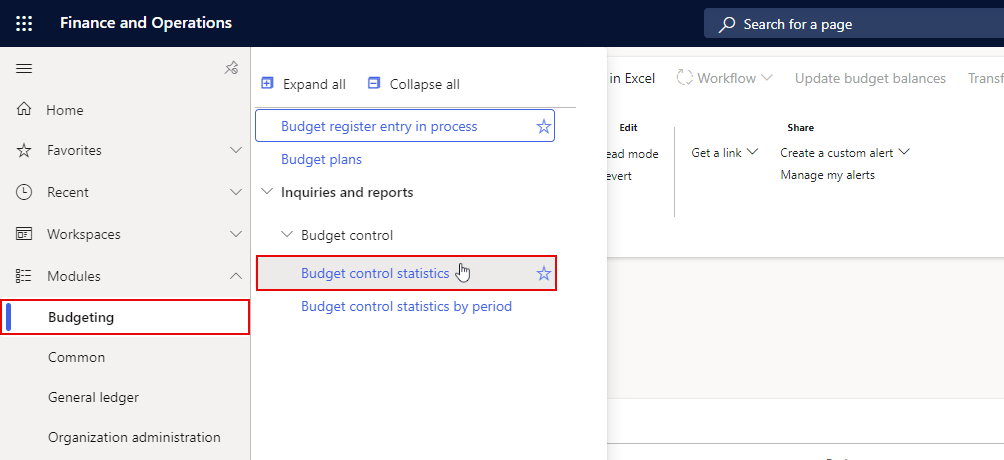
- Go to and click on the "Budget Control statistics" in the Budgeting module > Inquiries and reports > Budget control .
- Click on "Apply parameters", then you will see a screen with all the Budget control dimension values related to your office/college.