Change a View's Layout
- 12 Sep 2025
- 1 دقيقة للقراءة
- المساهمون

- طباعة
- داكنفاتح
- PDF
Change a View's Layout
- تحديث في 12 Sep 2025
- 1 دقيقة للقراءة
- المساهمون

- طباعة
- داكنفاتح
- PDF
The content is currently unavailable in Arabic. You are viewing the default English version.
ملخص المقال
هل وجدت هذا الملخص مفيدا؟
شكرا لك على ملاحظاتك
You can change the layout of your display of a view, by following the steps below:
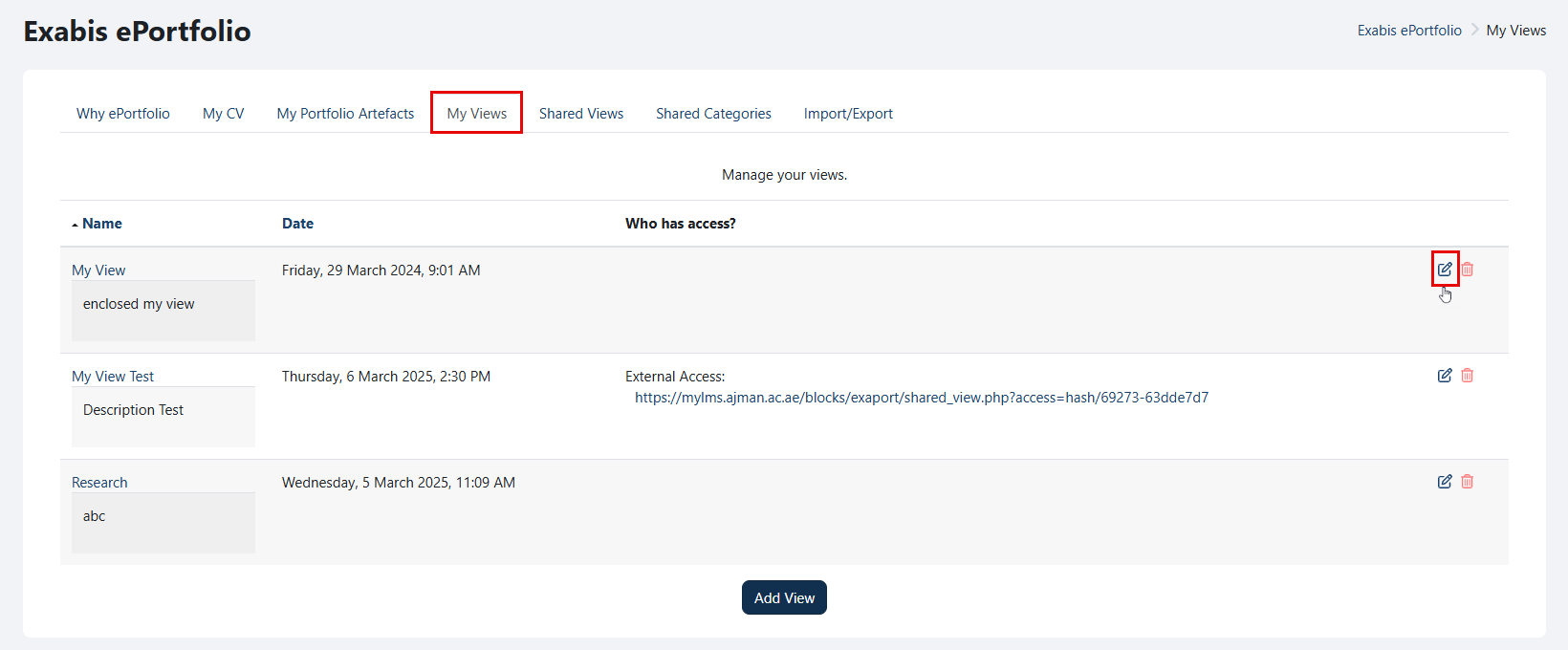
Go to "My Views" and click on the "Edit" icon.
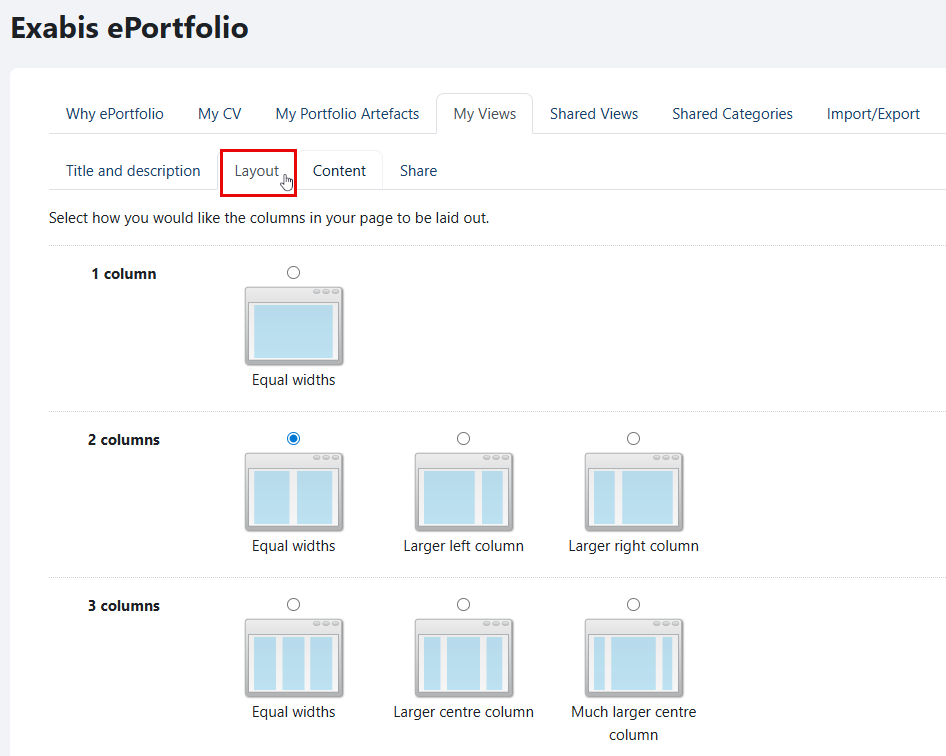
Navigate to the "Layout" tab.

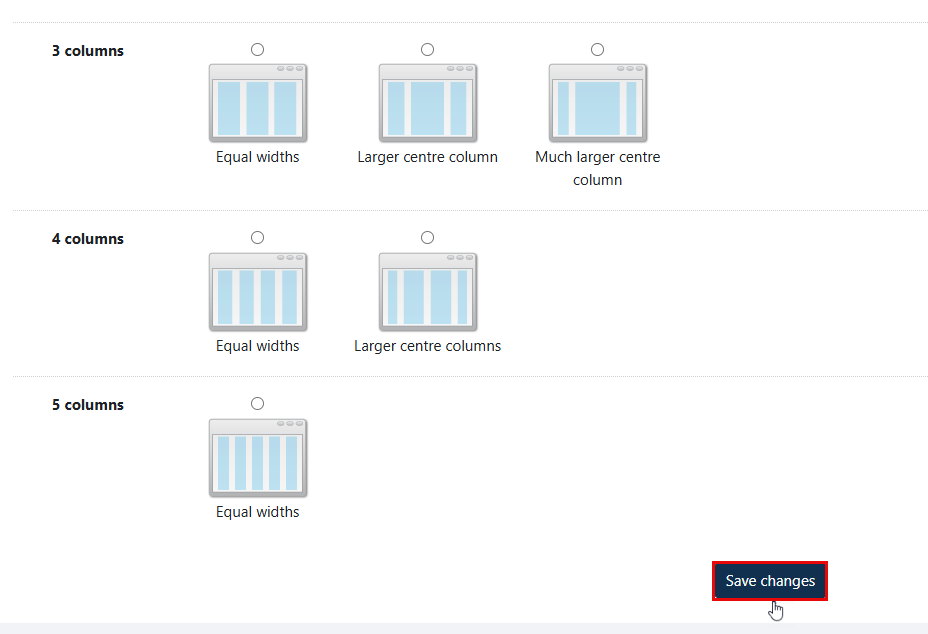
Select how you want the columns to be displayed on your page, and then click on the "Save changes" button once you are done.
هل كانت هذه المقالة مفيدة؟