Moodle provides several tools and features that can enhance communication between instructors and their students. These tools include the following:
Sending messages to students
This feature allows you to communicate directly with your student(s). Both you and your students will receive email notifications whenever a new message is sent.
Learn more about this feature in this article.
The toolbar in course activities
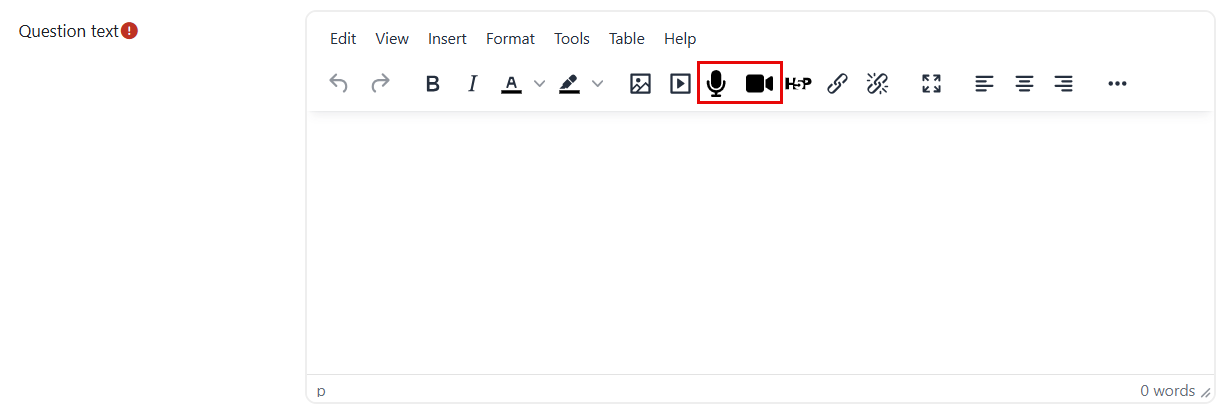
Each text box toolbar in Moodle includes options for recording audio or video. Students can also record audio or video in their assignments and quizzes only if you provide a text box for them to fill out (such as an essay question).
Forums and interacting with students
Each text box toolbar in Moodle includes options for recording audio or video. Students can also record audio or video in their assignments and quizzes only if you provide a text box for them to fill out (such as an essay question).
There are five types of forums that you can create:
- Single simple discussion.
- Each person posts one discussion.
- Q & A forum.
- Standard forum displayed in a box-like format.
- Standard forum for general use.
Learn more about this feature in this article.
Standard Assignment comments
You can add comments to the assignments one by one, and each student will be able to view the comment dedicated specifically to them.
Learn more about this feature through this article.
Turnitin Assignment comments
Similar to standard assignment comments, you can add comments individually on Turnitin assignments, and each student will see their specific comment.
Learn more about this feature in this article.
Chat activity
The Chat is a text-based tool that enables real-time, synchronous conversations with your students in an online chat room.
It can support a variety of teaching strategies, including discussion, brainstorming, group work, and questioning.
Learn more about this feature in this article.