If you are facing a functionality-related issue such as but not limited to: Missing or wrong personal data, error in application submission, and Inaccurate organization chart/reporting lines, follow the steps below to raise HR helpdesk ticket:
-
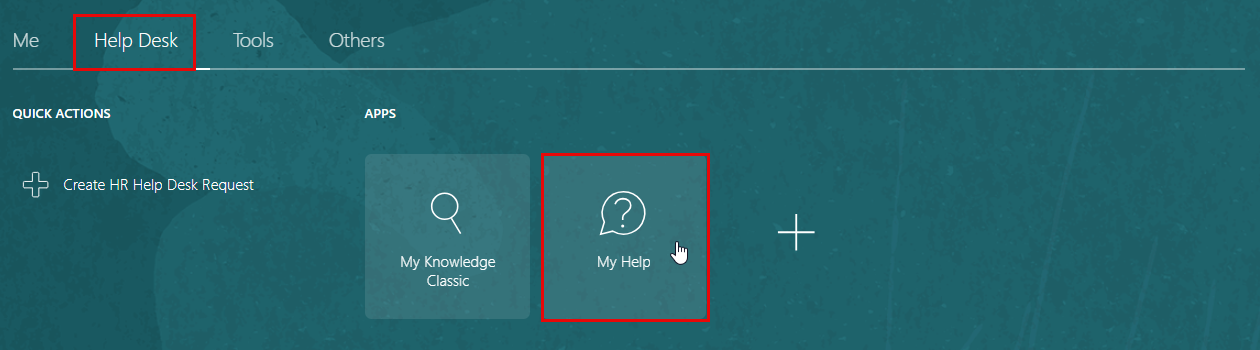
Navigate to "Help Desk", and then click on "My Help".
-
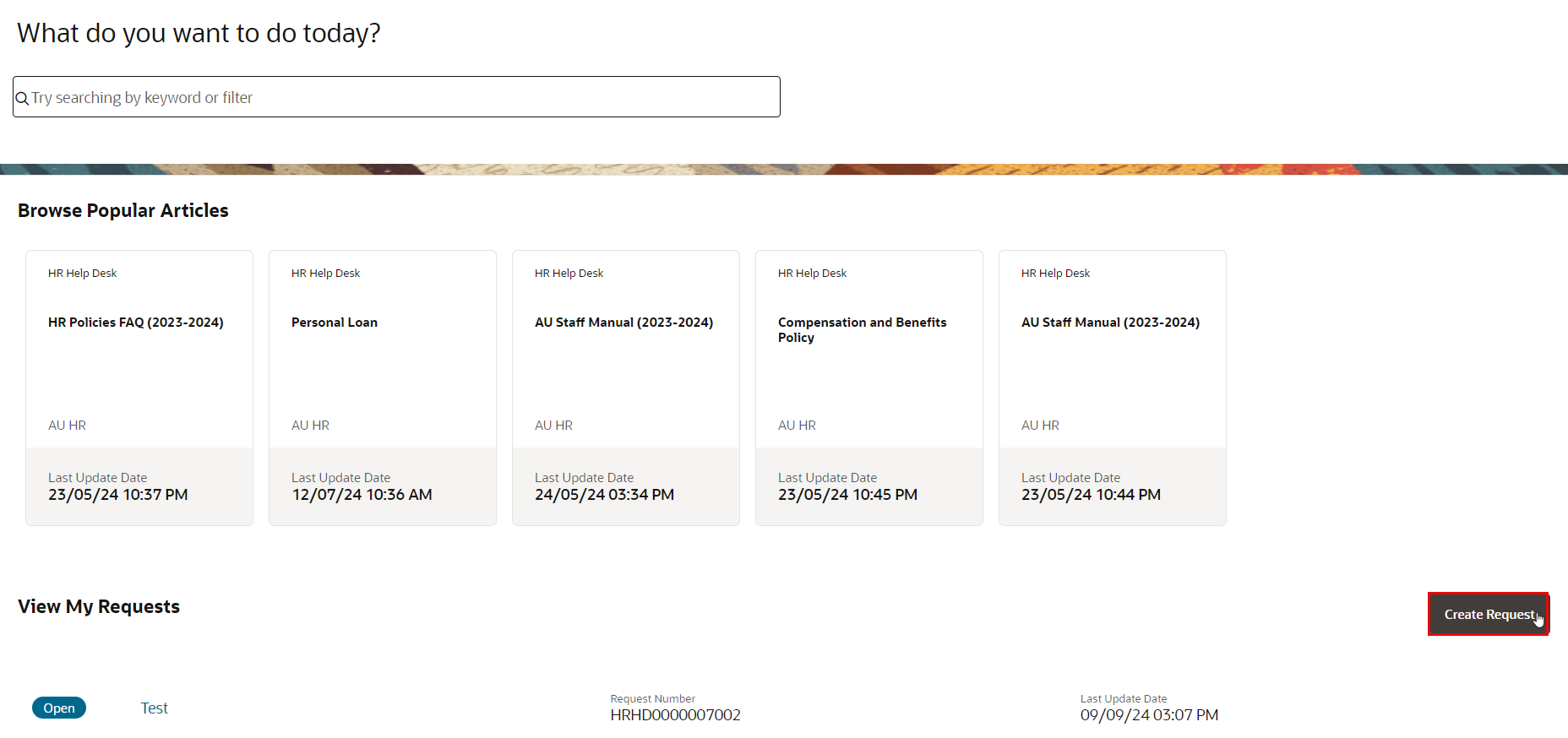
On the dashboard, click the Create Request button.
-
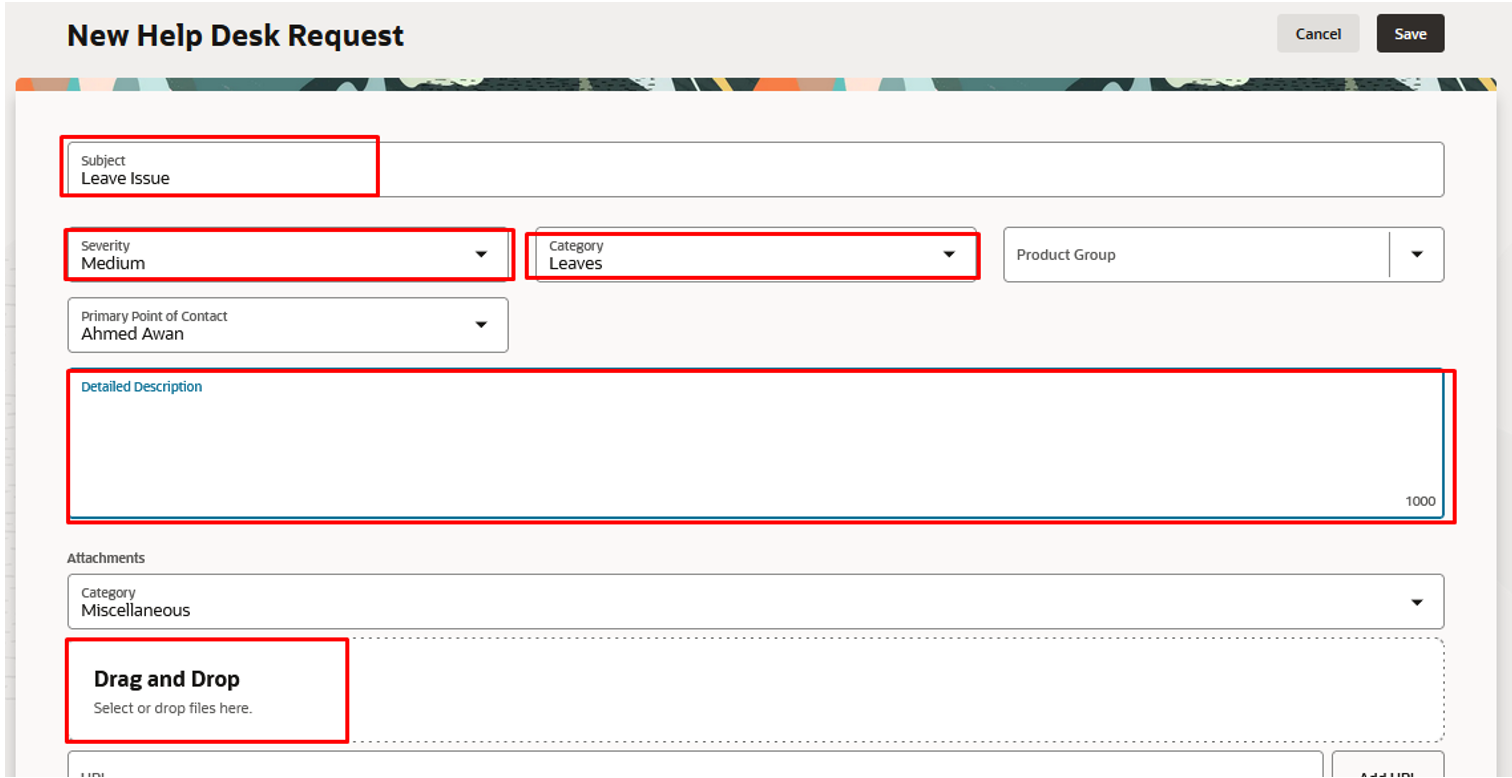
Fill in the required fields:
A. Subject: A brief summary of the issue.
B. Description: Detailed information about the problem.
C. Category: Select the appropriate category for your issue.
D. Priority: Set the urgency level (Low, Medium, High).
Note:
You may include relevant attachments in the designated attachment section.
- Review the information you have entered and click the Save button to create your ticket.

Note:
You will receive a confirmation message with your ticket number.