You can create a purchase requisitions for Non-stocked items, by following the below steps:
- Initiate new purchase requisitions by following the steps in "Create Purchase Requisitions" article.
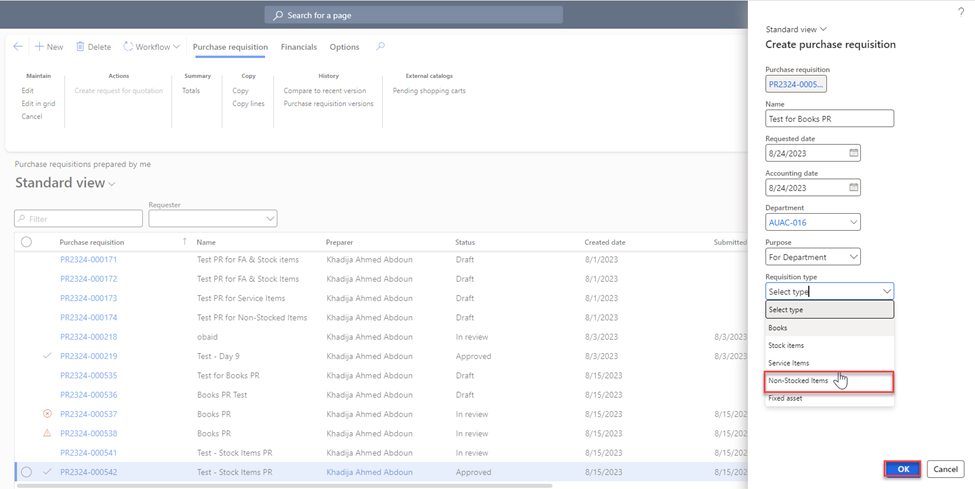
- Once you click on “New”, the below page will be displayed where you need to add the below details:
- Name: Type the name of the new PR.
- Department: Represents the name of your office/College.
- Purpose: Select “for Department”.
- Requisitions Type: Select Non-Stocked Items
Once done, click on “OK”.
-
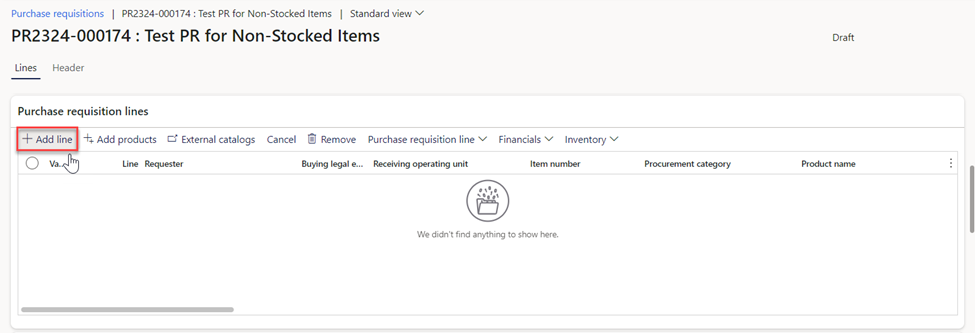
Click on “New Line”. This will create a blank row in the grid where you can enter the details for the new requisition line.
-
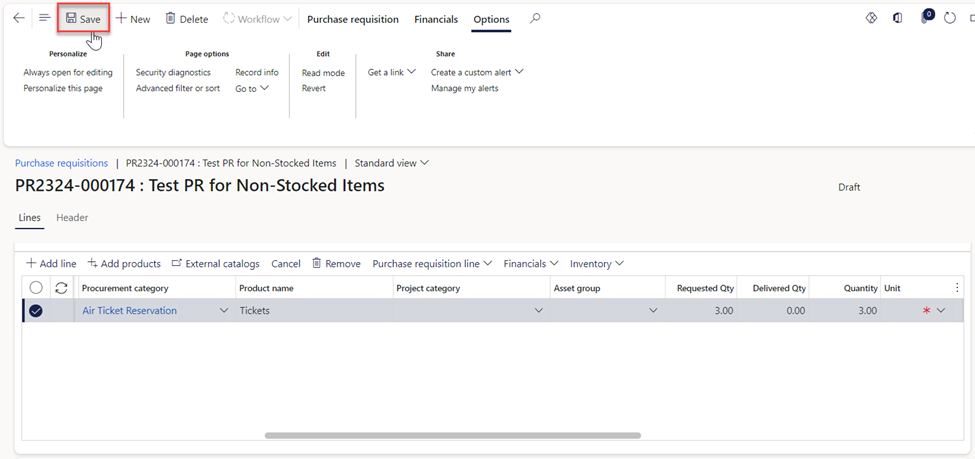
Fill in the necessary information for the requisition such as: Procurement Category, Product Name, requested quantity, unit price, and the vendor account.
-
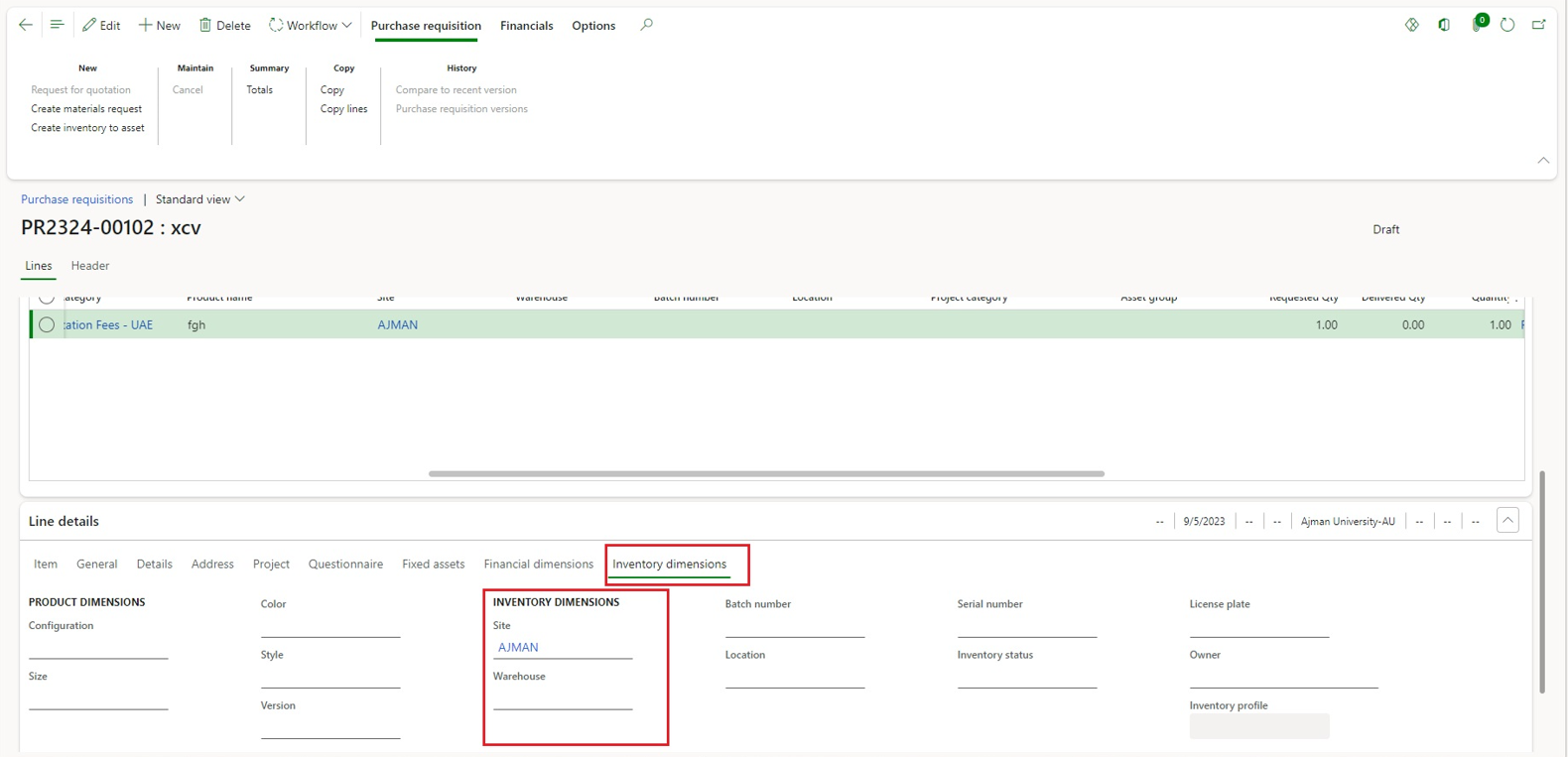
Navigate to "Inventory Dimensions" under Line details, then select "AJMAN" from the site drop-down menu, then click on “Save”.
-
Click on workflow then Submit.
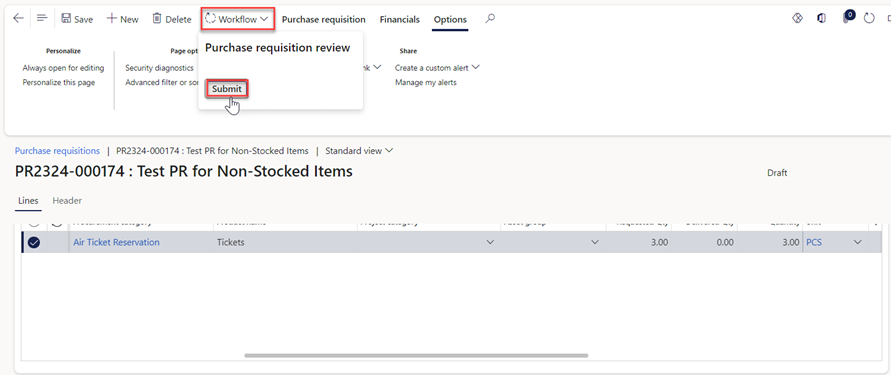
-
Make sure to type your name in the designated comment box, then proceed to select the “Submit” button.
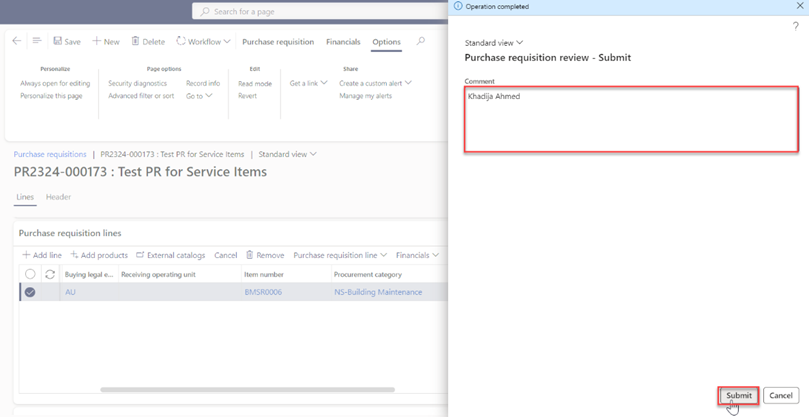
Note:
- The requisition will need to go through an approval workflow. The requisition will be sent to the appropriate approvers based on predefined rules and permissions.
- The requestor has the option to modify the requisition post-submission by selecting the "Recall" button located in the Workflow tab. Please note, that recalls are permissible when the status is "In Review."