You can create Purchase Requisitions in Dynamics 365 by following the below steps:
-
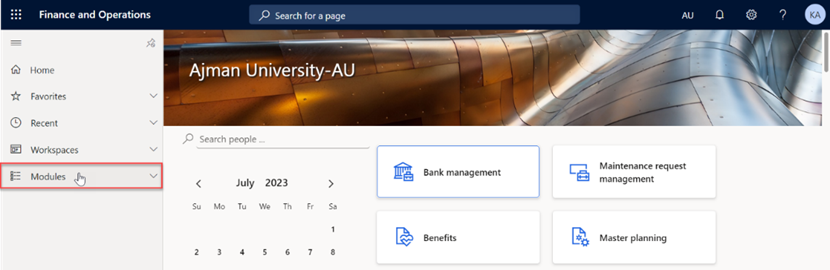
Once you have logged in, you will be on the Dynamics 365 home page. On the left-hand navigation pane, click on Modules.
-
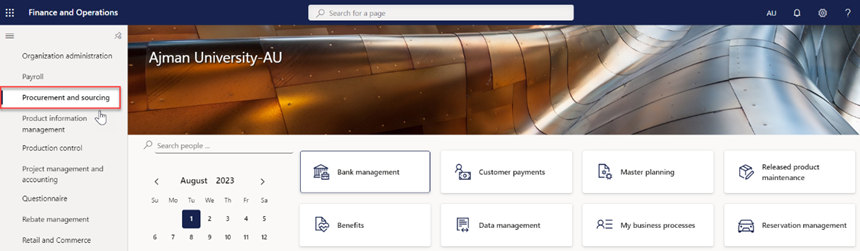
Navigate to and click on Procurement and Sourcing Module.
-
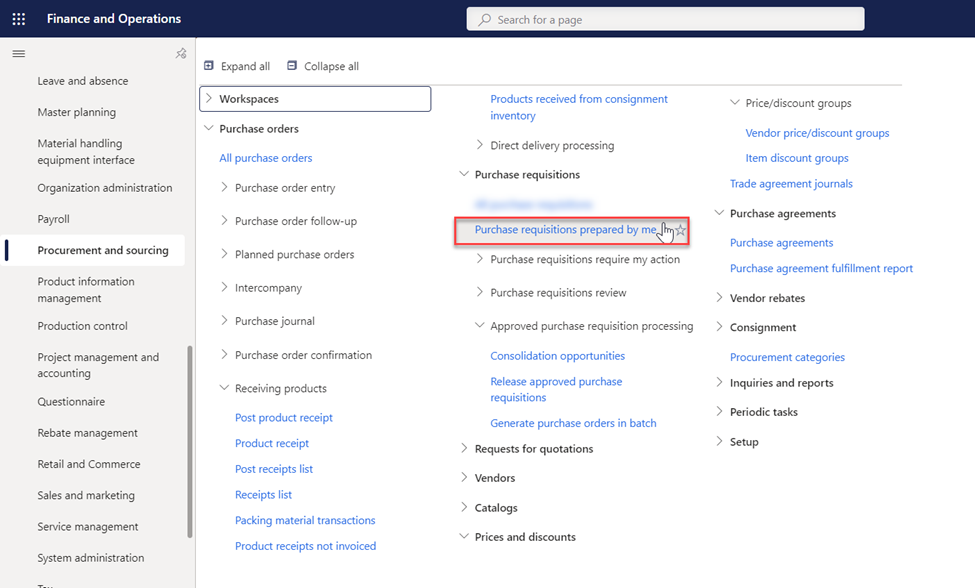
Click on “Purchase Requisitions prepared by me”.
-
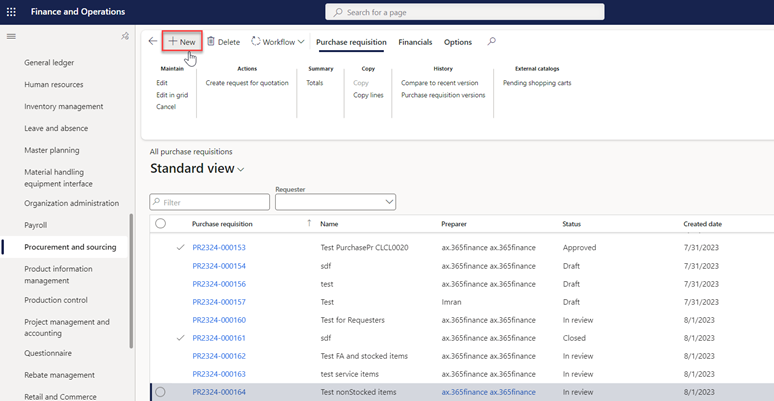
In this module, you will typically see a screen with the list of all existing purchase requisitions. To create a new request, click on "New", usually represented by a plus sign (+) .
Note:
- Requesters can view and manage only their own purchase requisitions.