This user manual is currently under review. A revised version reflecting the new Redwood user interface will be available soon.
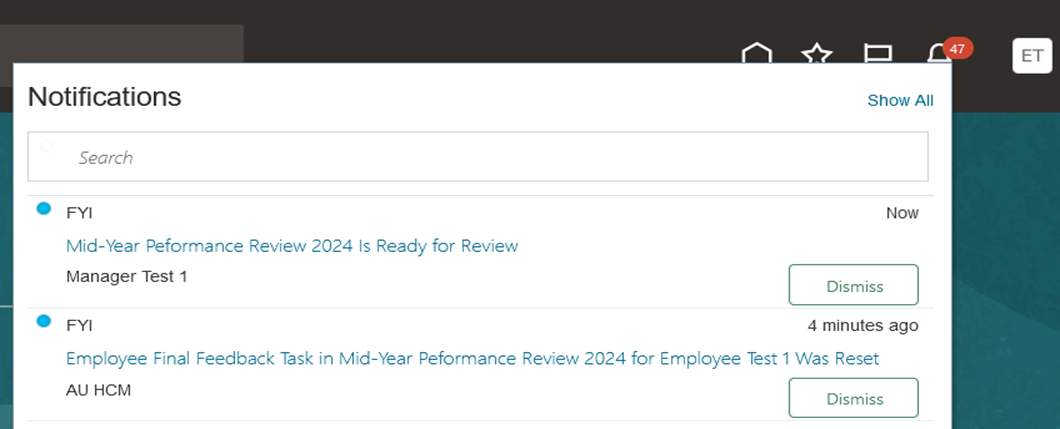
The system will notify managers when HR launches the Mid-Year Performance Review. You can either click the URL in the notification to access the performance review page directly or follow the steps outlined in this article to navigate manually.
To start the process, follow the steps below:
-
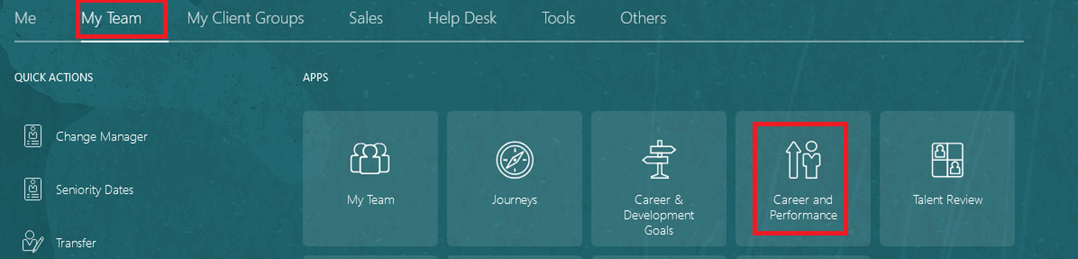
On the Home page, click on "My Team" then select "Career & Performance".
-
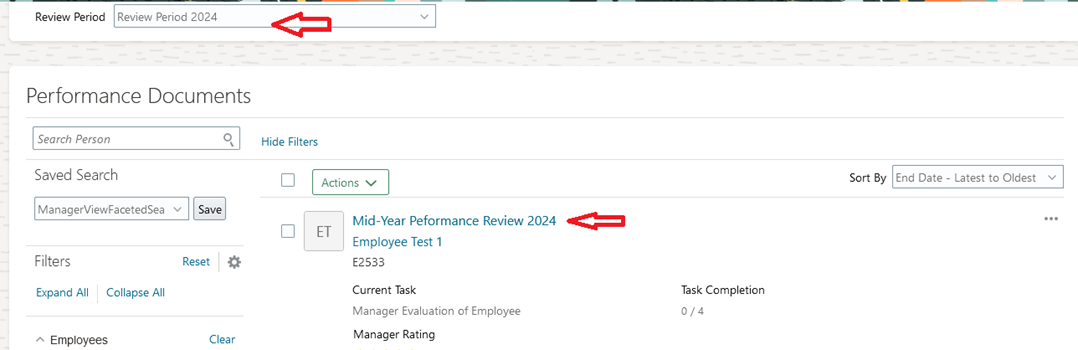
Select "Review Period", and then open "Mid-Year Performance Review".
Evaluate Goals
-
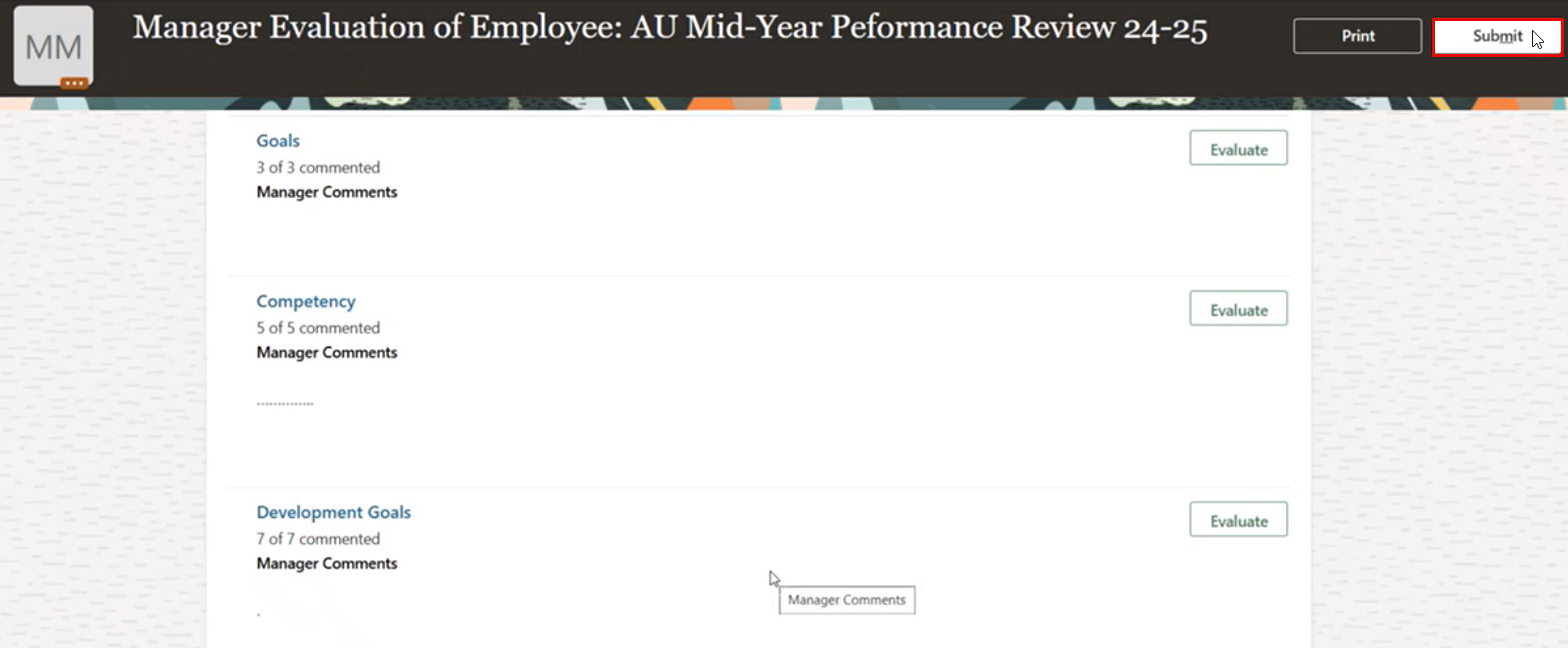
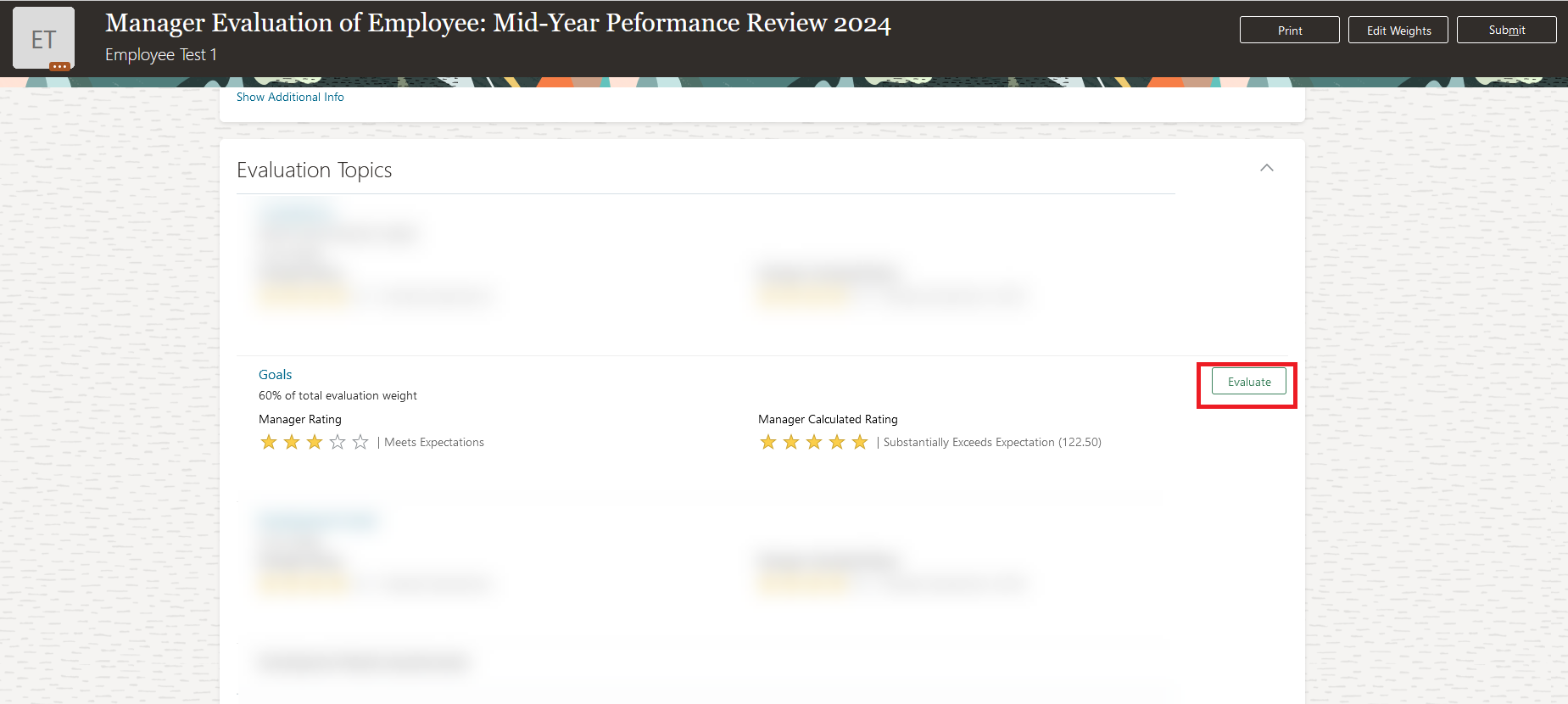
Click Evaluate to open the goals section and evaluate the goals.
-
Add your comments to "Goals Topics”. Once you've completed your comments, click “Save and Close”.
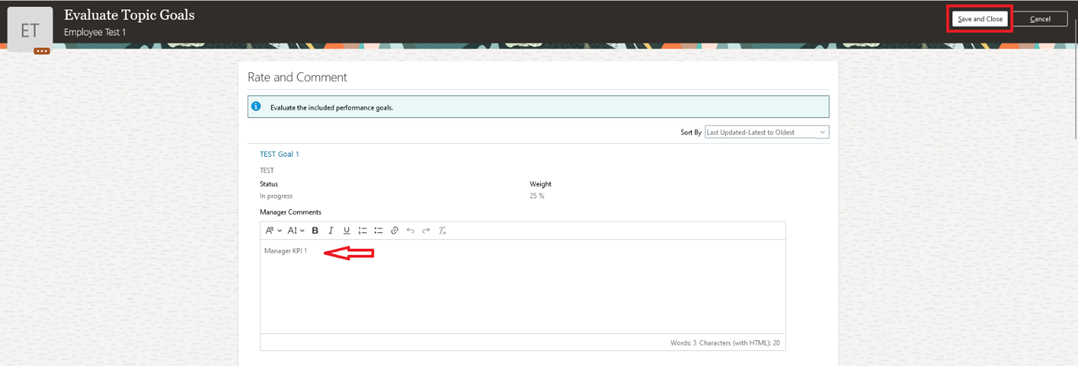
Repeat the same steps to evaluate the remaining goals.
Evaluate Competencies
-
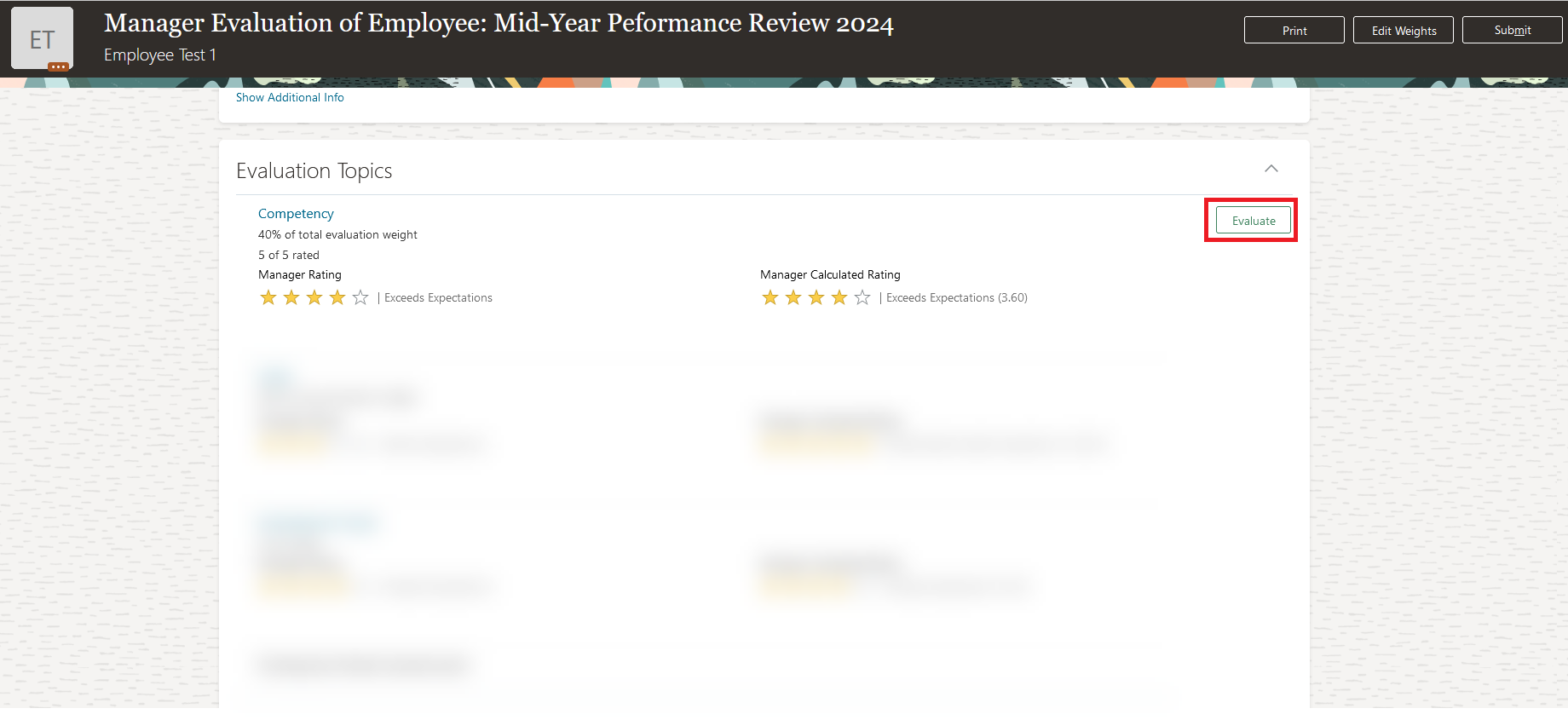
Click "Evaluate" to open the Competency section and evaluate them.
-
Add your comments to the Competency Topics. Once you've completed your comments, click Save and Close.
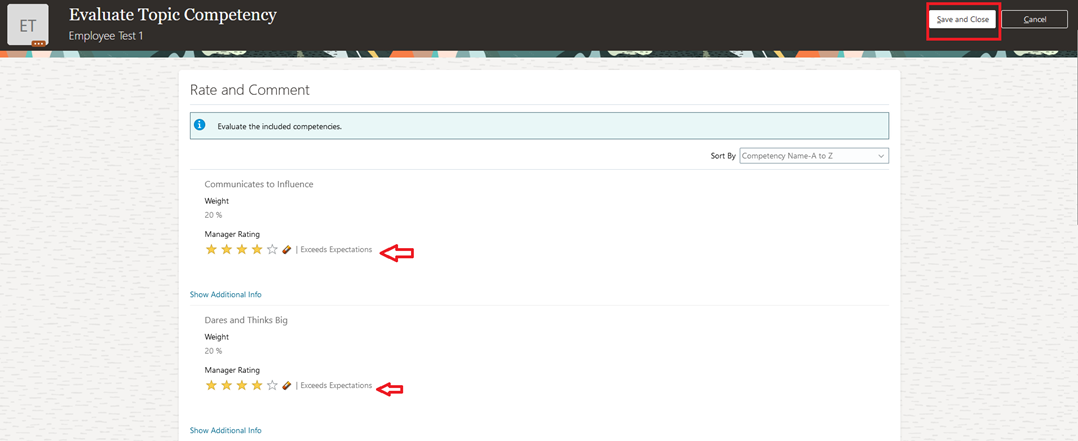
Repeat the same steps to evaluate the remaining competencies.
Evaluate Development Goals
-
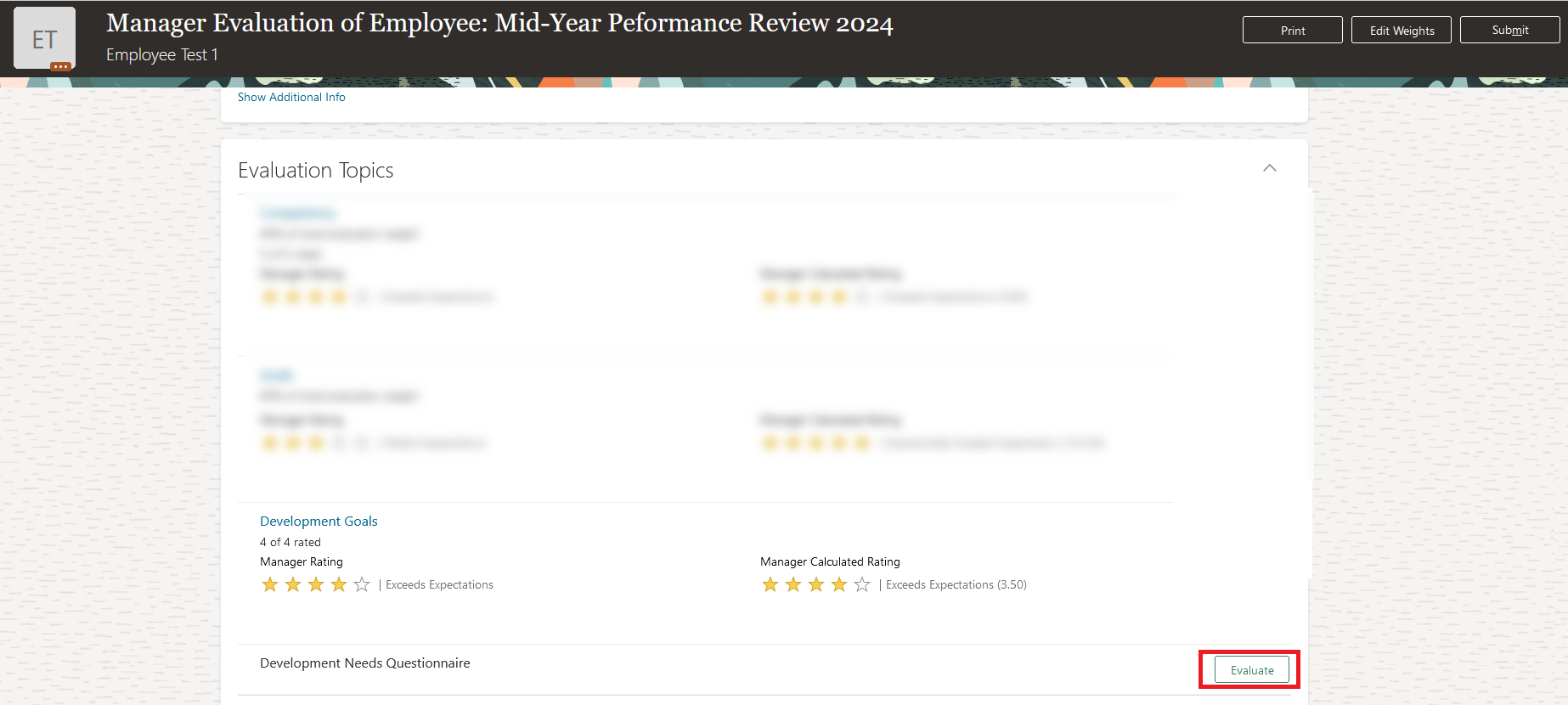
Click Evaluate to open the Development Goals section and evaluate them.
-
Add your comments to the Development goals Topics. Once you've completed your comments, click Save and Close.
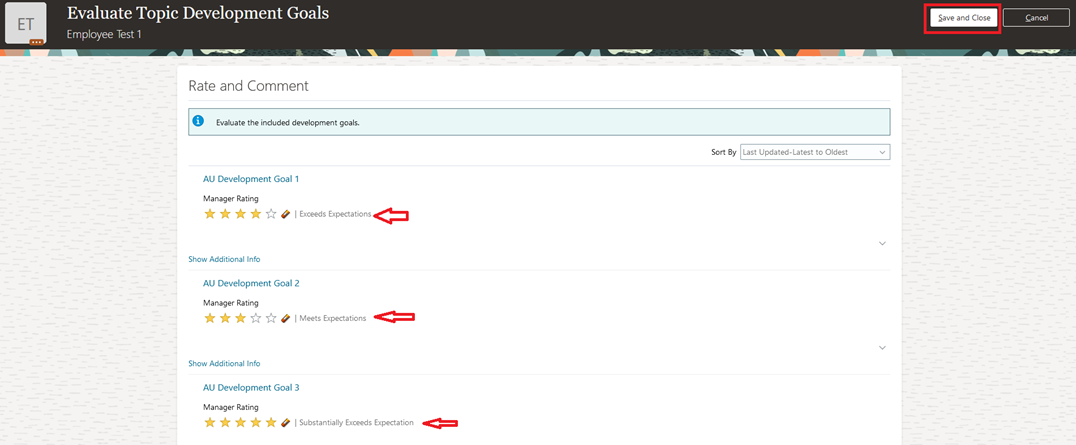
Repeat the same steps to evaluate the remaining development goals.
- When you complete adding comments, click Submit.

Submit Mid-Year Performance
- Click "Submit".