Moodle is an e-service that allows AU faculty to create personalized learning environments for their courses each semester, where they can upload lecture materials, create various types of assignments and quizzes, and use other interactive features. The main features of this e-service which you will be using throughout the semester are available in the navigator on the left side of this webpage.
Furthermore, the upgraded Moodle 4.3 will include additional features, which are detailed in the user guide. To understand the differences between Moodle 3.5 and Moodle 4.3, please refer to the article List of Changes from Moodle 3.5 to 4.3.
You can watch the recorded webinar: Comprehensive Beginner’s Guide to Moodle
Access Moodle
- You can access Moodle through:
Ajman University’s website → MyAU → Faculty/Staff → Moodle.
- Log in using your AU email (example: x.lastname@ajman.ac.ae) and password.
Access your Current Courses
To access your courses, click on “My Course” from the navigator, as illustrated below.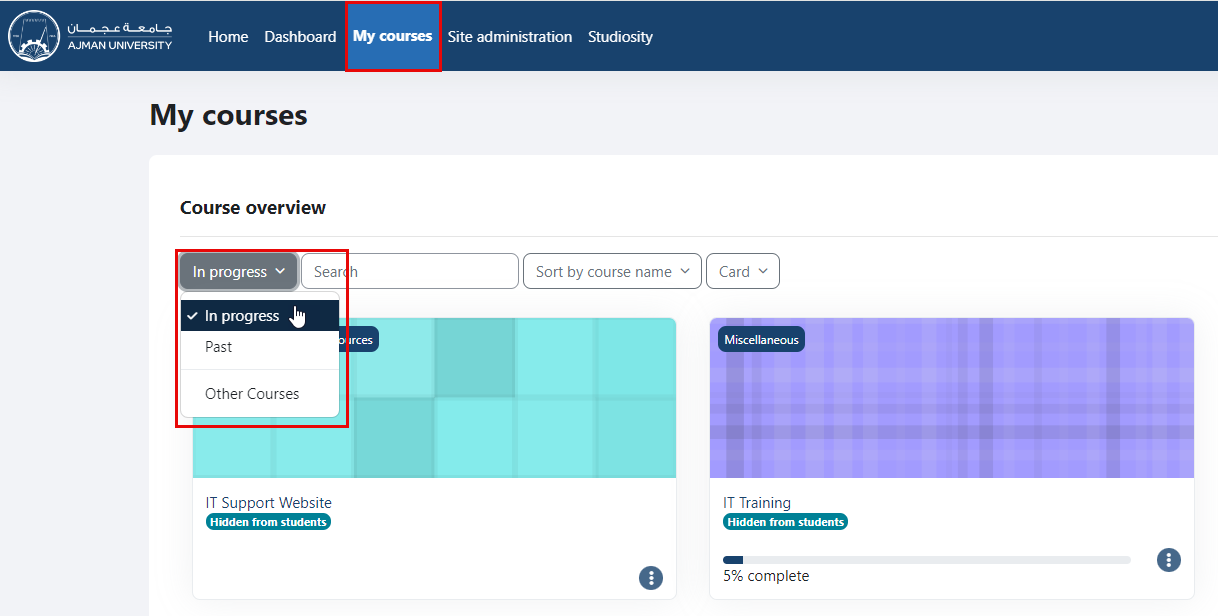
You will be directed to a page that lists all the courses assigned to you as an instructor in the Banner system for the current semester. You can click on the course that you would like to work on.
Make sure to select "In Progress" courses from the drop-down menu
Access your Past Courses
To view and access your previous courses, click on “My Course” from the navigator, and then select the "Past" option from the drop-down menu as illustrated below.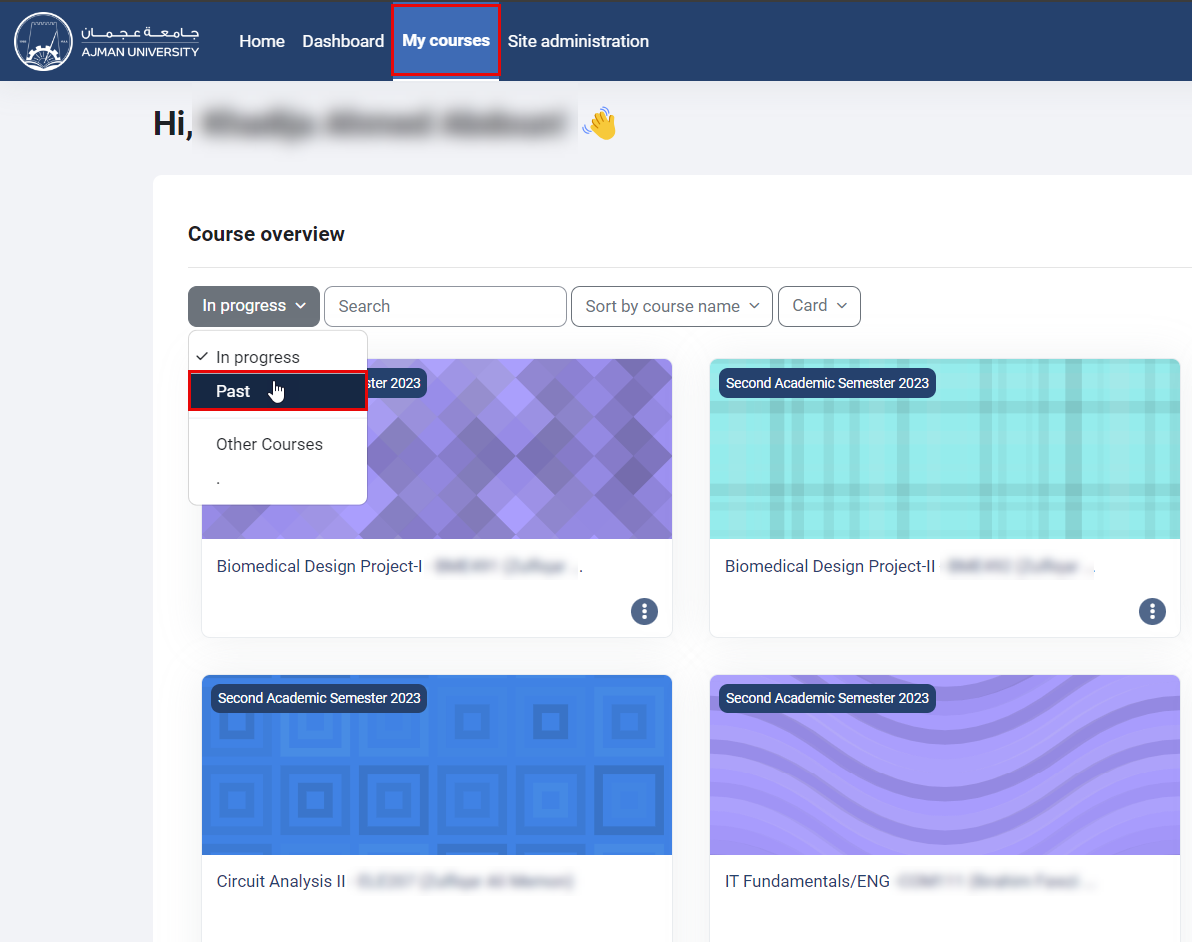
Moodle Features
You may conduct the following activities within each of your courses:
- Post announcement to students.
- Upload the teaching material, and learning resources.
- Add resources, such as books & files.
- Set assignment.
- Set quizzes.
- Conduct surveys.
- Communicate with students through chat, or by sending messages to students or receiving messages from them.
- Others.
The course page is divided into sections (Topics). You can edit section names and add activities such as announcements, file uploads, assignments, or quizzes.