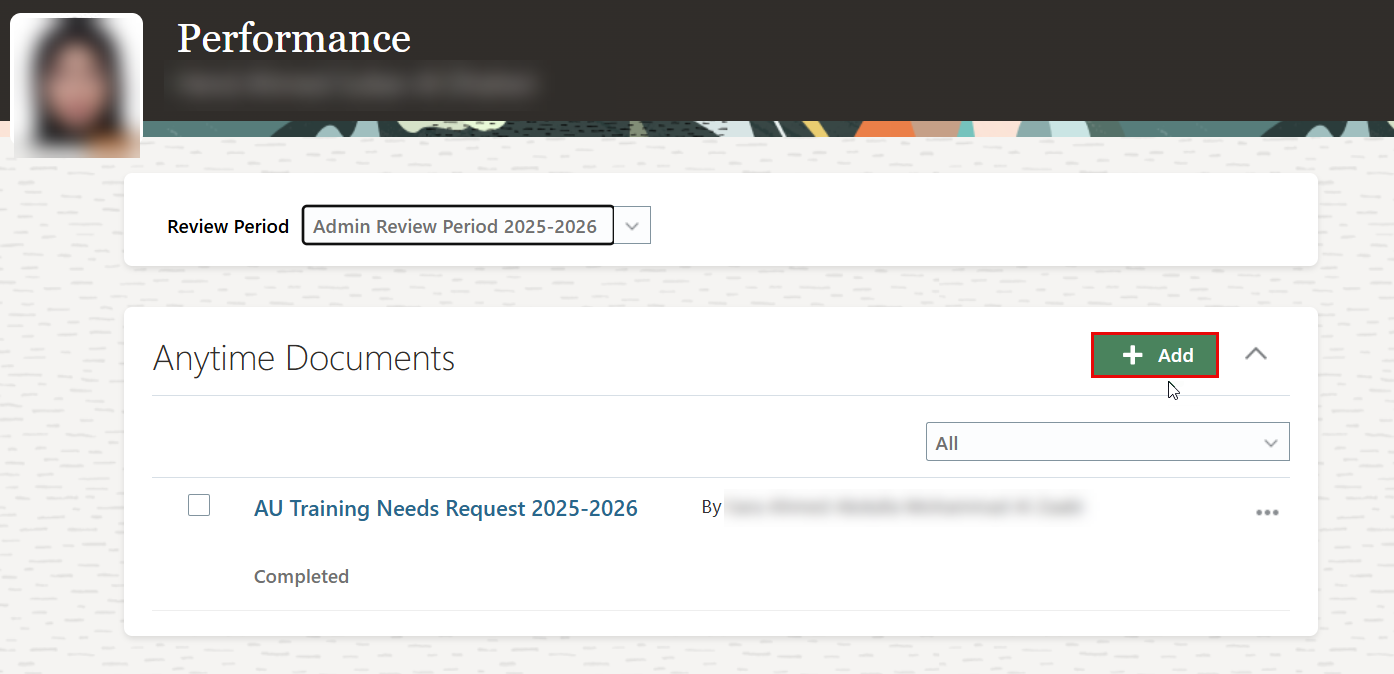
The HR office will send a notification email to managers, requesting that they input their team's training needs.
To add the training needs, please follow the steps outlined below:
-
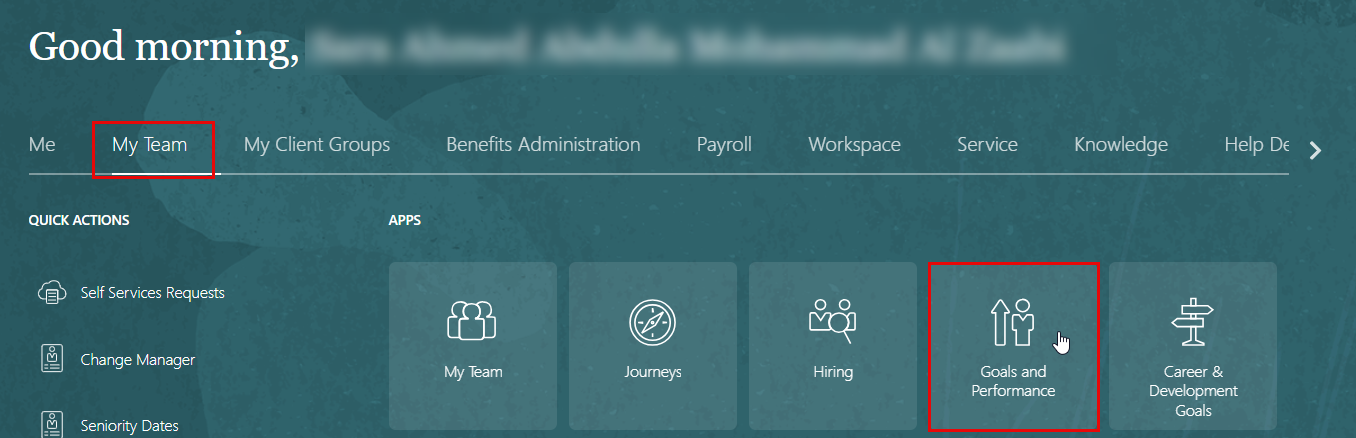
On the Home page, click on "My Team", then click on "Goals and Performance."
-
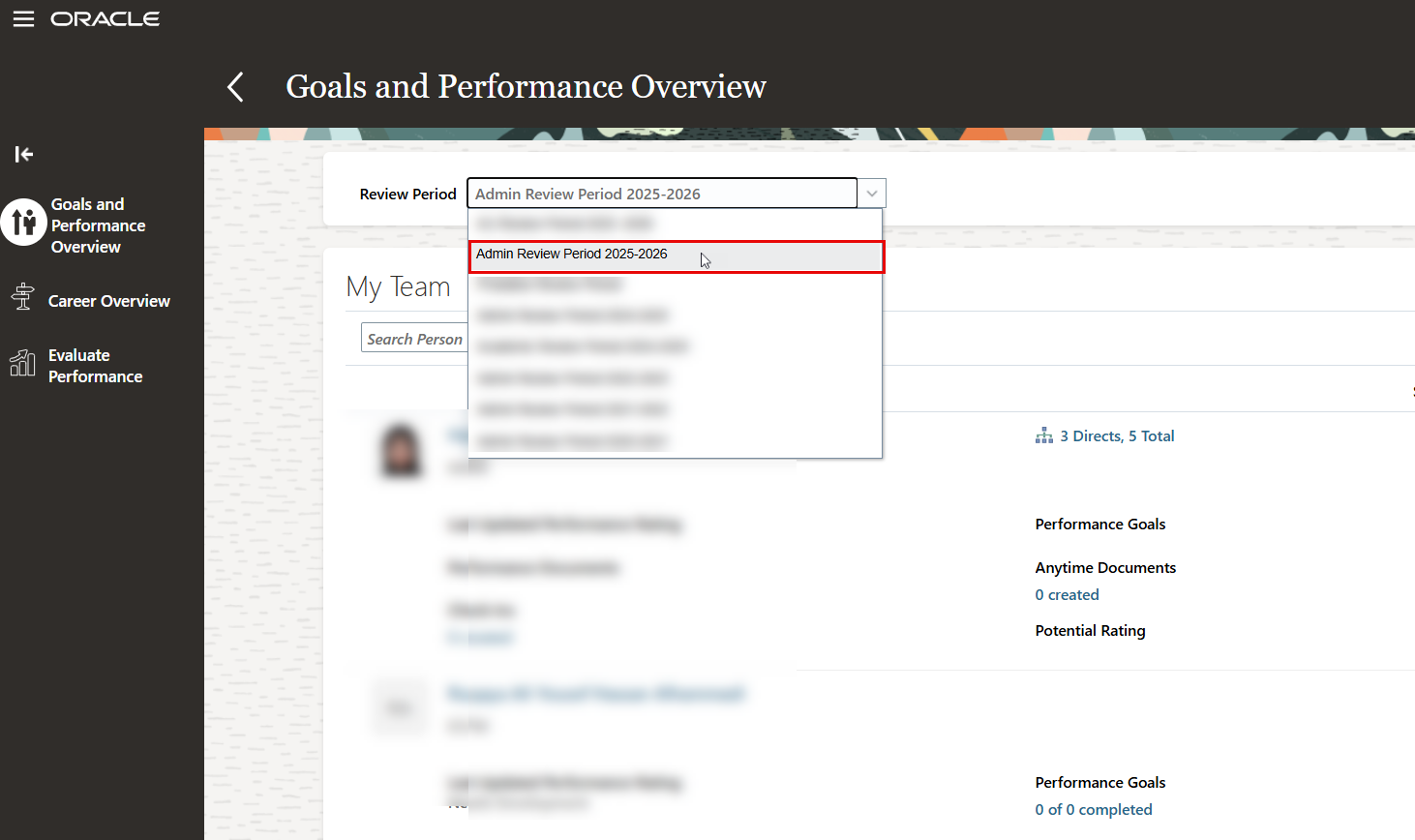
On the Goals and Performance Overview page, select the appropriate Review Period corresponding to the current academic year. For this cycle, choose Admin Review Period: 2025–2026.
-
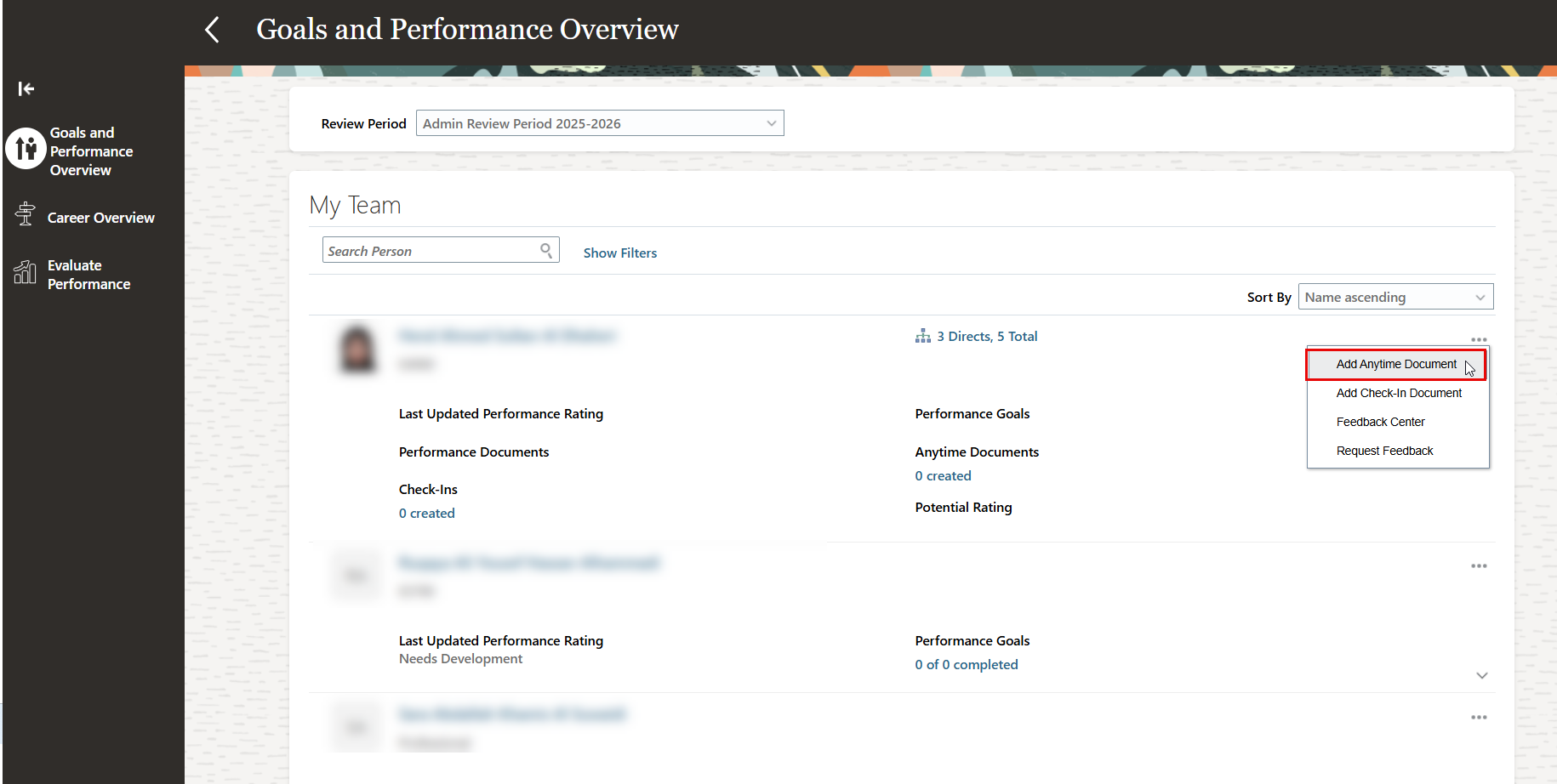
Navigate to the employee’s name, then click the Action button and select “Add Anytime Documents.”
-
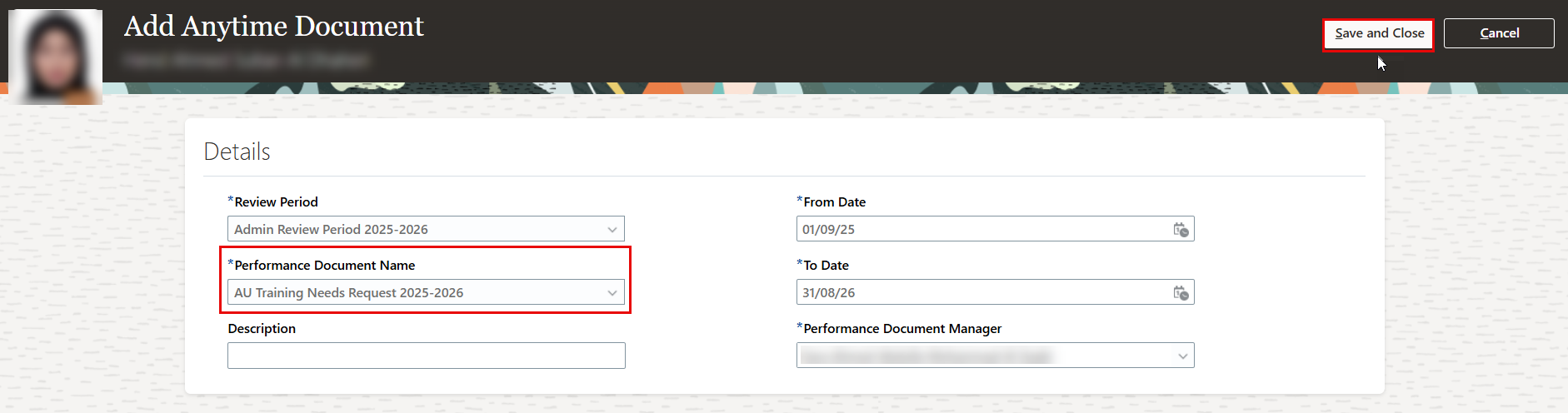
Select “AU Training Needs Request” as the performance document name, then click “Save and Close.”
-
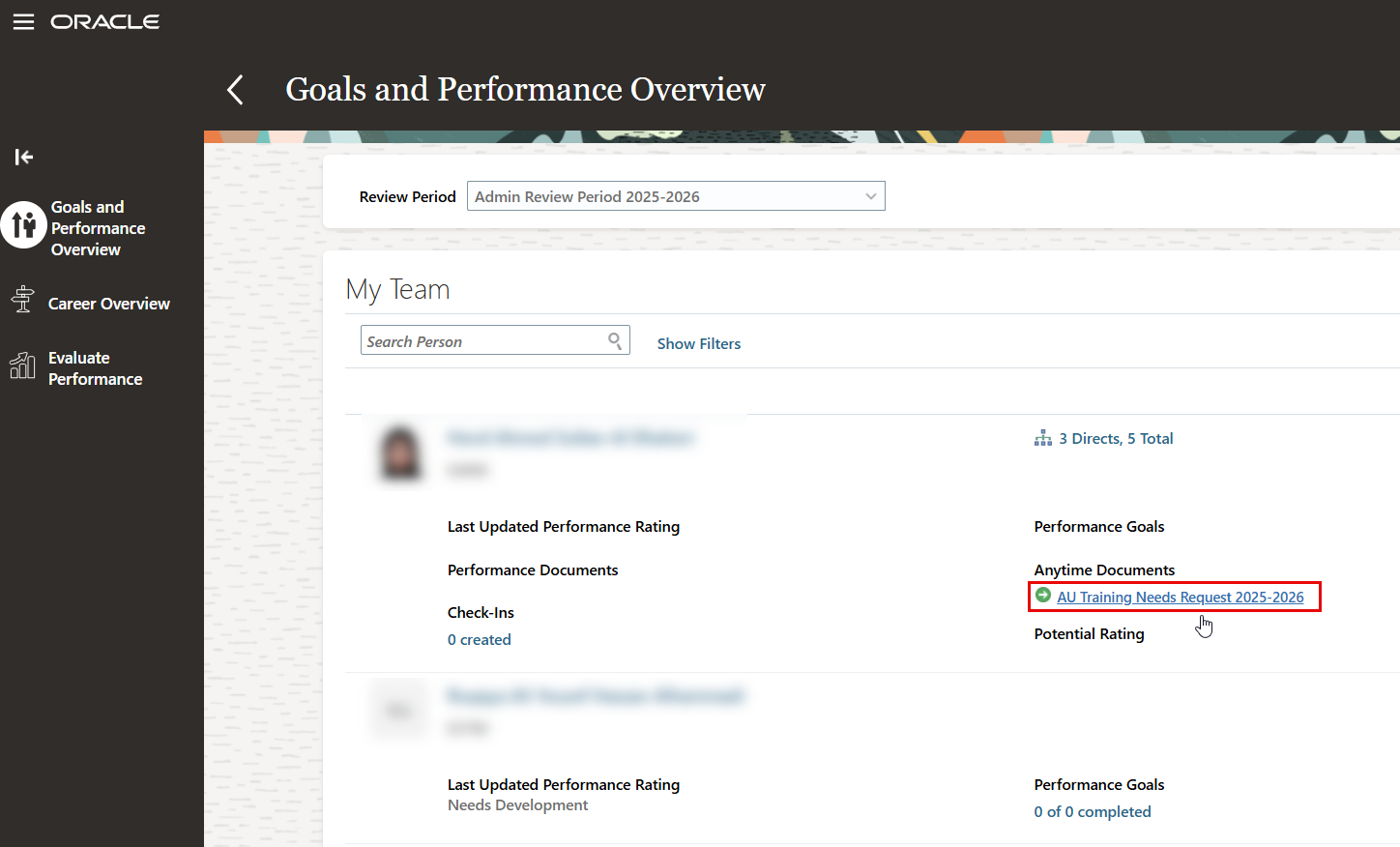
Click on the created "AU Training Needs Request".
-
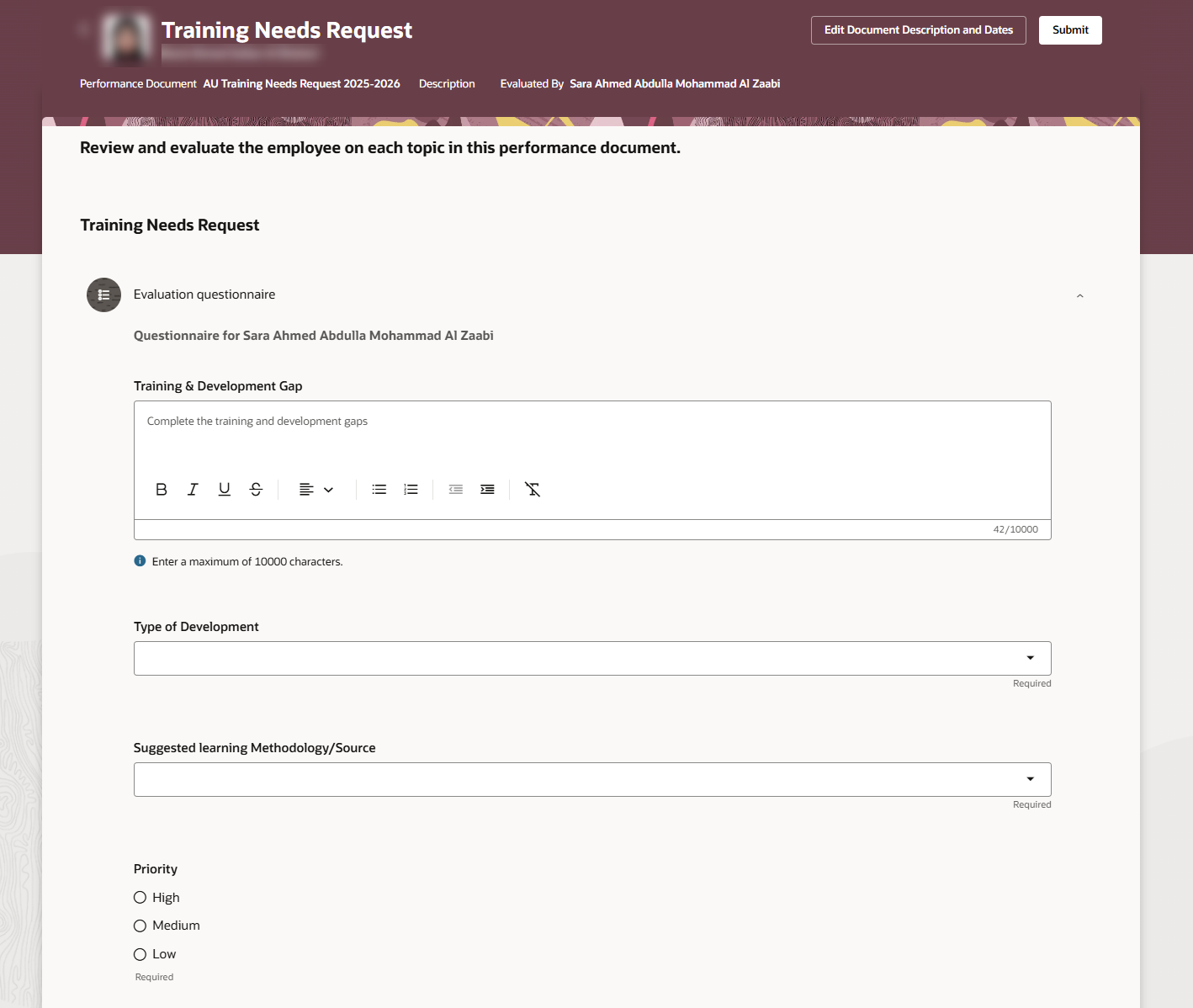
Fill out the questionnaire for the Training Needs Request,
-
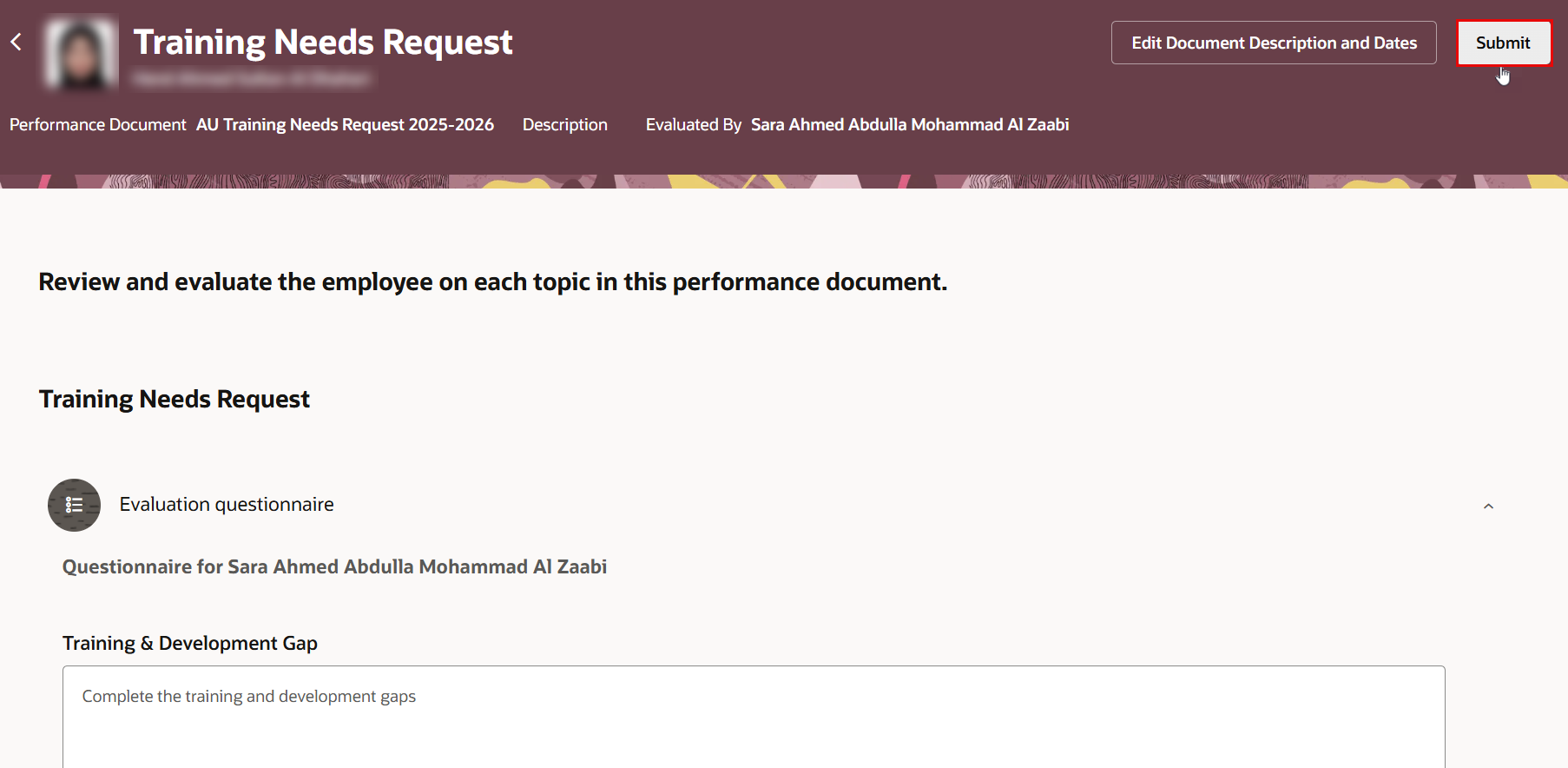
Once completed, click "Submit".
Repeat the above steps to submit another training request for the employee.