

Personal Permission Request
- 06 Sep 2024
- 1 دقيقة للقراءة
- المساهمون

- طباعة
- داكنفاتح
- PDF
Personal Permission Request
- تحديث في 06 Sep 2024
- 1 دقيقة للقراءة
- المساهمون
- طباعة
- داكنفاتح
- PDF
The content is currently unavailable in Arabic. You are viewing the default English version.
ملخص المقال
هل وجدت هذا الملخص مفيدا؟
شكرا لك على ملاحظاتك
To request a personal permission hours and submit it for approval, follow these steps:
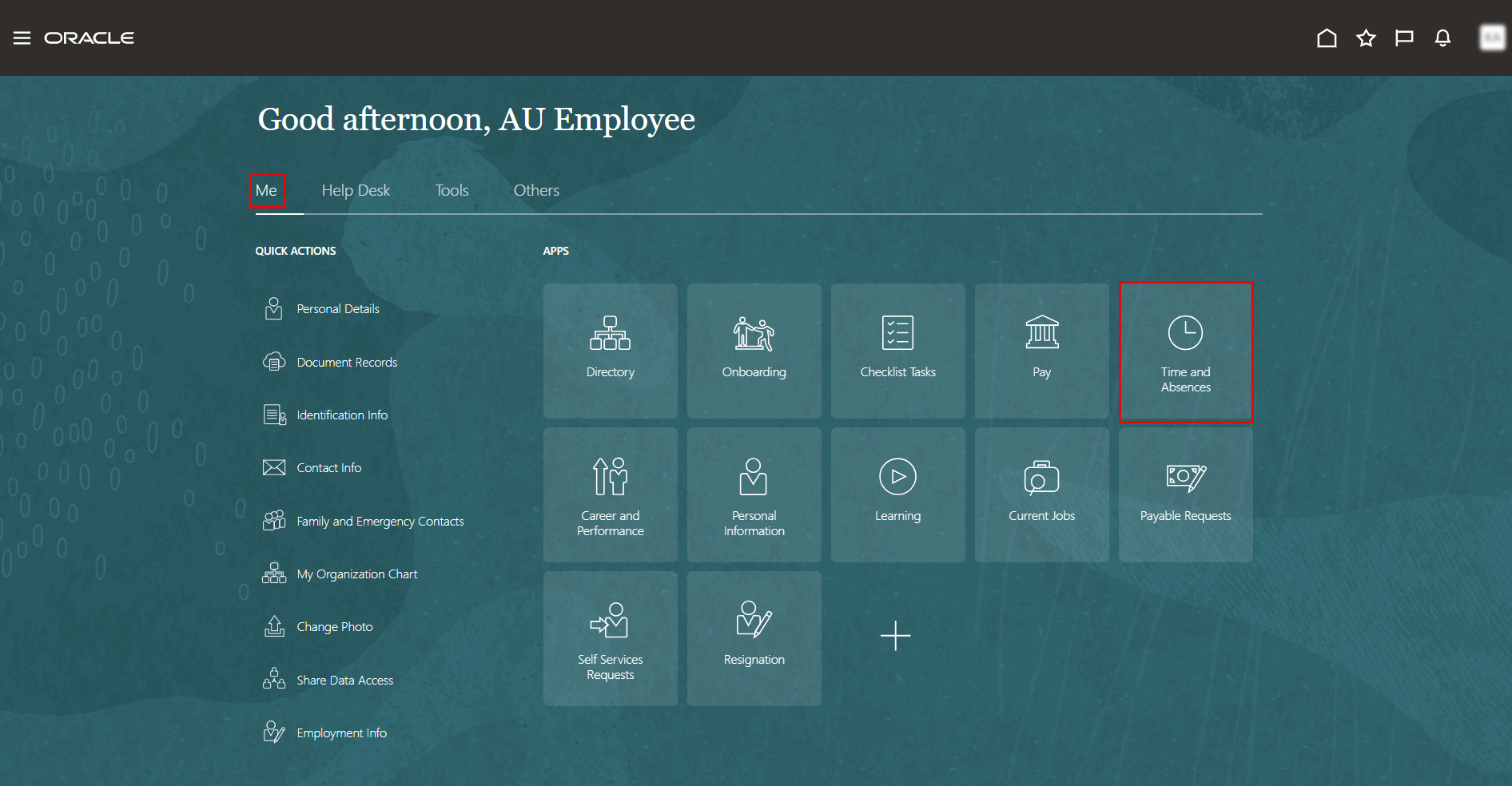
On the Home page, click on "Time and Absences".
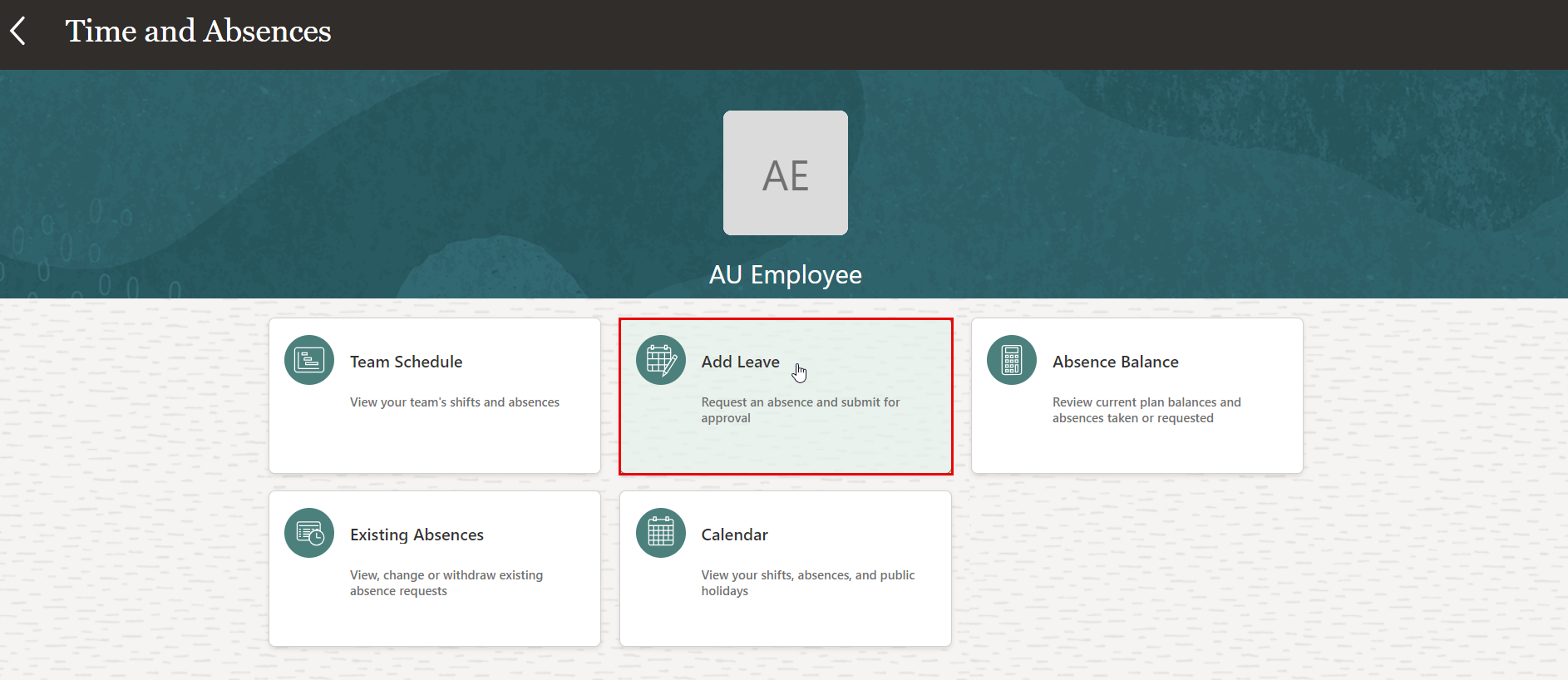
On the Time and Absences page, click the "Add Leave" tab.
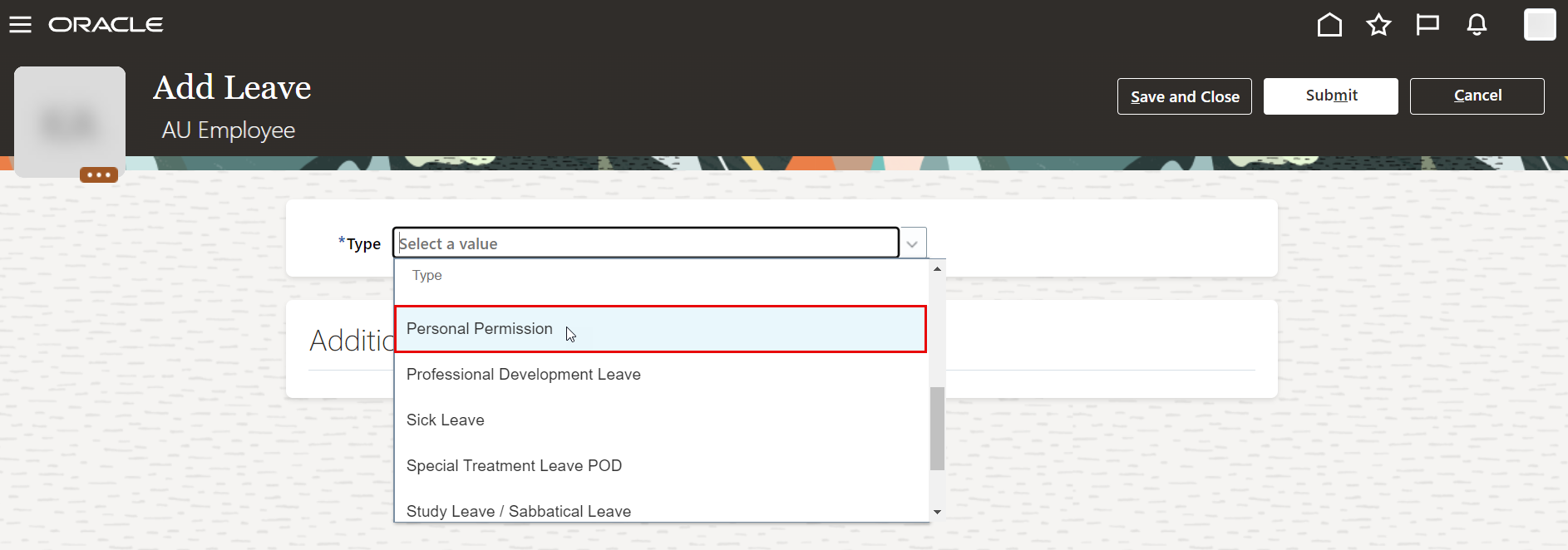
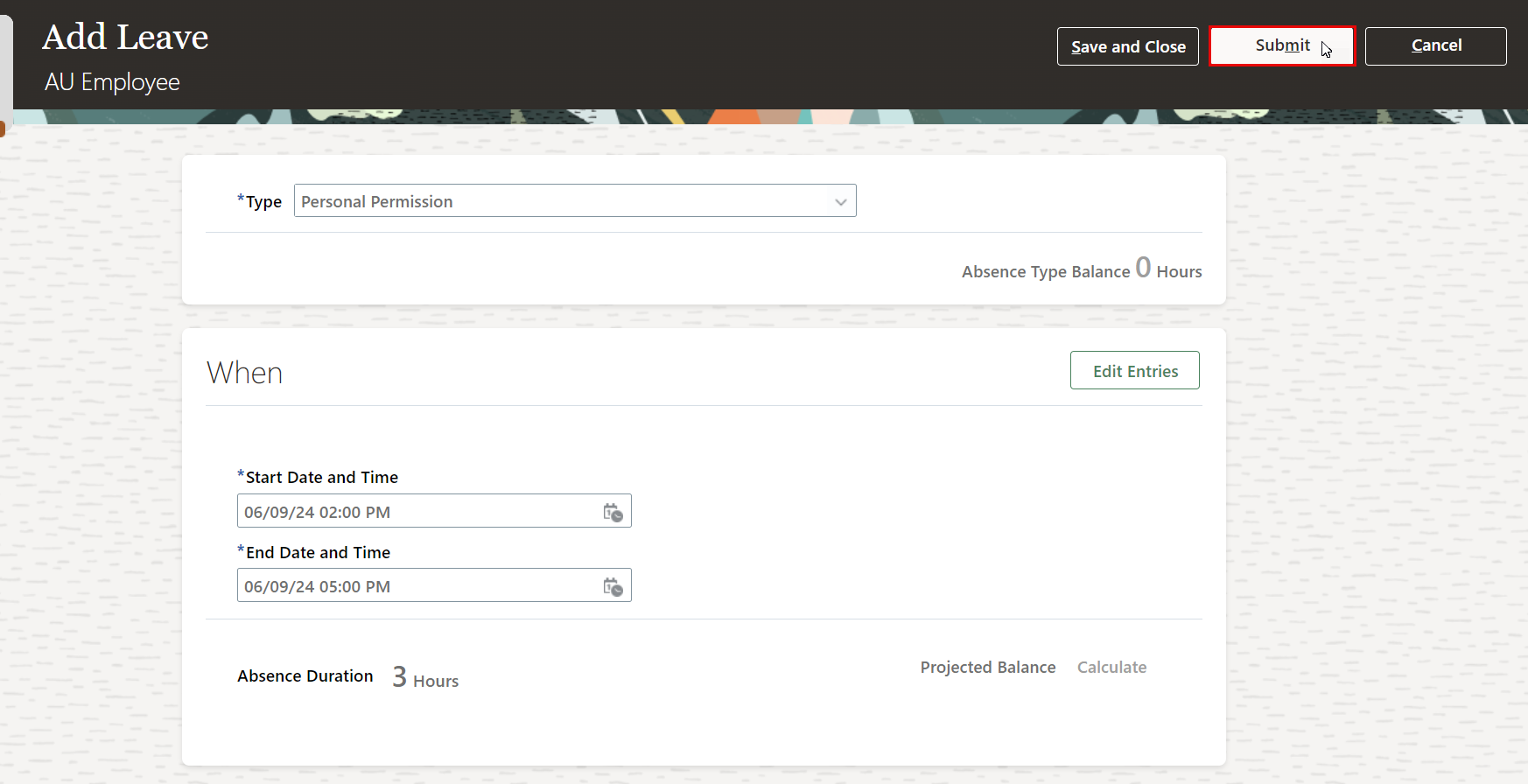
On Add Leave page, select "Personal Permission" leave type from the drop-down menu.
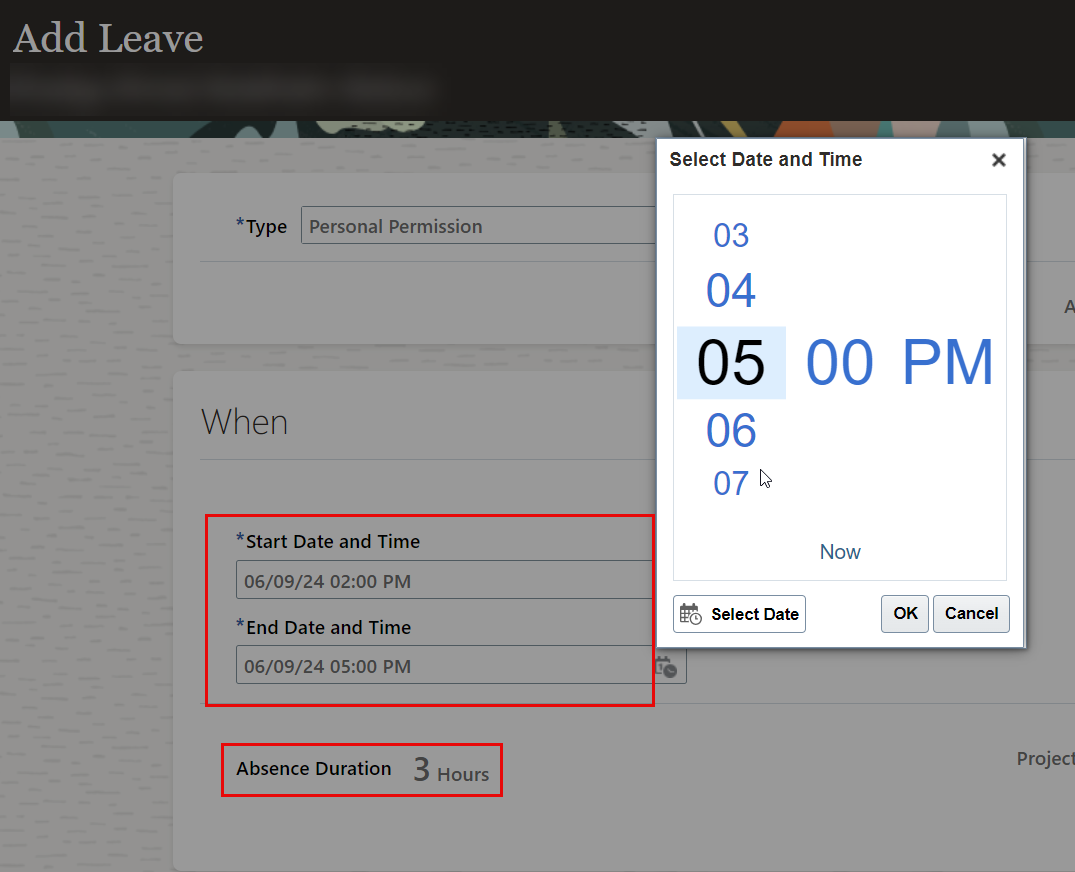
Select the start date/time and end date/time of your personal permission.
your title goes here
Personal permission duration will be calculated and displayed according to the selected dates and times.
- Submit your personal permission request for approval.
هل كانت هذه المقالة مفيدة؟
