This content is currently unavailable in Arabic. You are viewing the default (English) version.
After students submit their assignments, you can add comments to each submission individually, and each student will see the comment posted for them. The feedback is provided directly in the Turnitin portal, unlike the standard assignment comment section, which is located within Moodle.
Go to the Moodle course.
Click on the assignment.
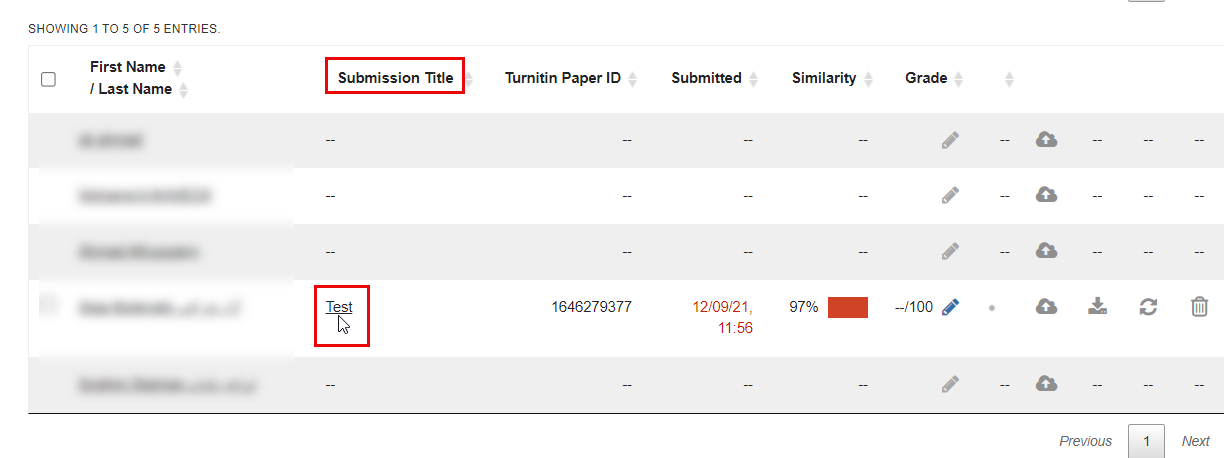
In the Submission title column, click the submission to which you want to add comments.
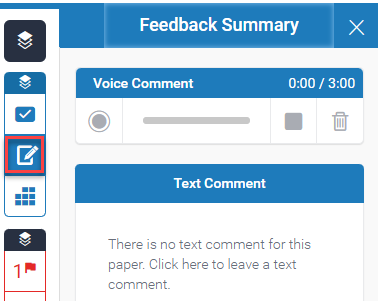
Click the Feedback icon and enter your comments either by recording audio (up to 3 minutes) or by typing your comment.
Note:
Students will NOT receive an email notification; therefore, you should notify them directly.