Turnitin has introduced a new feature in the Similarity Report that specifically identifies similarities originating from AI sources, such as ChatGPT.
To access this feature, please follow the steps below:
-
Go to Moodle at https://mylms.ajman.ac.ae/.
-
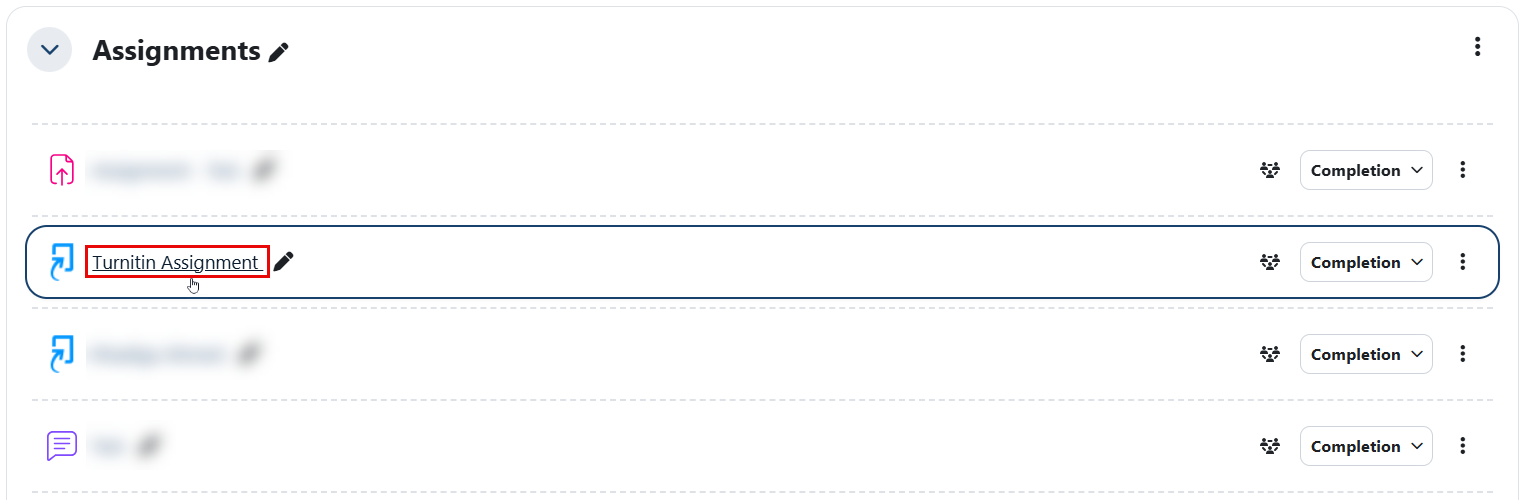
Access the Turnitin assignment within your course.
-
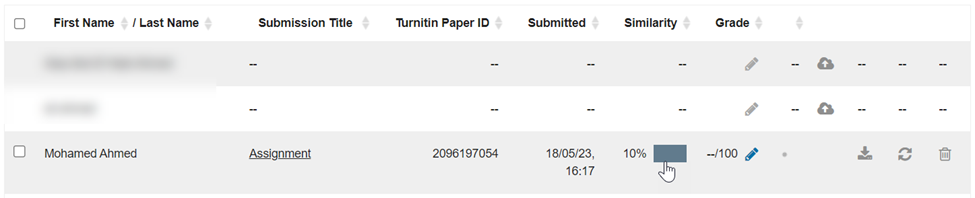
Navigate to the desired submission, then click the similarity percentage.
Note:
- Turnitin can detect AI writing only in documents submitted in English.
- Turnitin will automatically conduct AI detection checks for assignments submitted after the feature’s launch (April 4th, 2023).
- Previously submitted assignments (before April 4th, 2023) can only be checked if they are re-submitted in Moodle or Turnitin.
- You will now be redirected to the Turnitin portal to view the similarity report.
Note:
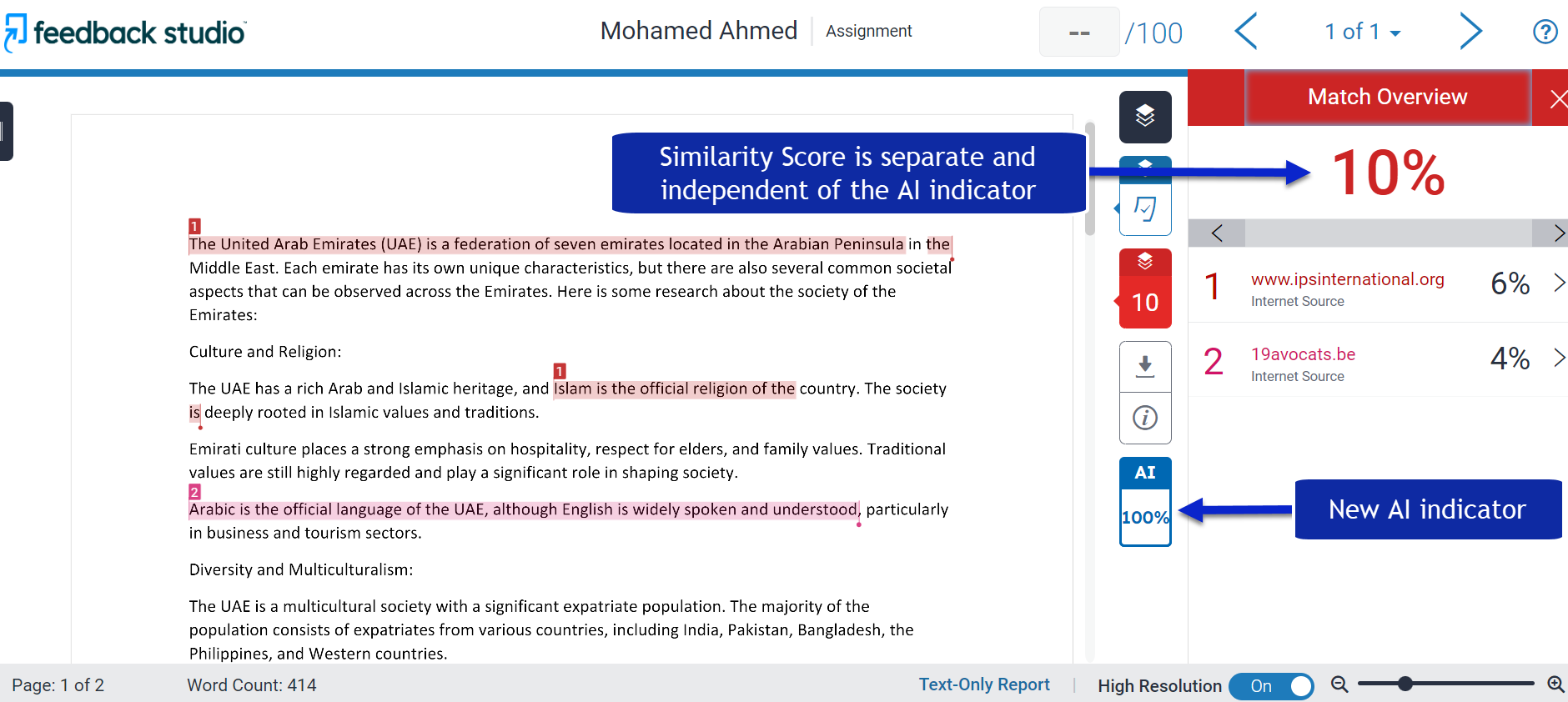
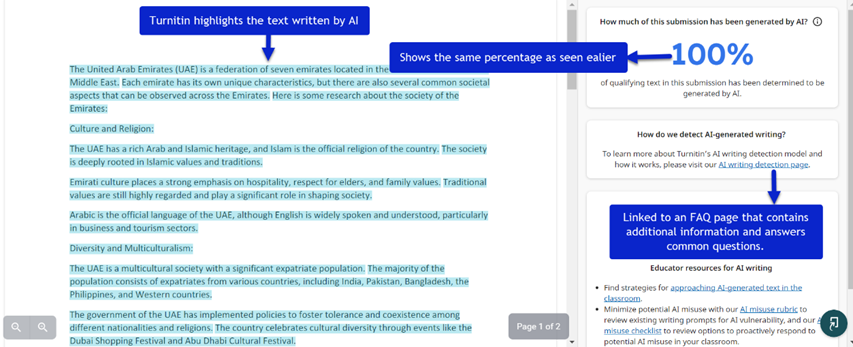
- The AI indicator displays the overall percentage of the document generated by AI writing tools, such as ChatGPT. In this example, it shows 100%.
- The AI indicator and report are visible only to instructors and system administrators.
- The AI indicator is linked to the AI report.
- Click the AI indicator to view the AI report.
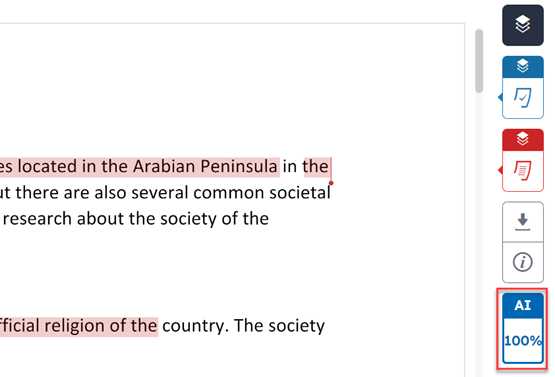
- Upon accessing the AI report, you can view the percentage and the highlighted text identified by Turnitin as AI-generated content.
Note:
- Turnitin identifies content as AI-written when there is at least a 98% confidence level that it was generated by an AI system.
- Students do not have access to the AI writing detection indicator and its report.