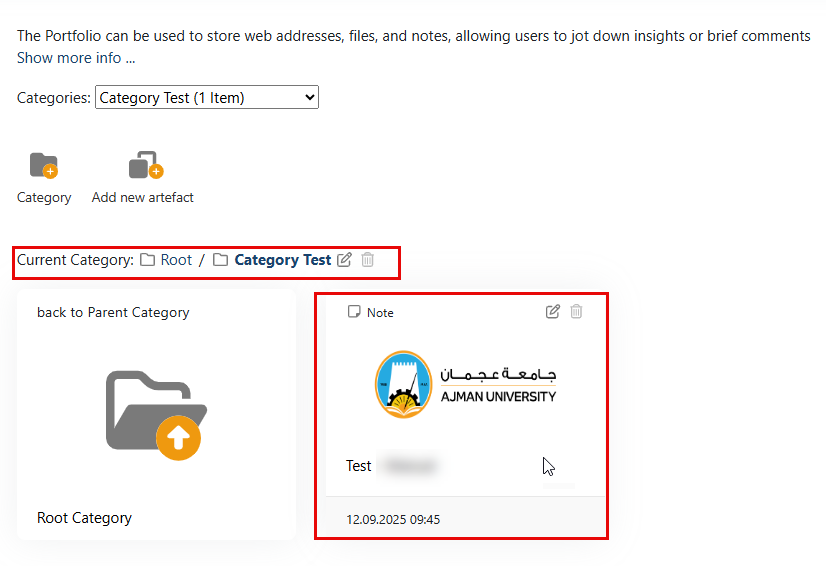
Artefacts in ePortfolio refer to the digital items or pieces of evidence that students collect, organize, and present to demonstrate their learning, skills, achievements, and experiences.
These artefacts can vary widely depending on the purpose of the ePortfolio and the goals of the student, but they typically include documents, presentations, images, videos, audio recordings, websites, and other multimedia materials.
To upload your artefacts, follow the steps below:
-
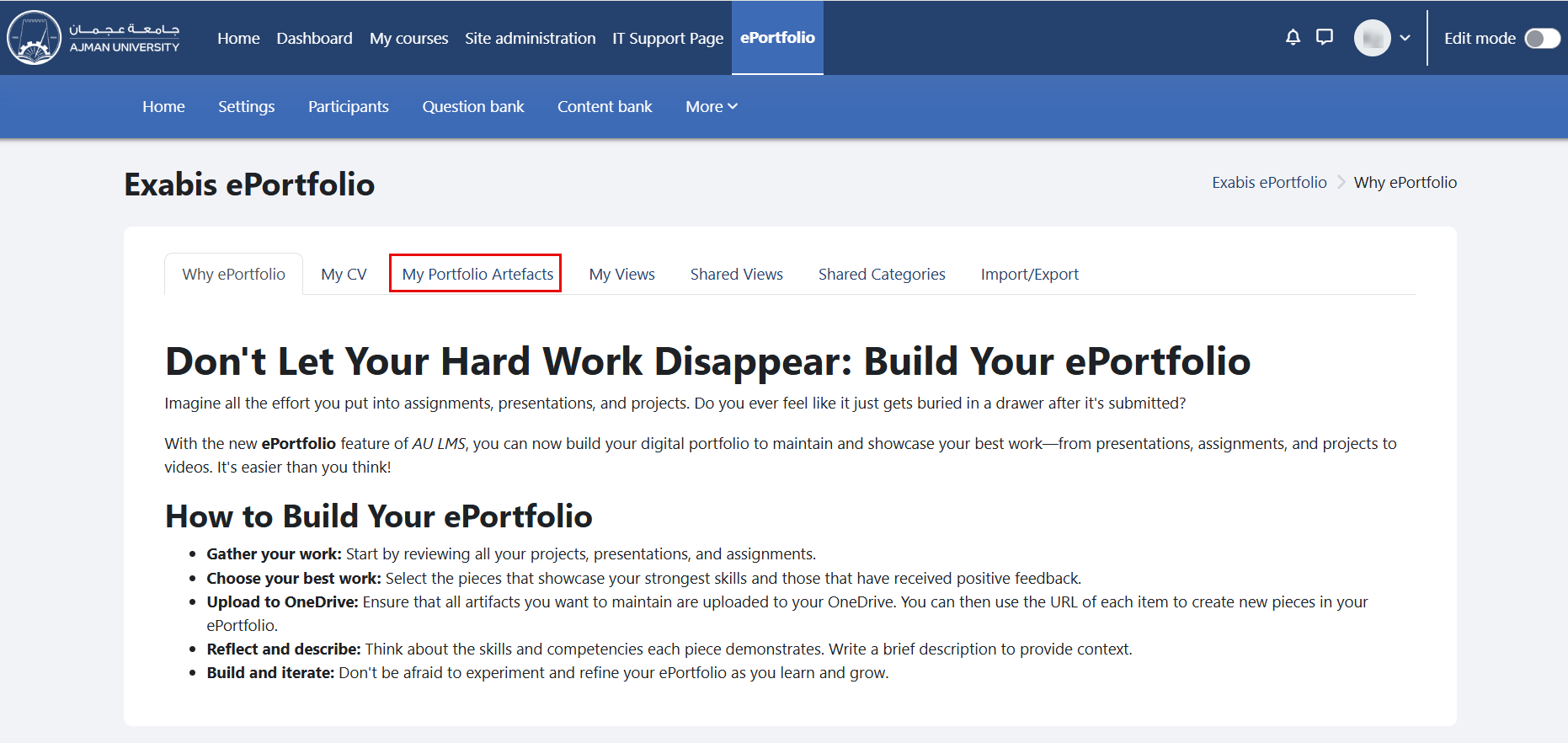
In the ePortfolio page, click on the tab "My Portfolio Artefacts".
-
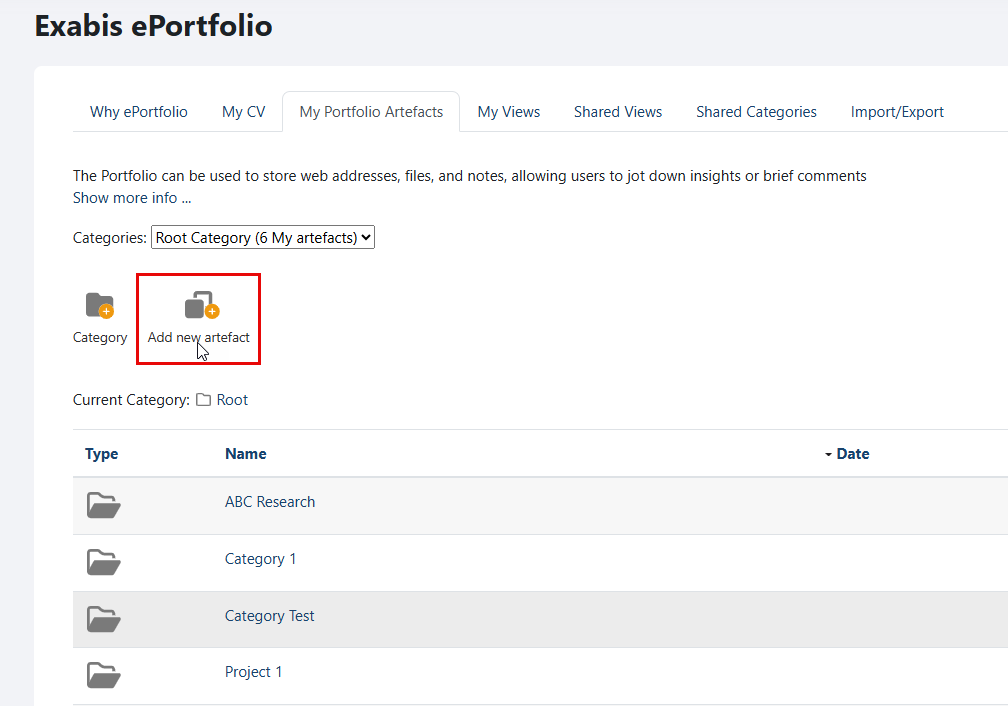
Click "Add new artefact".
-
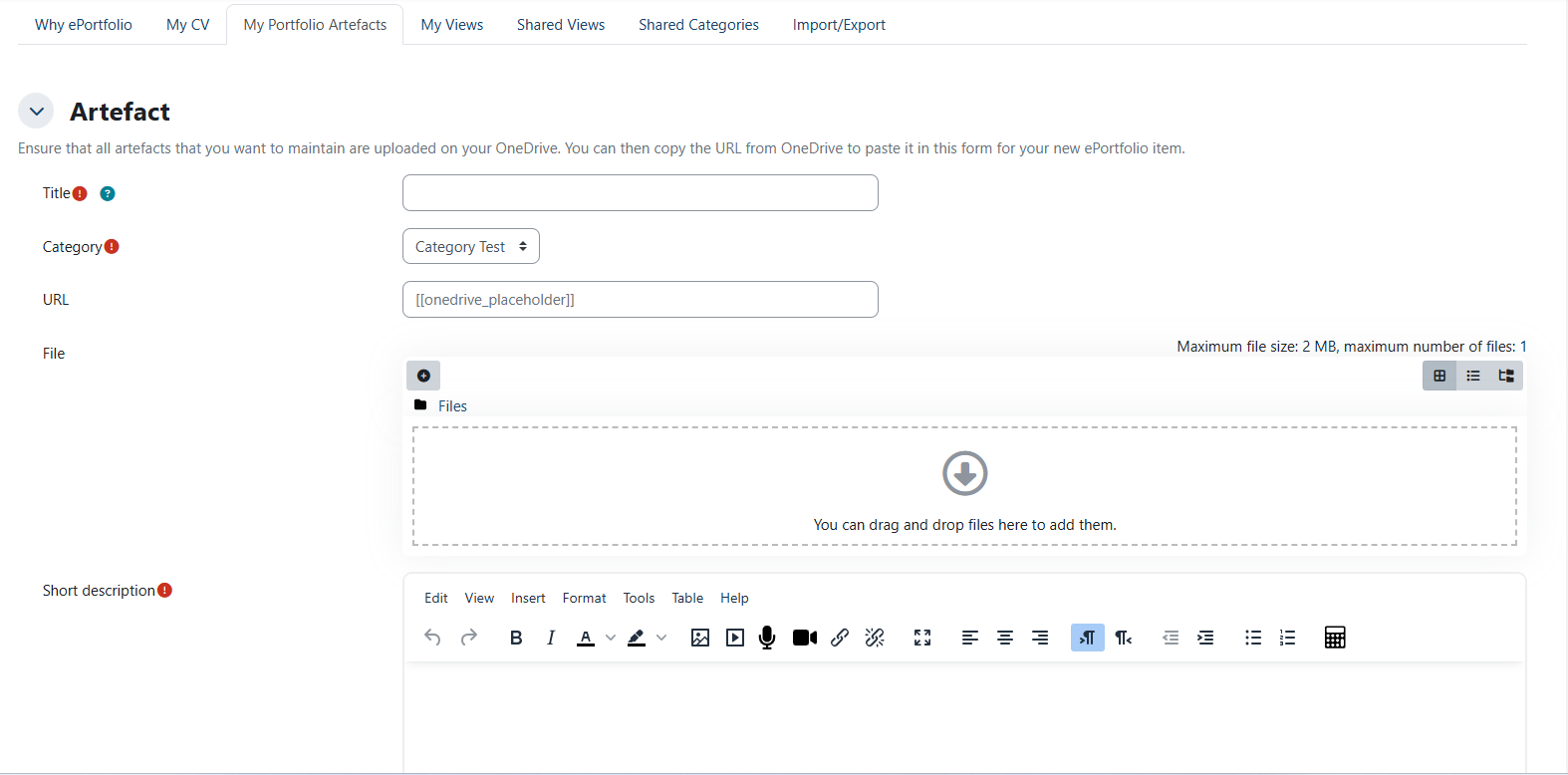
Enter the title, select the category where the artefact will be saved.
-
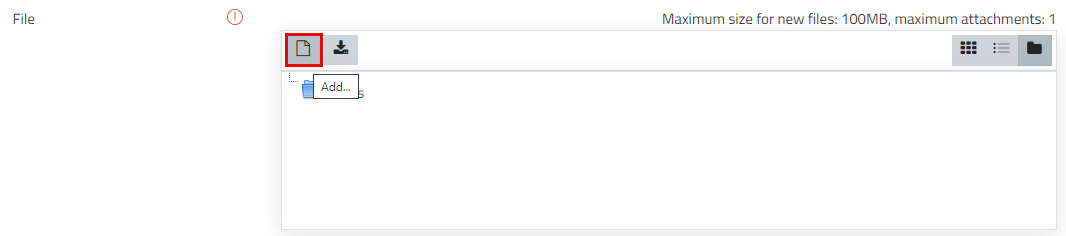
Fill out the remaining fields, and then click on the "Upload" icon to upload a file.
-
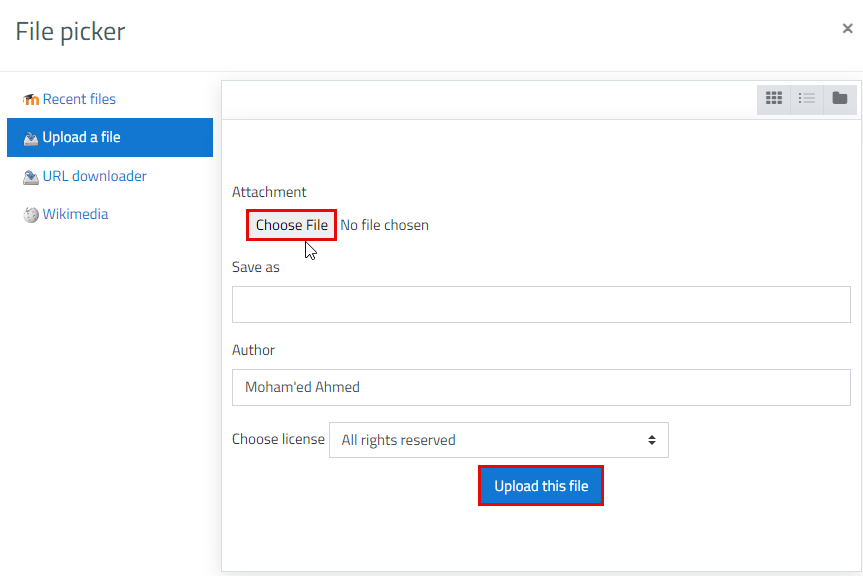
Choose a file, and then click on "Upload this file" button.
-
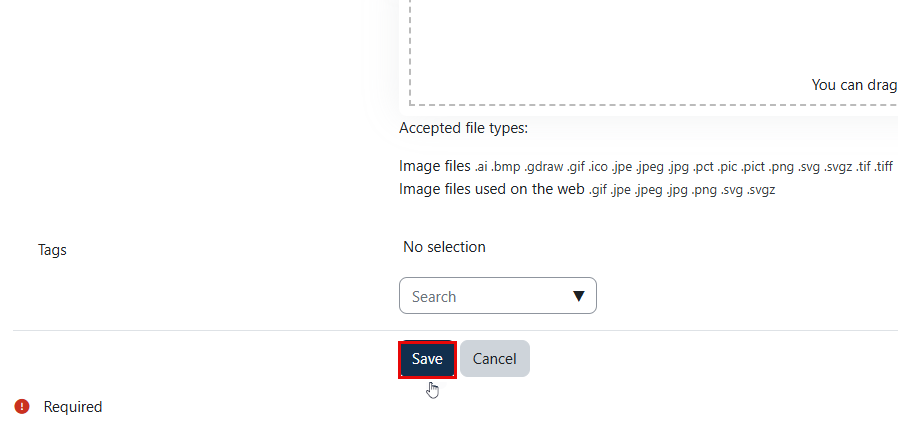
Once done, click on the "Save" button.
-
The artefact will be added to your portfolio under the selected category.