Please Note:
This user manual is currently under review. A revised version reflecting the new Redwood user interface will be available soon.
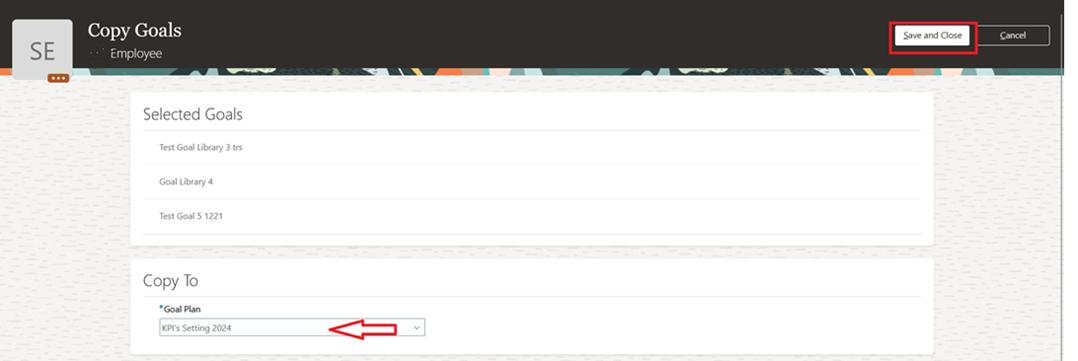
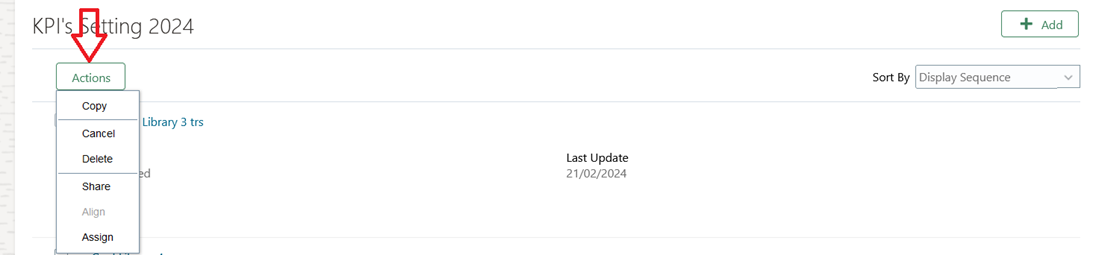
You can perform various actions on the goals you’ve added, such as copying, canceling, or deleting. Below is an example of how to copy a set of goals to a new Goal Plan.
- Select the goals and click Actions > Copy
- Select the new goal plan you want to copy to, then click "Save and Close".