

Change a View's Layout
- 12 Sep 2025
- 1 Minute to read
- Contributors

- Print
- DarkLight
- PDF
Change a View's Layout
- Updated on 12 Sep 2025
- 1 Minute to read
- Contributors
- Print
- DarkLight
- PDF
Article summary
Did you find this summary helpful?
Thank you for your feedback!
You can change the layout of your display of a view, by following the steps below:
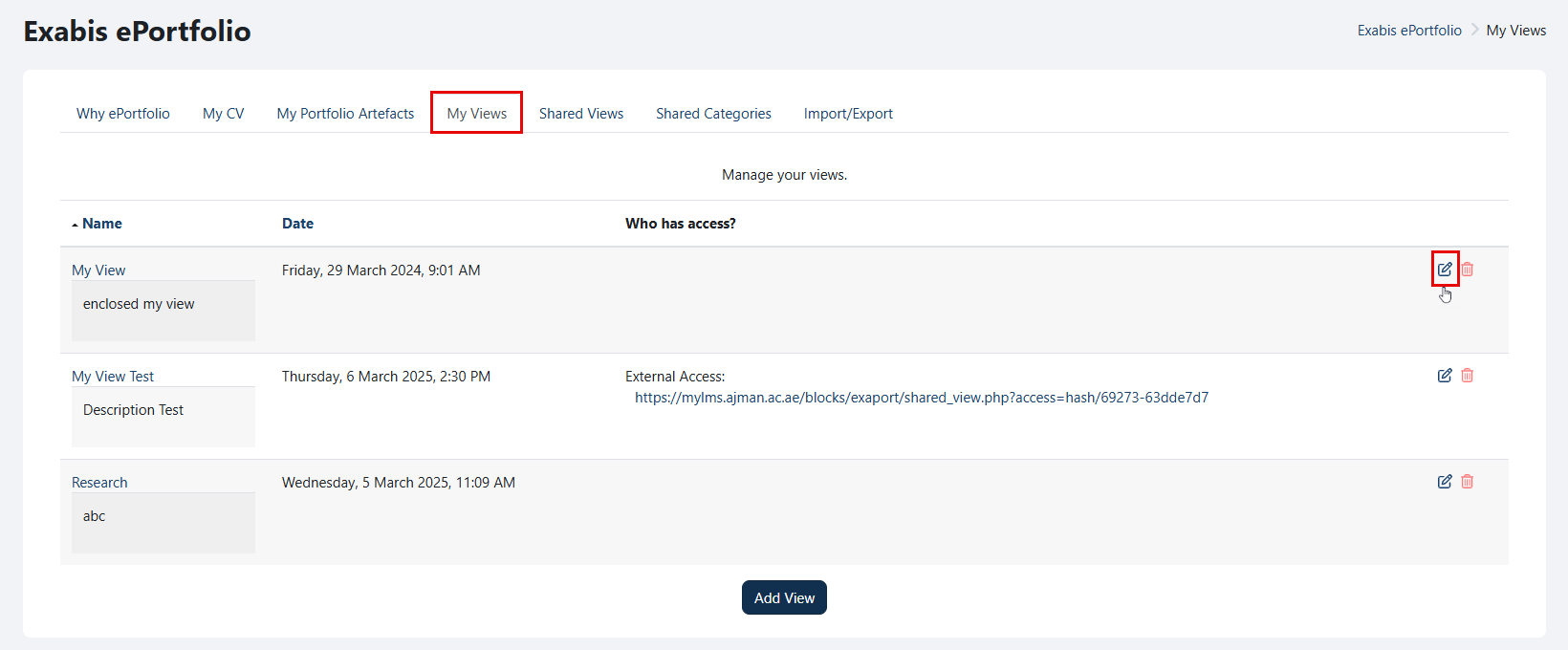
Go to "My Views" and click on the "Edit" icon.
Navigate to the "Layout" tab.
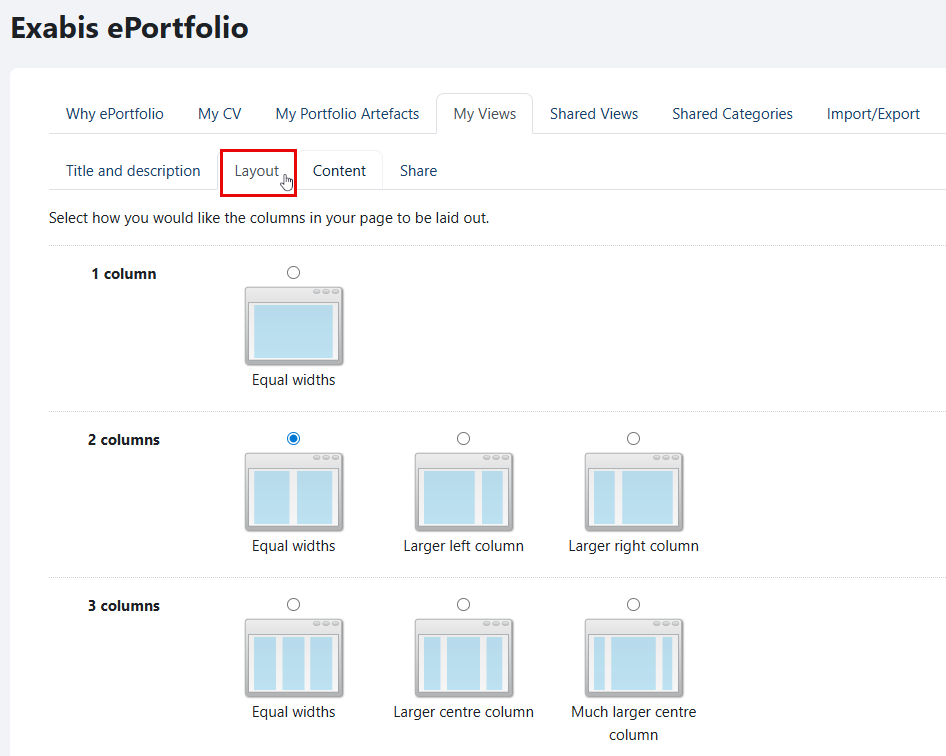
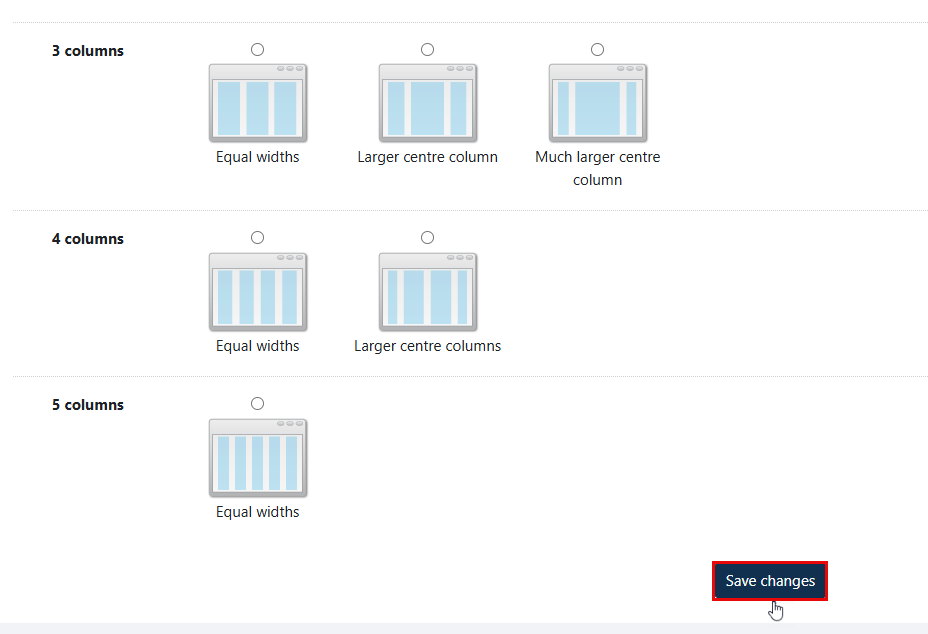
Select how you want the columns to be displayed on your page, and then click on the "Save changes" button once you are done.
Was this article helpful?
