

Delete a Zoom Online Class
- 07 Jan 2022
- 1 Minute to read
- Contributors

- Print
- DarkLight
- PDF
Delete a Zoom Online Class
- Updated on 07 Jan 2022
- 1 Minute to read
- Contributors
- Print
- DarkLight
- PDF
Article summary
Did you find this summary helpful?
Thank you for your feedback!
To delete a Zoom Online Class on Moodle, please follow the below steps:
- Log in to Moodle, go to the course, and click on Online Class (Zoom).
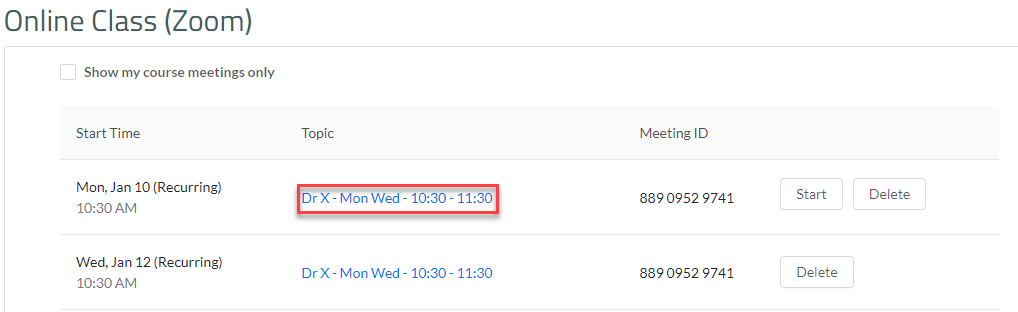
- Click on the Zoom topic you would like to delete.
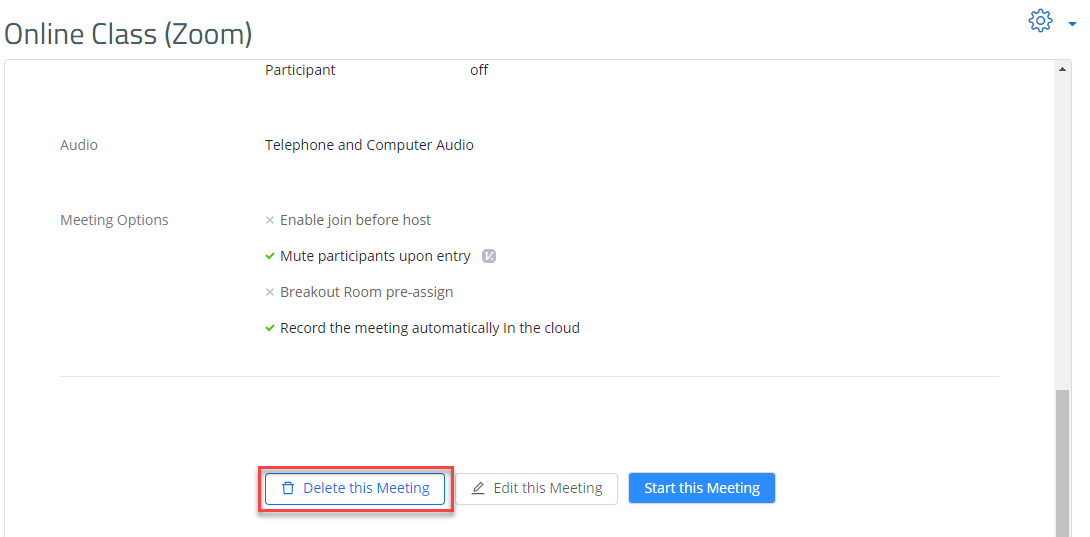
- Scroll down and click on Delete this Meeting.
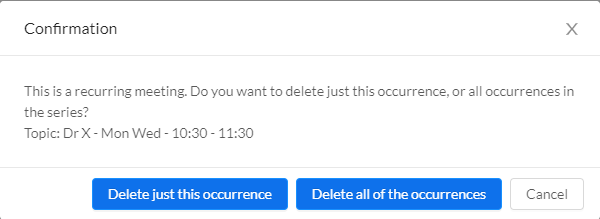
- If you'd like to delete only one session in the occurance, click on Delete just this occurance, otherwise, click on Delete all of the occurances to delete all sessions (occurances) for that specific meeting.
Was this article helpful?
