

Update Absence
- 06 Sep 2024
- 1 Minute to read
- Contributors

- Print
- DarkLight
- PDF
Update Absence
- Updated on 06 Sep 2024
- 1 Minute to read
- Contributors
- Print
- DarkLight
- PDF
Article summary
Did you find this summary helpful?
Thank you for your feedback!
You will be able to view, change or withdraw existing absence requests, by following these steps:
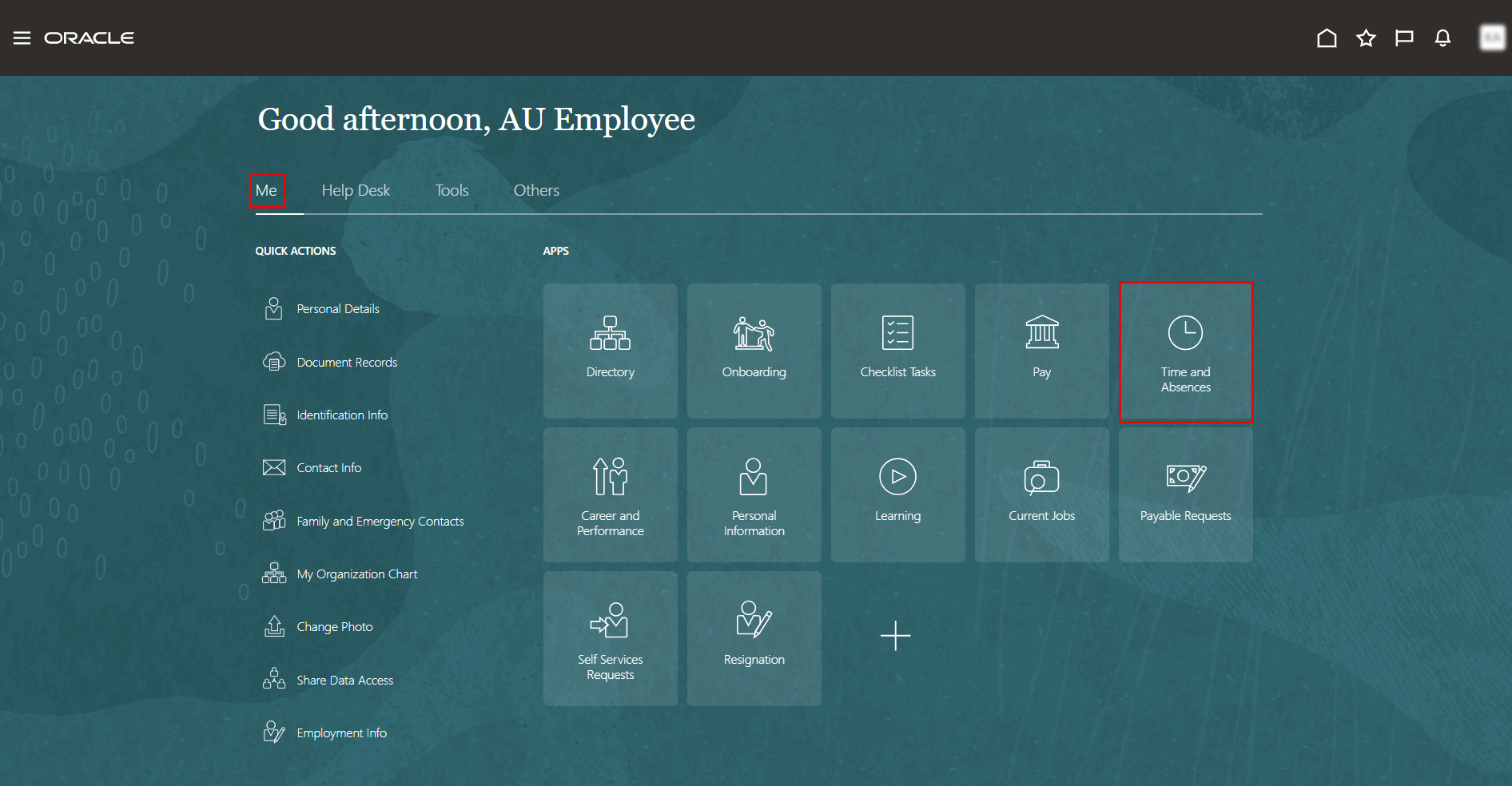
On the Home page, click on "Time and Absences".
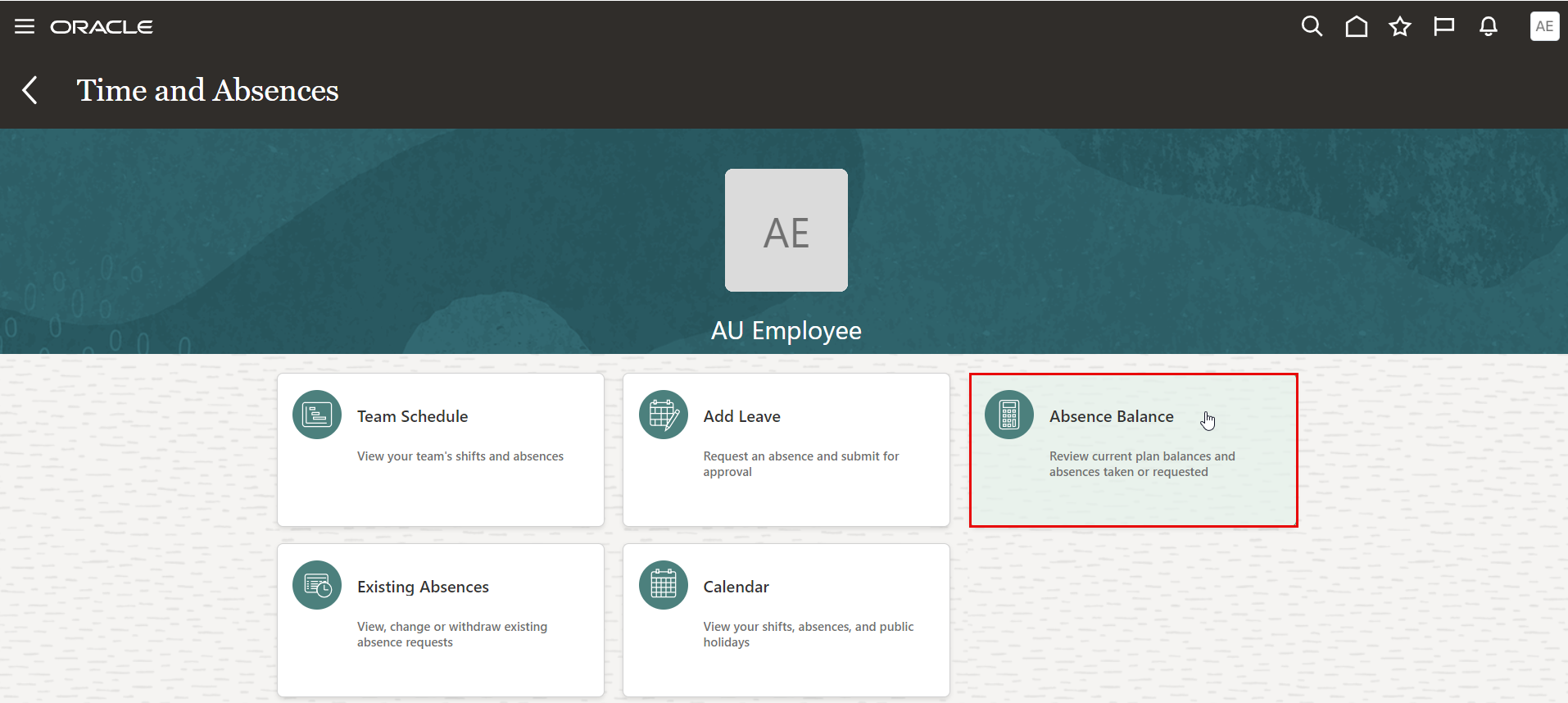
On the Time and Absences page, click the "Existing Absences" tab.
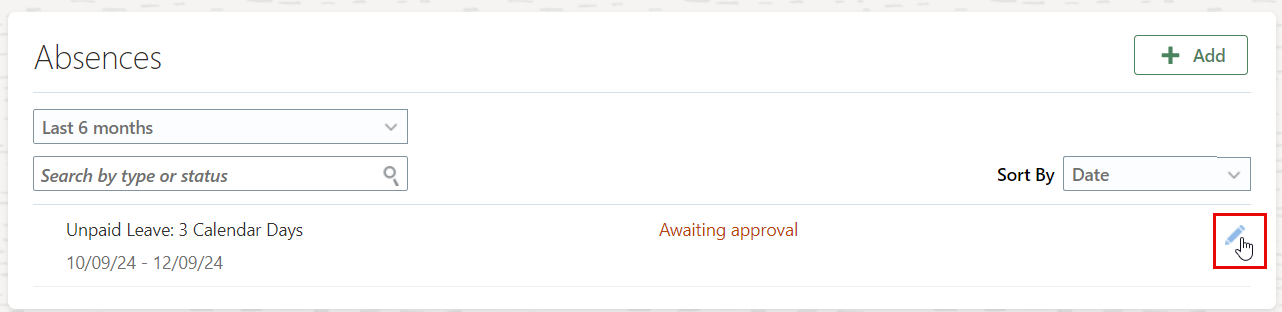
Click on the "Edit" icon to update absnece request and resubmit it for Approvals.
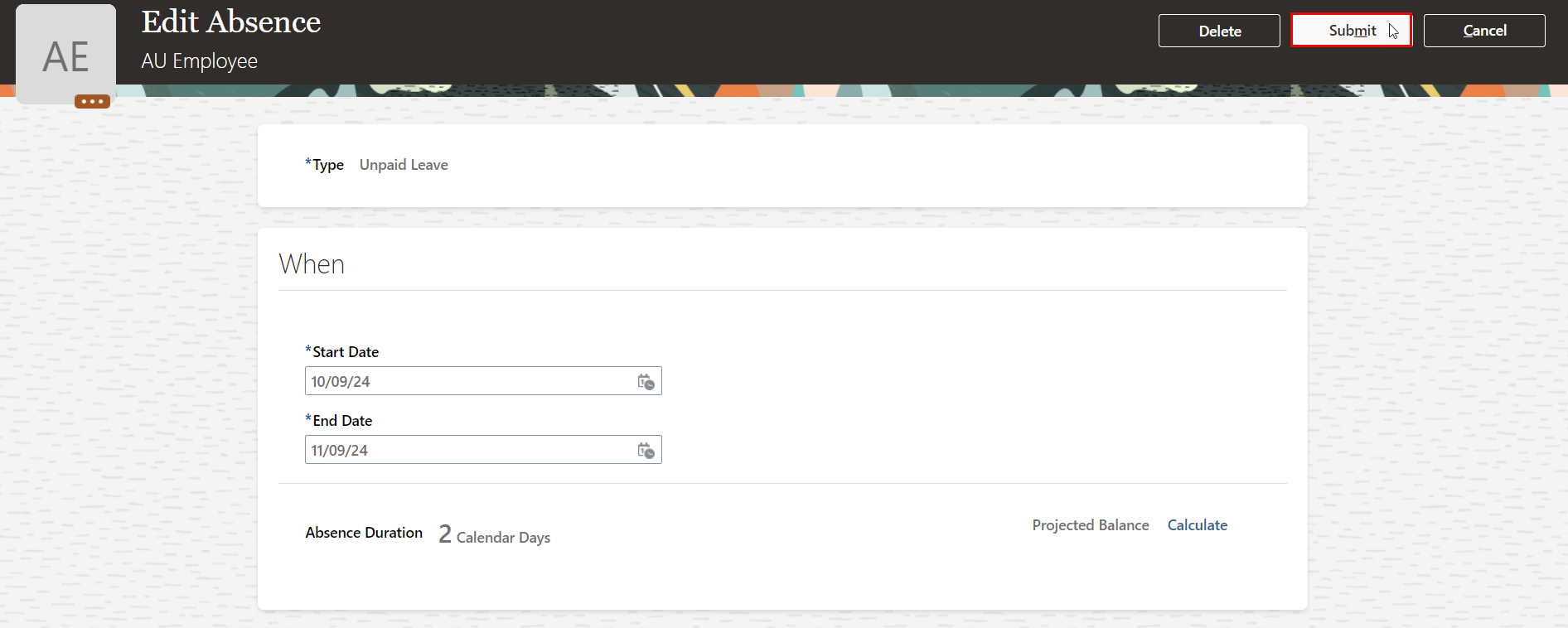
Edit your leave details, then click Submit to send it for approval again.
Was this article helpful?
