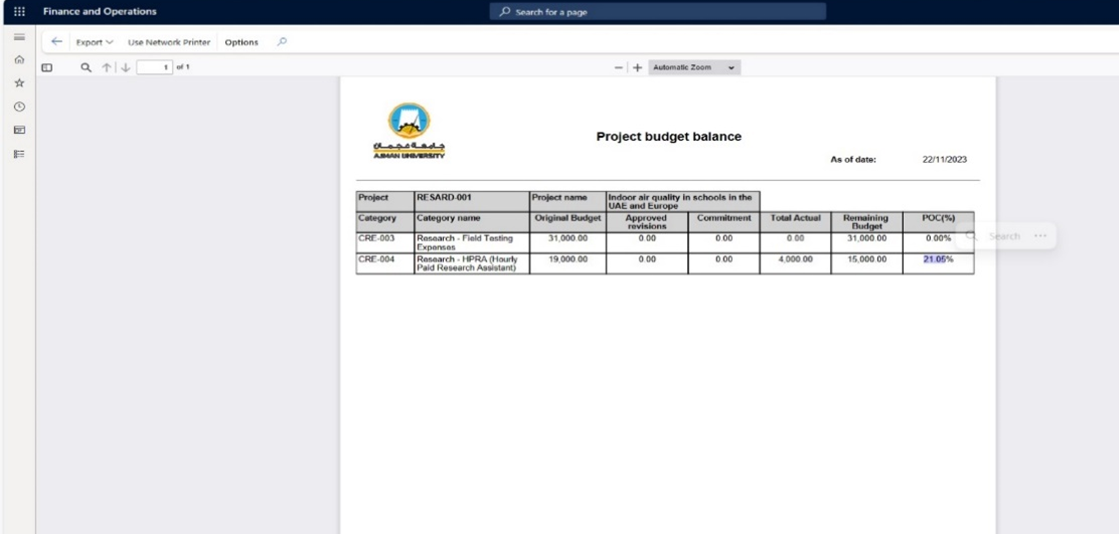
In Dynamics 365, a "Budget Balance Report" typically refers to a financial report that provides insights into the current status of a research project's budget. To generate a Project Budget Balance Report in Dynamics 365, you would generally follow these steps:
-
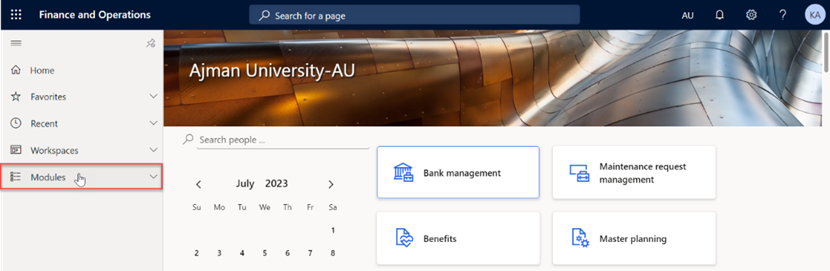
Once logged in, you will be on the Dynamics 365 home page. In the left-hand navigation pane, click on Modules.
-
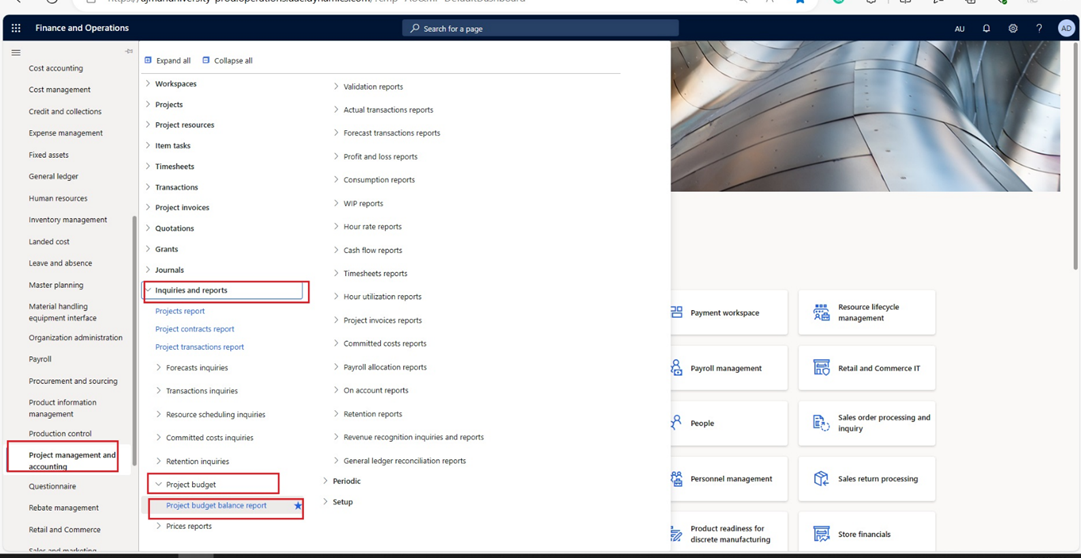
Click on “Project management and accounting” > “Inquiries and reports” > “Project budget” > “**Project budget balance report”. **
-
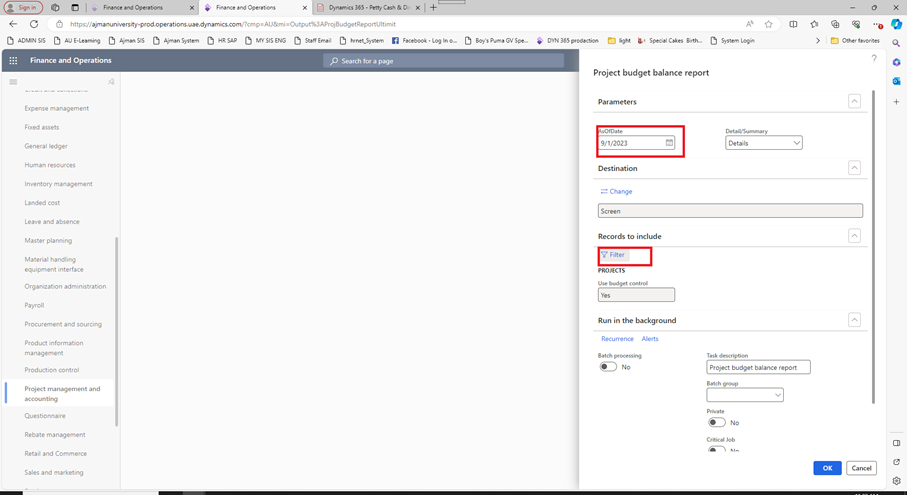
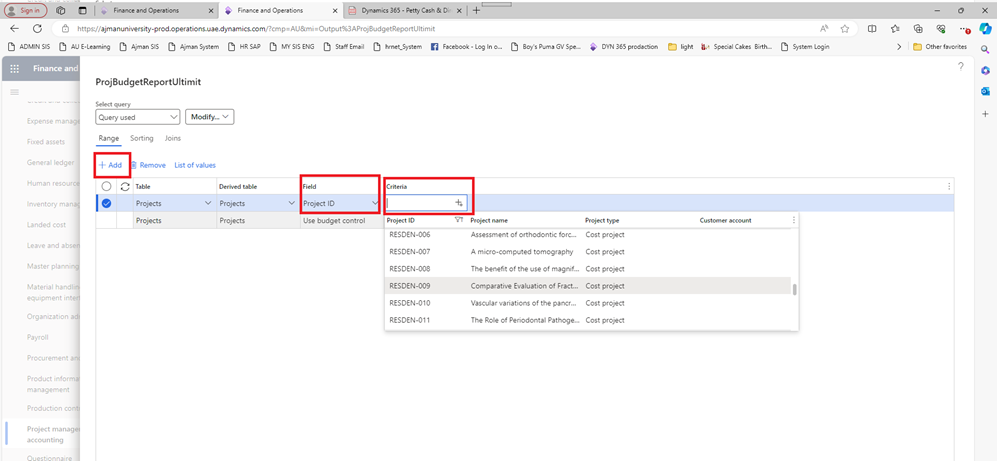
Fill in the necessary information for the college and project such as: As of Date, Record to include. Click on Filter to select college and project.
-
To filter records, click on “Add” to add necessary information for the college and project.
-
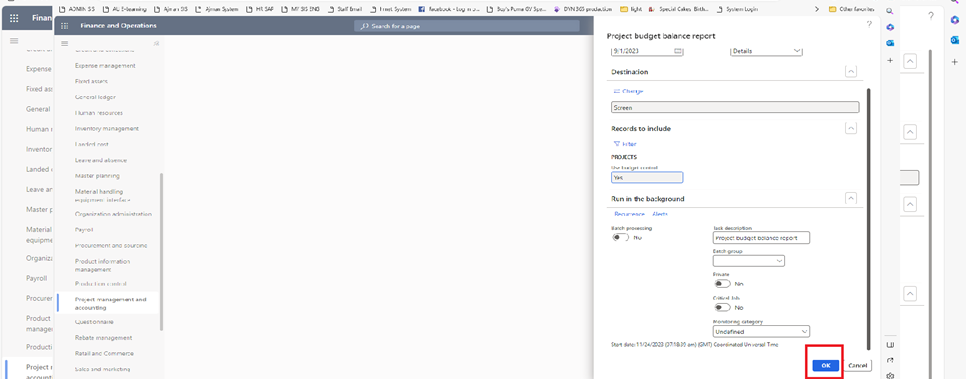
Once done, click on “OK”.
-
The report will be displayed.