Instructors may be required to save samples of student quiz attempts as part of their course documentation. This guide explains how to review a student's quiz attempt and save it as a PDF file.
Save a Sample Student Quiz Attempt (Respondus LockDown Browser Enabled)
If your quiz is configured to use Respondus LockDown Browser, you must first disable it before reviewing and saving a student's attempt as a PDF file.
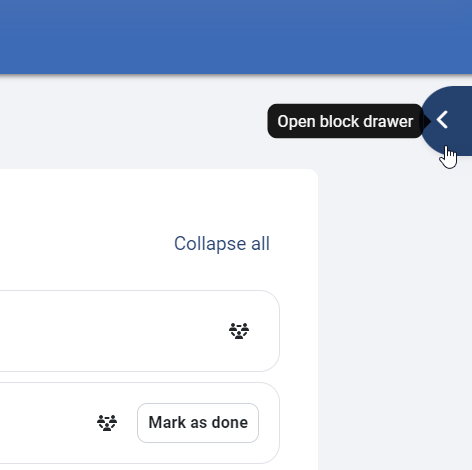
- In your Moodle course, open the block drawer on the right side of the screen.
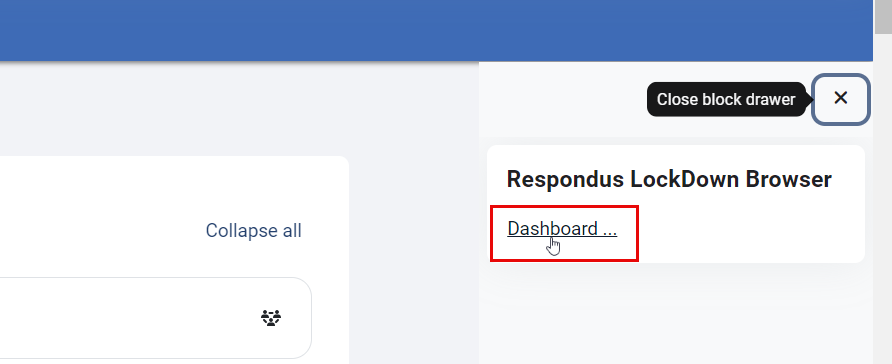
- A side menu will appear, including Respondus LockDown Browser. Click the Dashboard button.
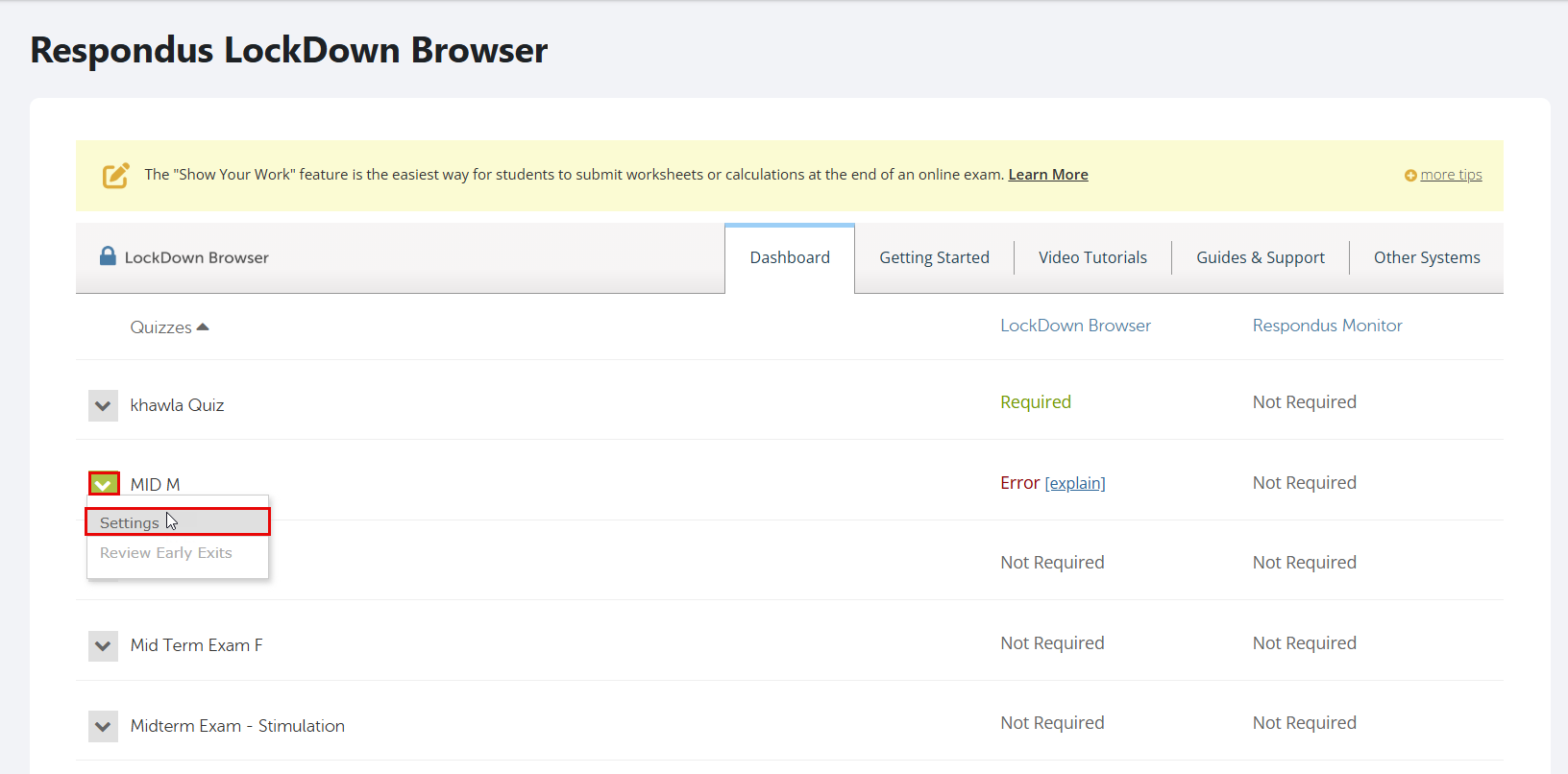
- You will be able to view the list of quizzes that were created in your course. Locate your quiz, click its drop-down menu, and then select Settings, where you can disable LockDown Browser for the quiz.
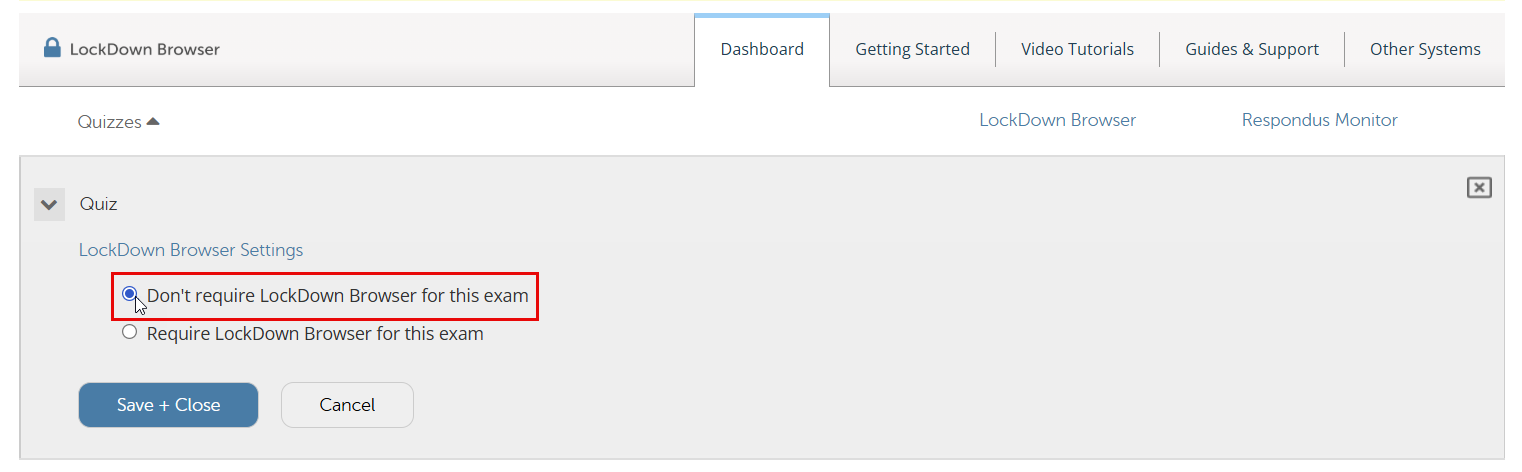
- Select "Don't require Respondus LockDown Browser for this exam," then click Save + Close.
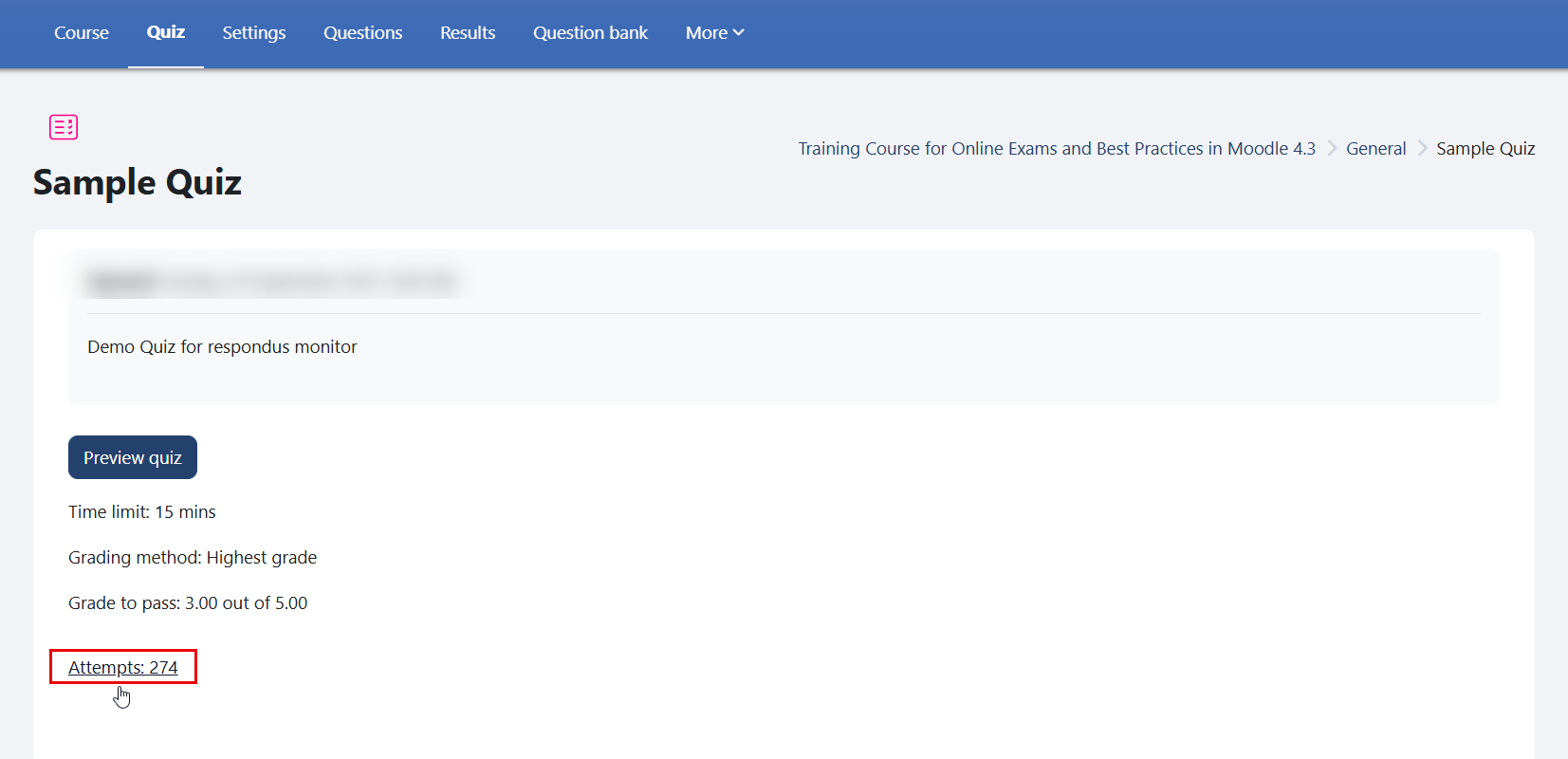
- Open the quiz, then click "Attempts."
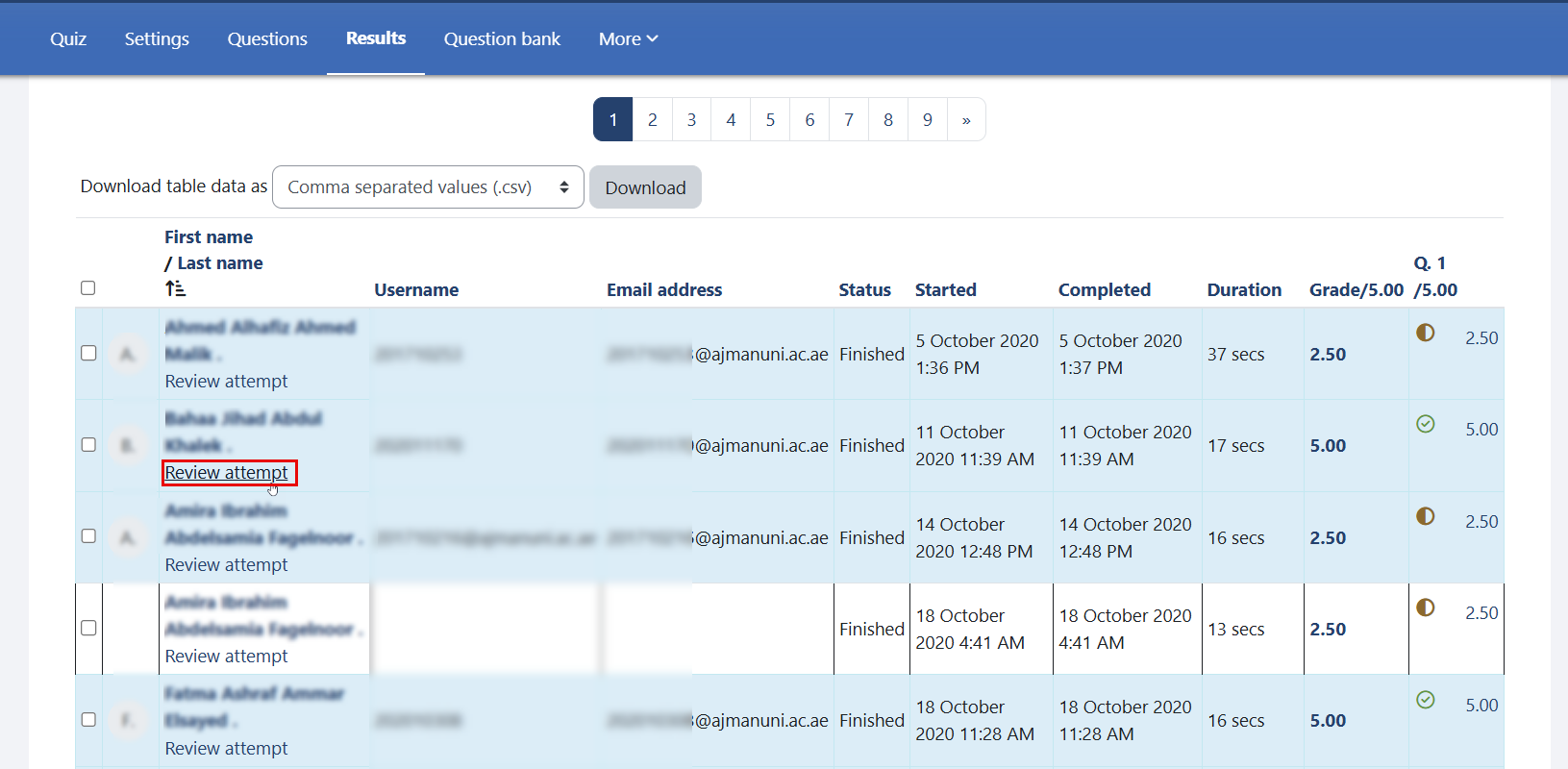
- Click "Review Attempt" under the student's name.
- When the student's answers page opens, press Ctrl + P on your keyboard.
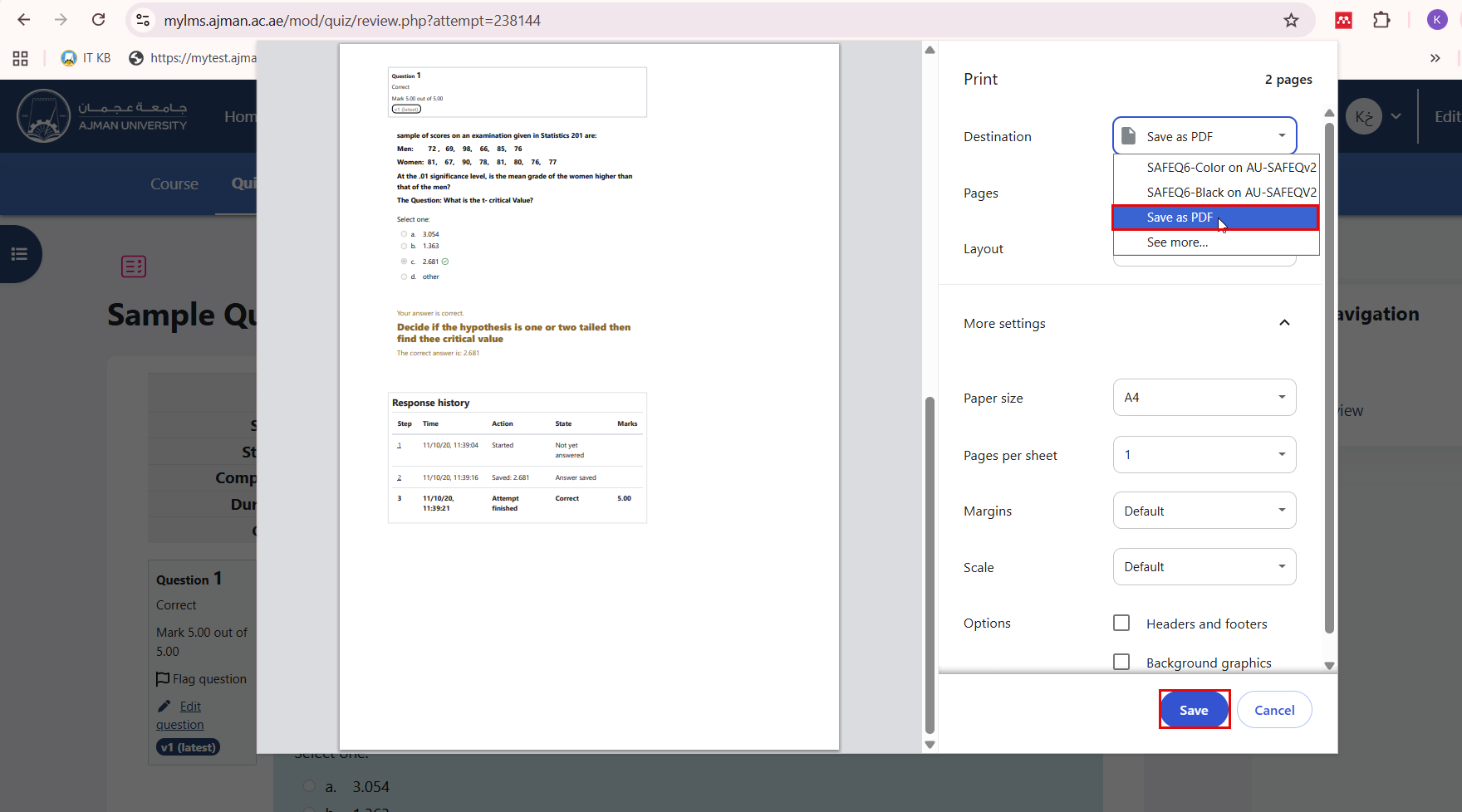
- Change the destination to "Save as PDF," then click "Save." Select the location where the file will be saved, and click "Save" again.
Save a Sample Student Quiz Attempt (Respondus LockDown Browser Disabled)
If your quiz is not configured to use Respondus LockDown Browser, you can start directly from the quiz attempt review page.
- Open the quiz, then click "Attempts."
- Click "Review Attempt" under the student's name.
- When the student's answers page opens, press Ctrl + P on your keyboard.
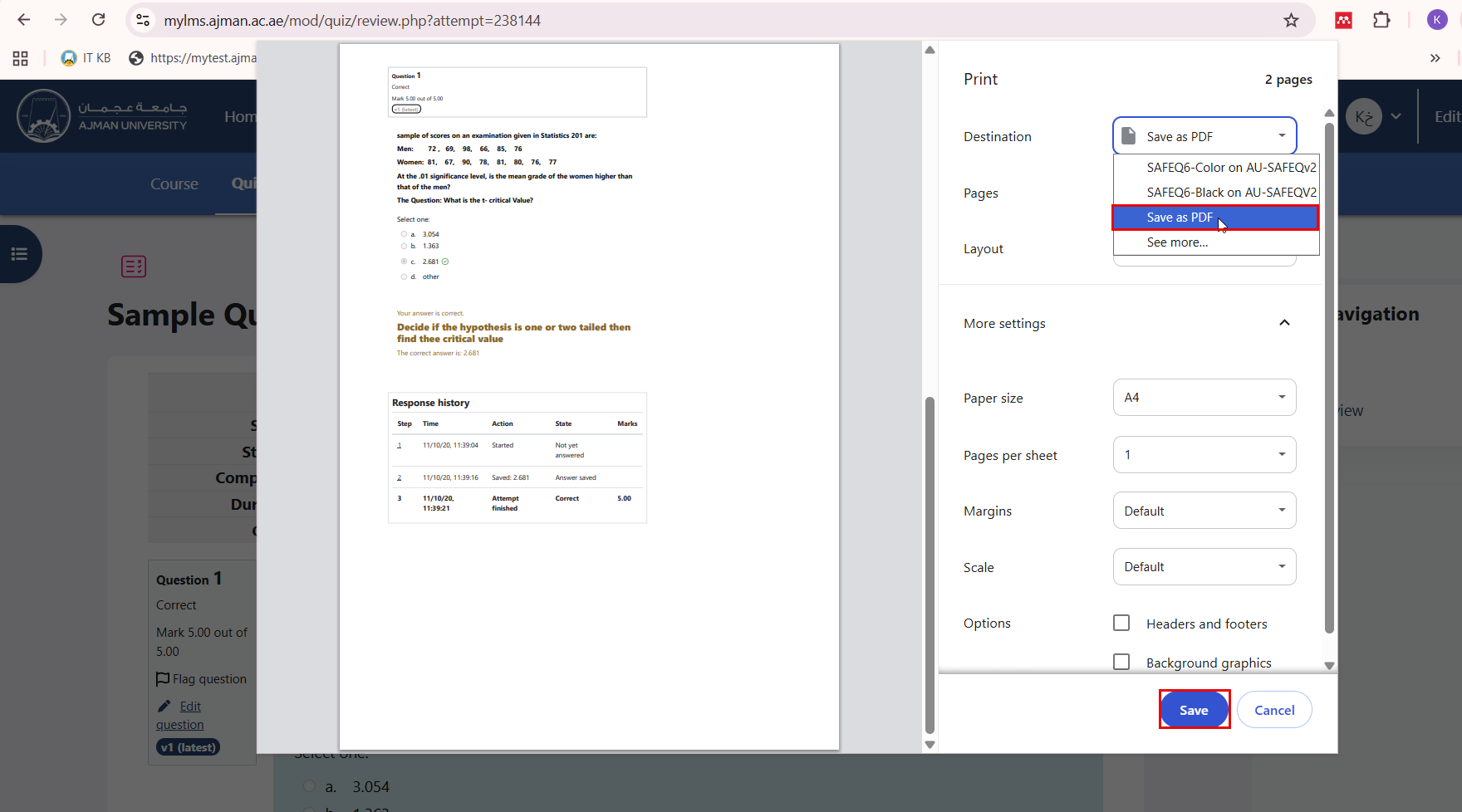
- Change the destination to "Save as PDF," then click "Save." Select the location where the file will be saved, and click "Save" again.