You can access Dynamics 365, follow te below steps:
- Open your web browser and navigate to the Dynamics 365 using the following application URL: https://ajmanuniversity-prod.operations.uae.dynamics.com/ , you can also access the system using the application shortcut available on your desktop.
- Log in with your credentials (username and password).
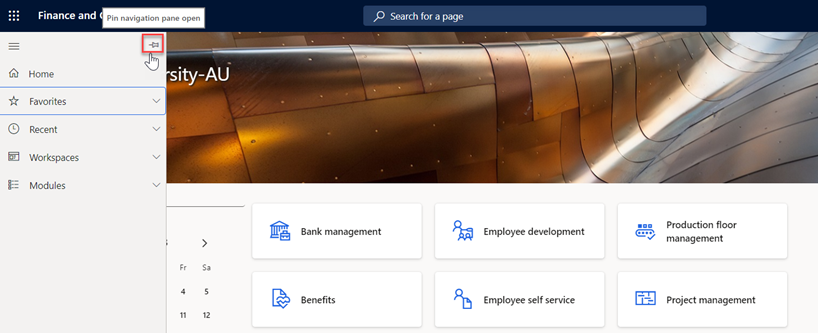
- You will be directed to the Dynamics 365 home page. To pin the Navigation Pane, go to the left-hand of the screen, and click on “Pin” icon.