The Laserfiche repository can be accessed in three different ways:
- The Laserfiche Windows client
- The Laserfiche web client (for Mac users): http://laserficheweb.aust.net/laserfiche/Login.aspx?db=LF-Repo
- The Laserfiche mobile app
Note:
The available articles are dedicated for the Windows client.
You can sign in to the Laserfiche Windows or web client using your AU username and password.
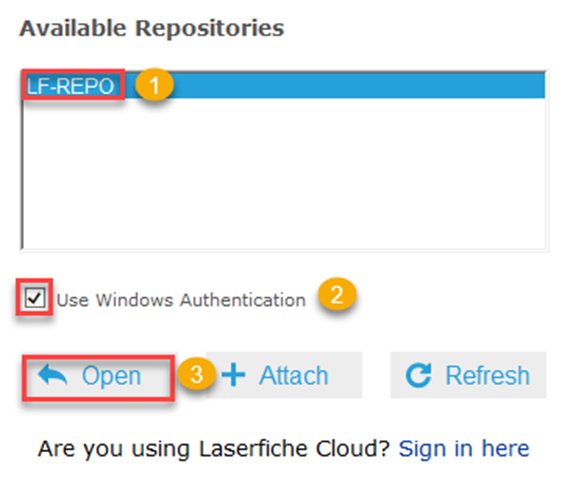
Once you sign in, click on LF-REPO, then enable the “Windows Authentication”, and click on Open.