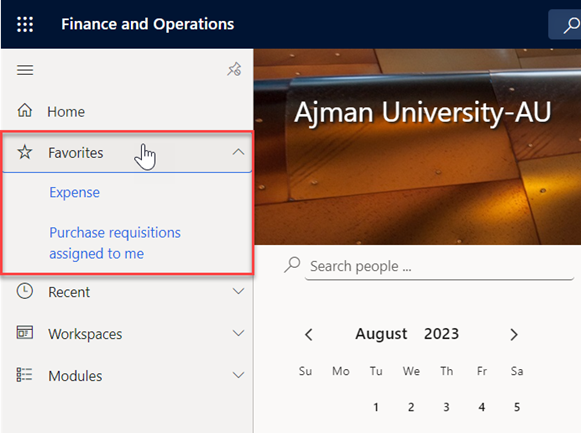
To make it easier to access the component that you will use frequently, follow these steps to mark it as a favorite:
-
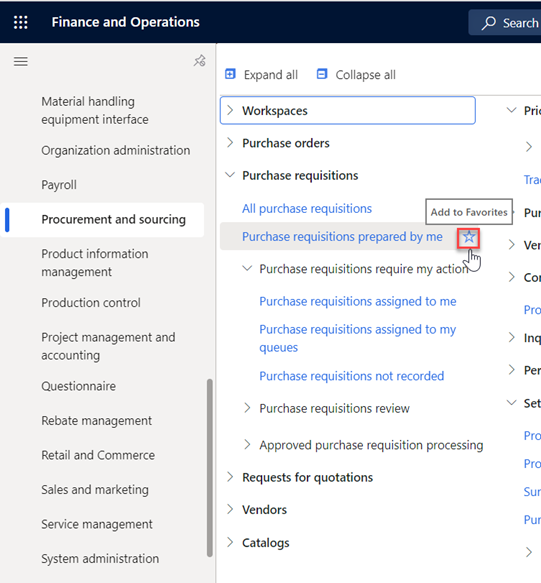
Navigate to the component you wish to ad to favorites, then click on the “Star” icon next to the component name.
-
The component will be immediately marked as Favorite, and you will be able to find all the favorite components in the “Favorites” section.