

Add Sick Leave
- 16 Sep 2024
- 1 دقيقة للقراءة
- المساهمون

- طباعة
- داكنفاتح
- PDF
Add Sick Leave
- تحديث في 16 Sep 2024
- 1 دقيقة للقراءة
- المساهمون
- طباعة
- داكنفاتح
- PDF
The content is currently unavailable in Arabic. You are viewing the default English version.
ملخص المقال
هل وجدت هذا الملخص مفيدا؟
شكرا لك على ملاحظاتك
To request a sick leave and submit it for approval, follow these steps:
- On the Home page, click on "Time and Absences".
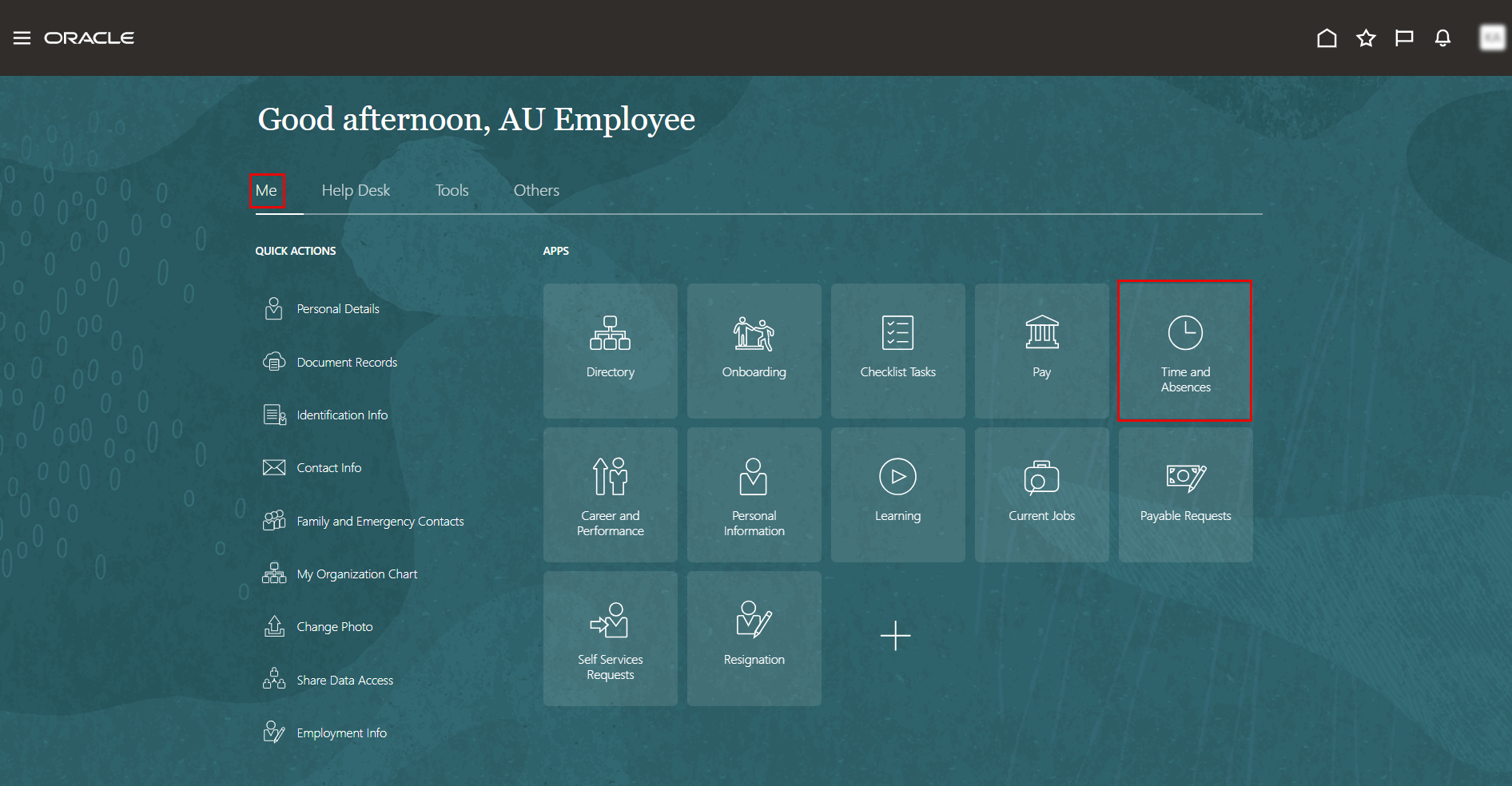
- On the Time and Absences page, click the "Add Leave" tab.
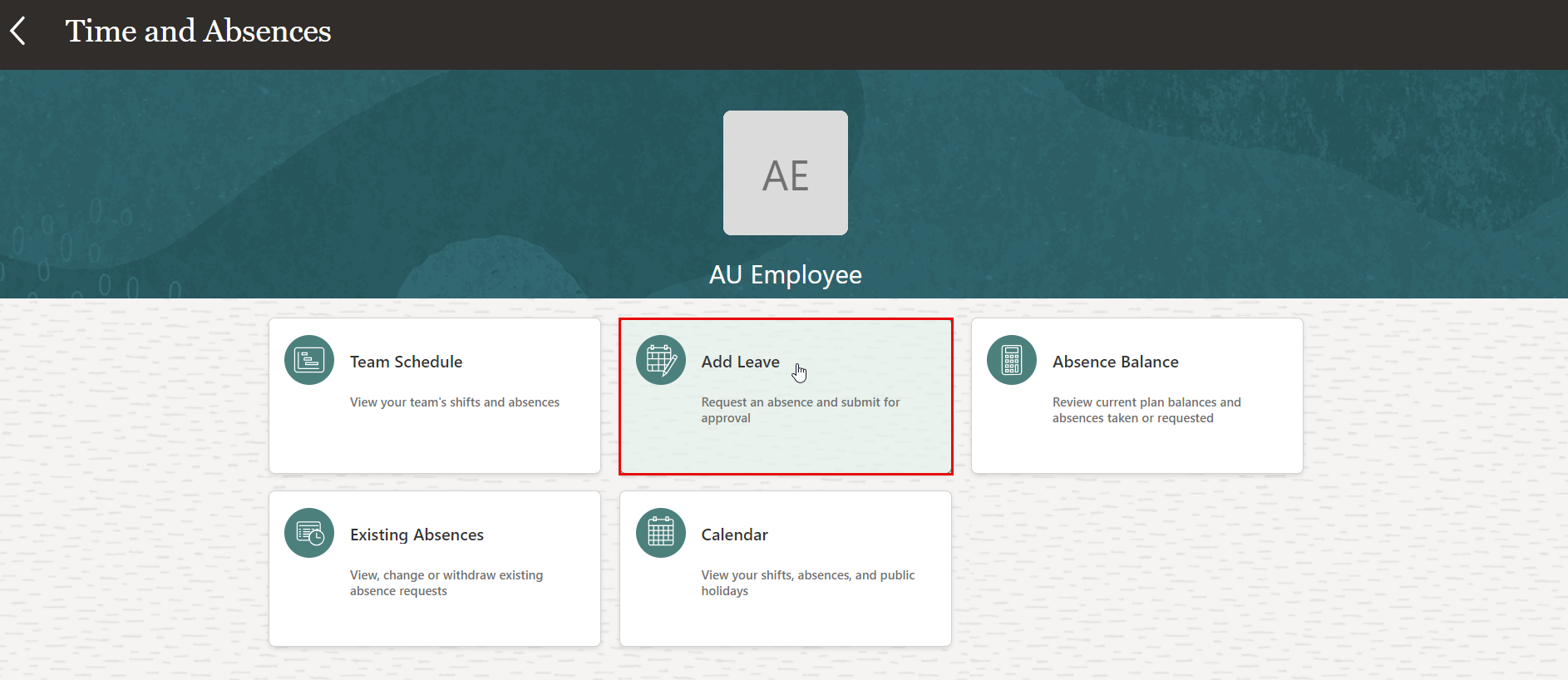
- On Add Leave page, select "Sick Leave" from the drop-down menu.
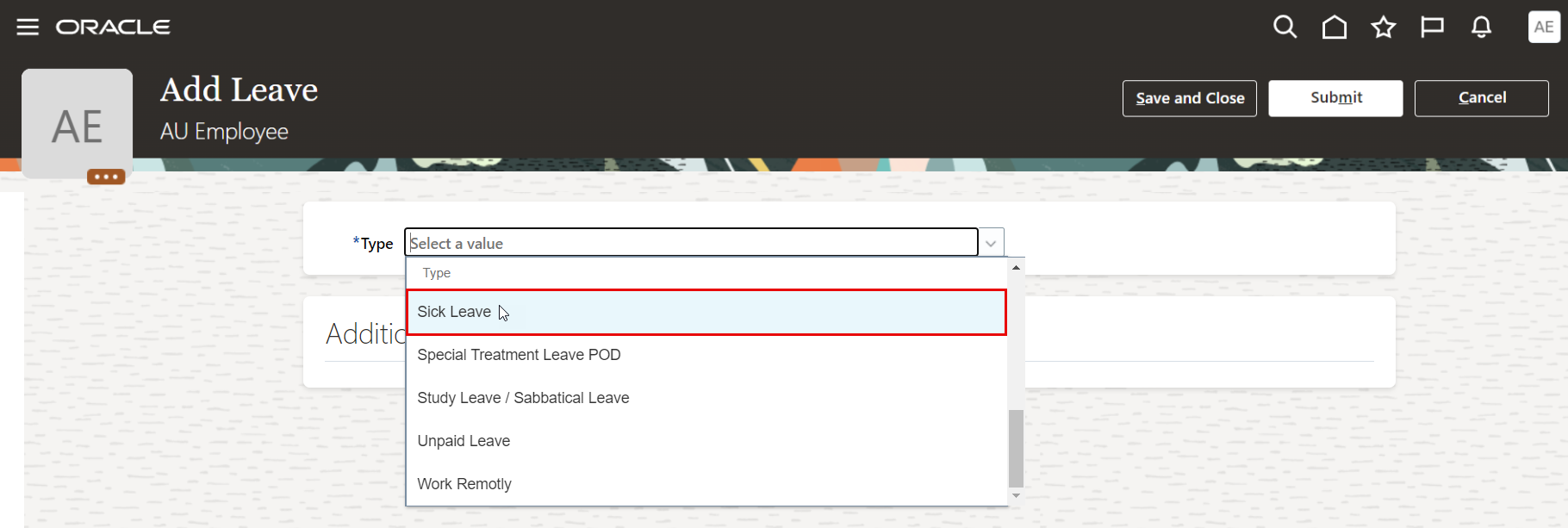
- Select the start date and end date of your leave.
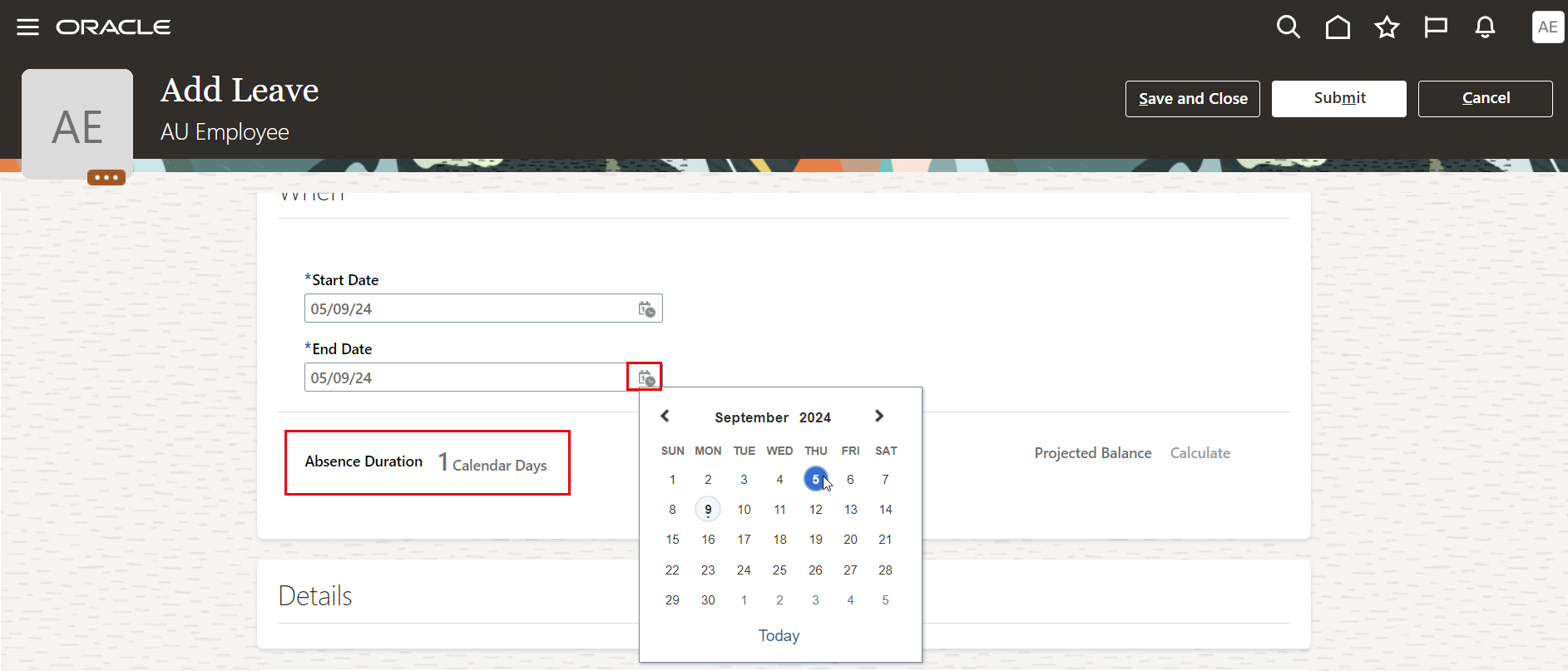
Note:
Leave Absence duration will be calculated and displayed according to the selected dates.
- You must iclude the sick leave as attachment to support your request during approvals.
- Submit your Leave request for approval.
هل كانت هذه المقالة مفيدة؟
