

Add Leave
- 29 Jan 2026
- 1 دقيقة للقراءة
- المساهمون

- طباعة
- داكنفاتح
- PDF
Add Leave
- تحديث في 29 Jan 2026
- 1 دقيقة للقراءة
- المساهمون
- طباعة
- داكنفاتح
- PDF
The content is currently unavailable in Arabic. You are viewing the default English version.
ملخص المقال
هل وجدت هذا الملخص مفيدا؟
شكرا لك على ملاحظاتك
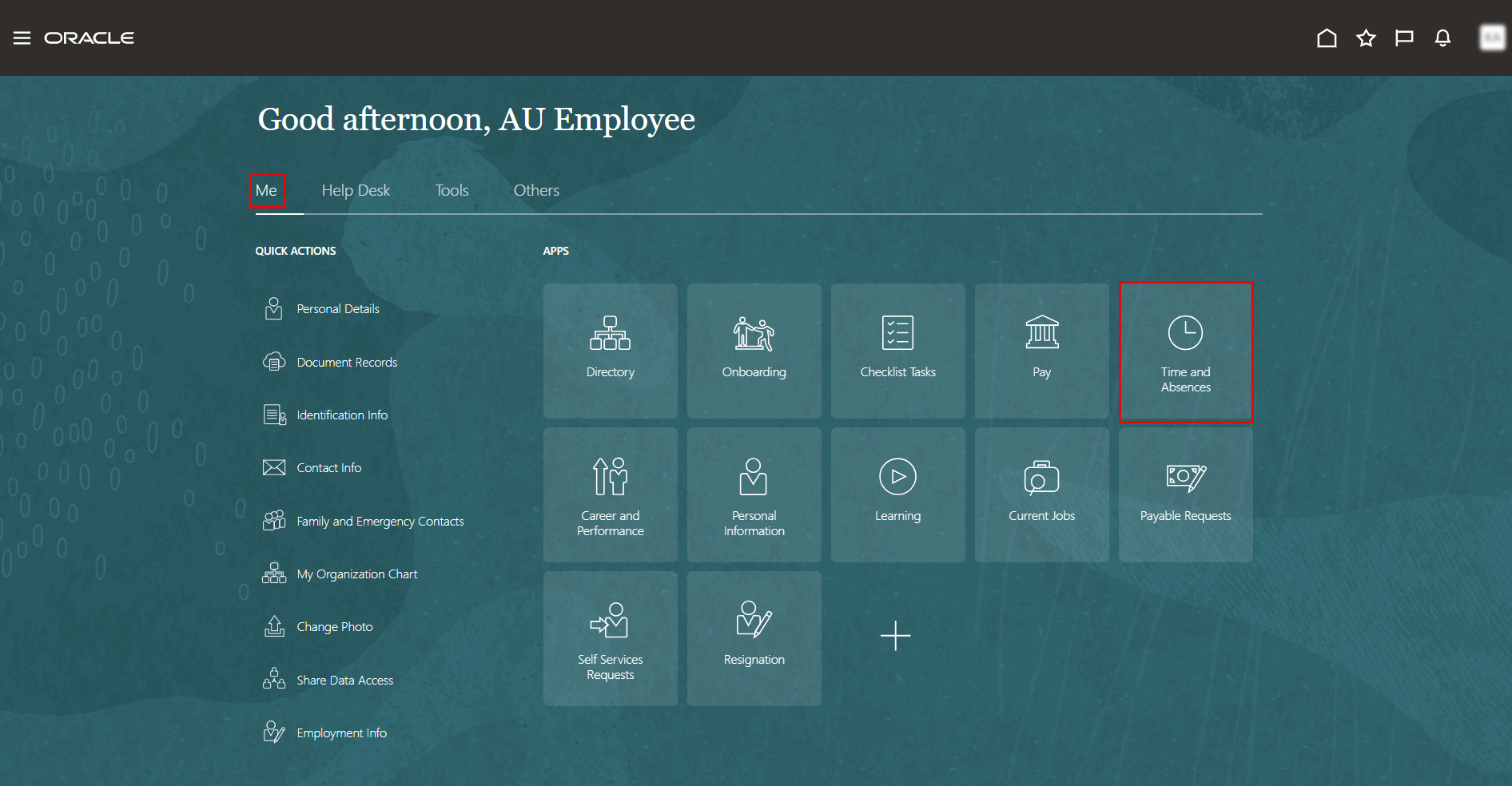
On the Home page, click on "Time and Absences".
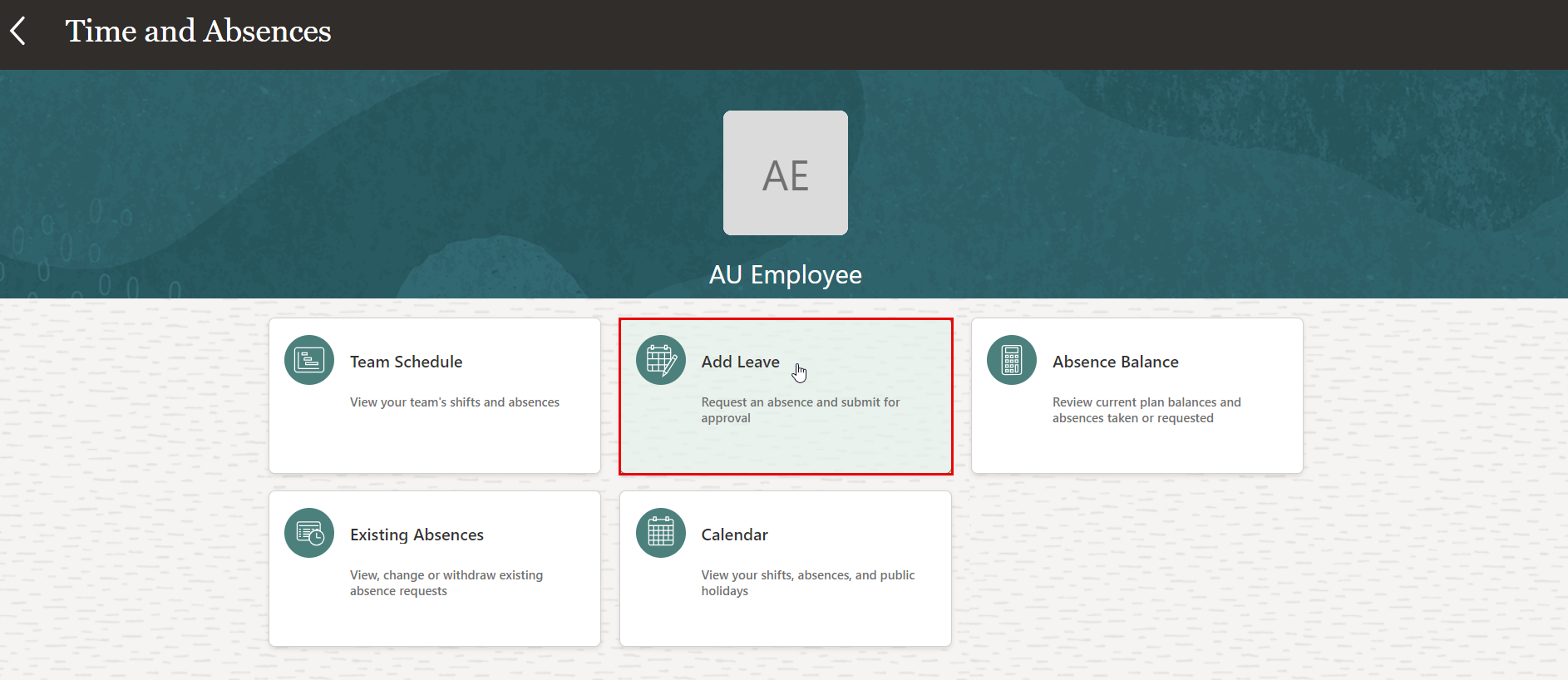
On the Time and Absences page, click the "Add Leave" tab.
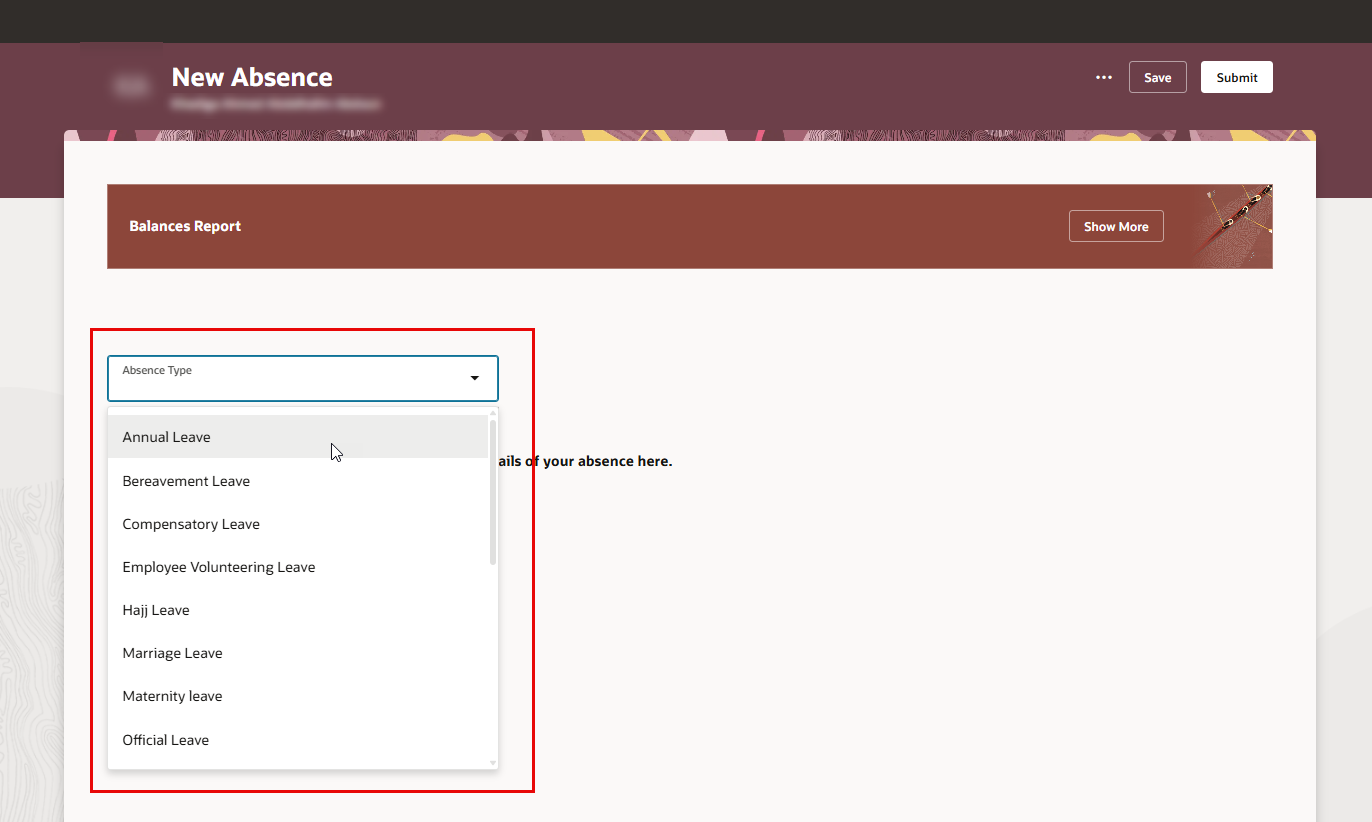
On the New Absence page, select the absence type from the drop-down menu.
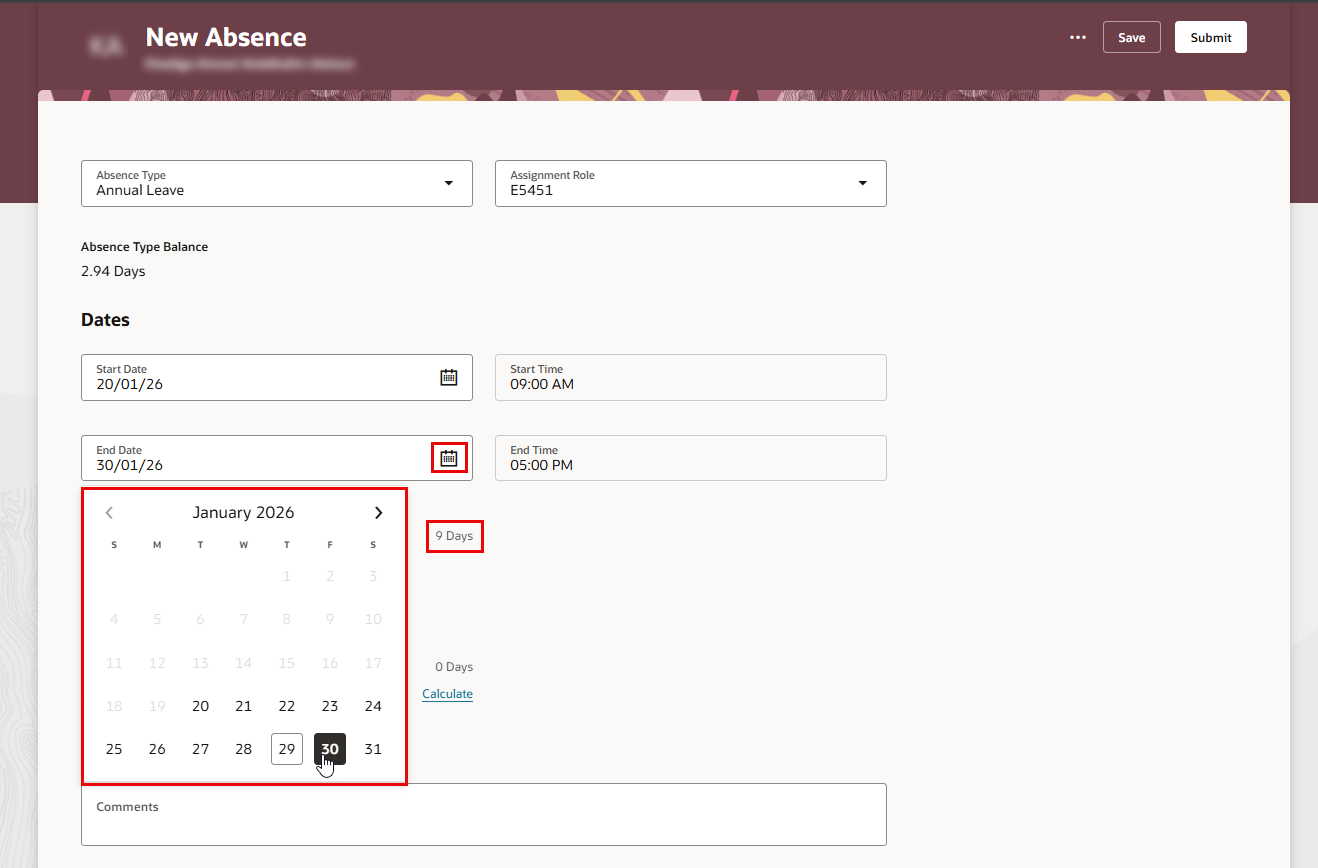
Select the start date and end date of your leave.
Note:
Absence duration will be calculated and displayed according to the selected dates.
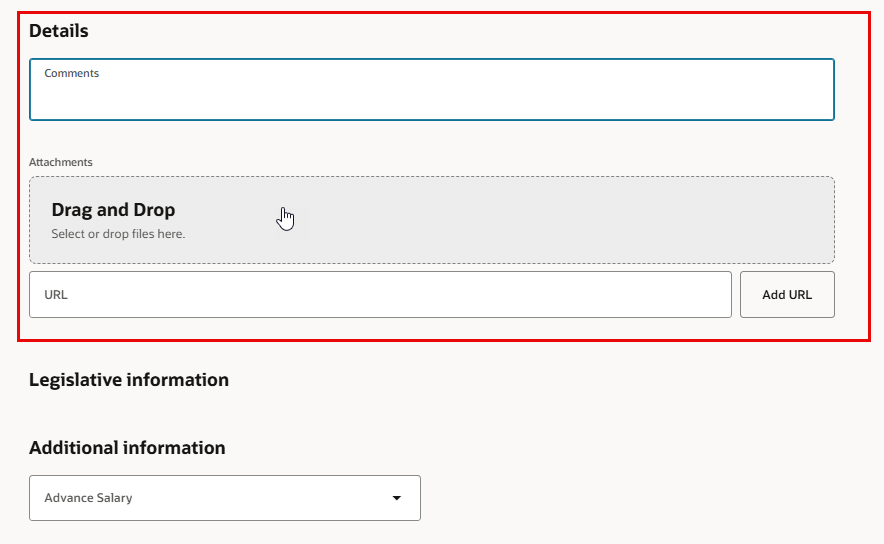
- You may iclude any comments and attachments to support your request during approvals.
Note:
Some leave types require supporting documentation, such as a medical certificate for sick leave.
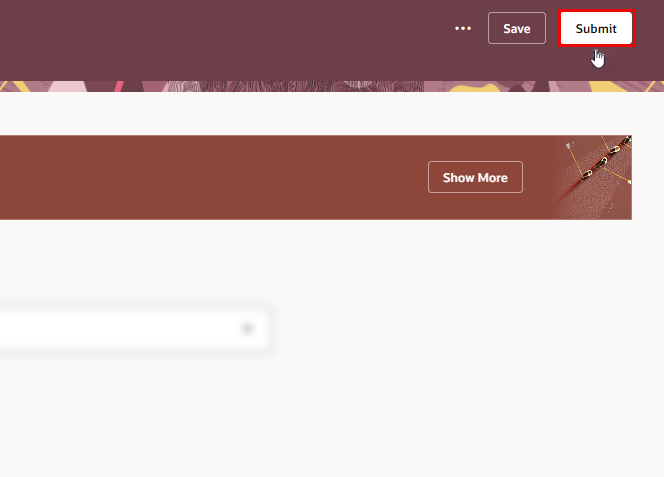
- Submit your Leave request for approval.
هل كانت هذه المقالة مفيدة؟
