You can view and access the courses in Moodle within your college, by following the below steps:
- Log in to Moodle using your AU email and password.
- On the homepage, click on the Course Catalogue block which is located at the top of the page. From the drop-down menu you may click on the college name, or select the term.
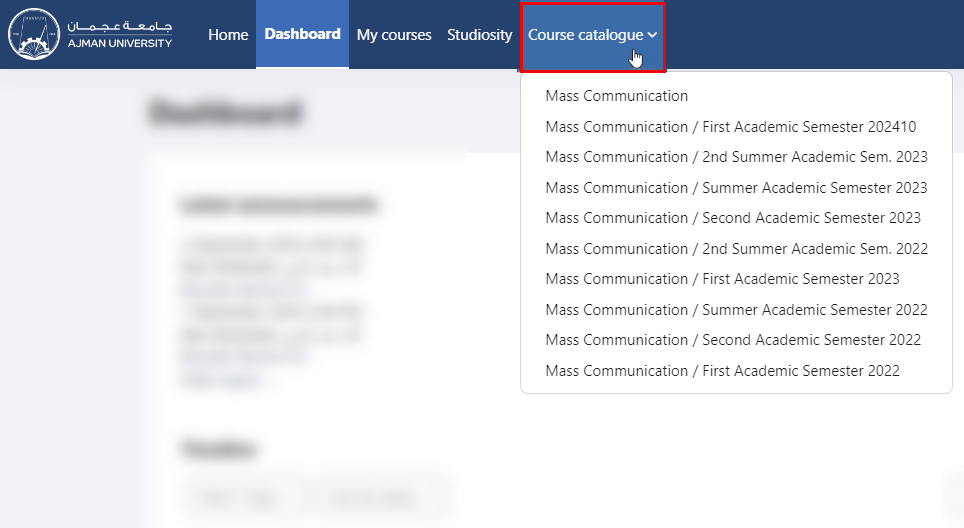
Note:
You can view and access the courses starting from the first Academic Semester of 2022 till the recent semester.
-
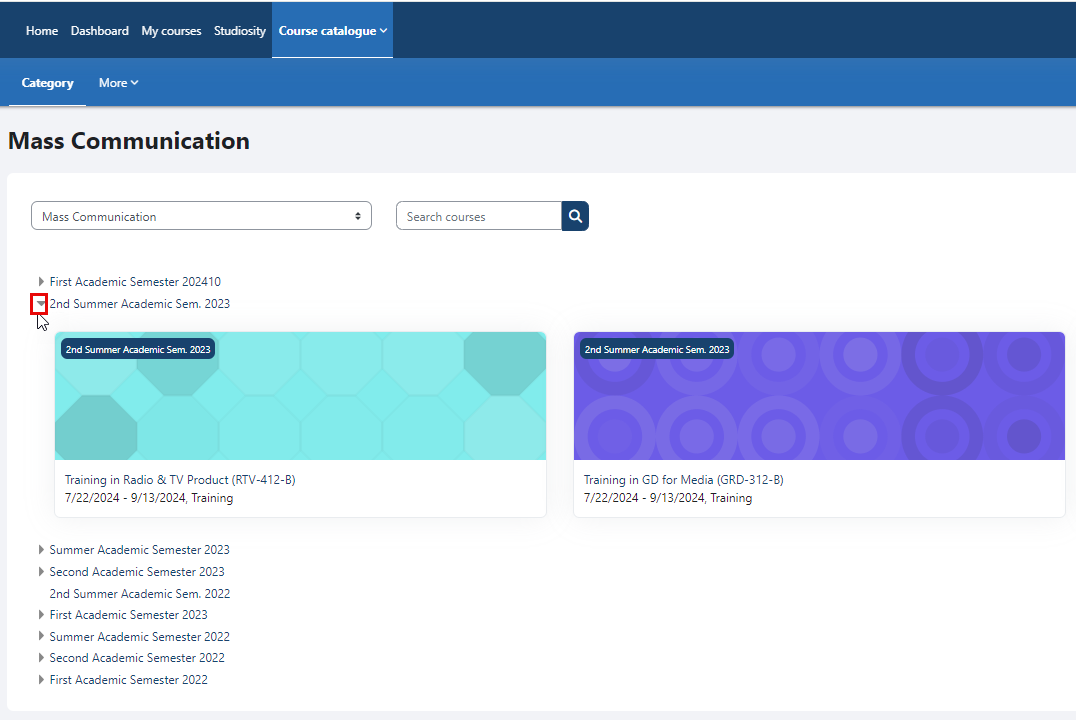
You can expand to view the list for a specific academic semester as illustrated below:
-
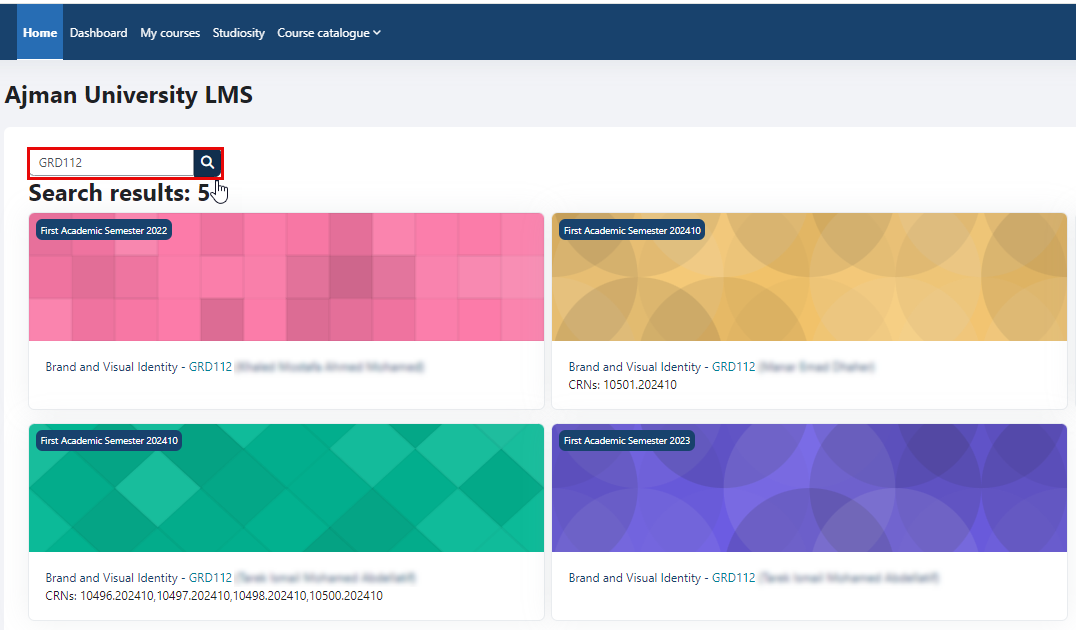
You can search for a specific course by typing the subject code and course number, for example, GRD112, or by typing the course name in the search bar, then click on the “Search” icon.
-
Click on the “Course” to access it.