This manual provides step-by-step guidance for faculty members on creating and submitting International and Domestic Research Conference Travel Requests in Oracle Fusion.
This manual covers:
- Navigate to the Business Travel Request
- Required supporting documents
- Domestic conference requests
- International conference requests
- Approval workflow
- Submit a Business Travel Completion Request
Navigate to the Business Travel Request
- Log in to Oracle Fusion using your AU e-mail and password.
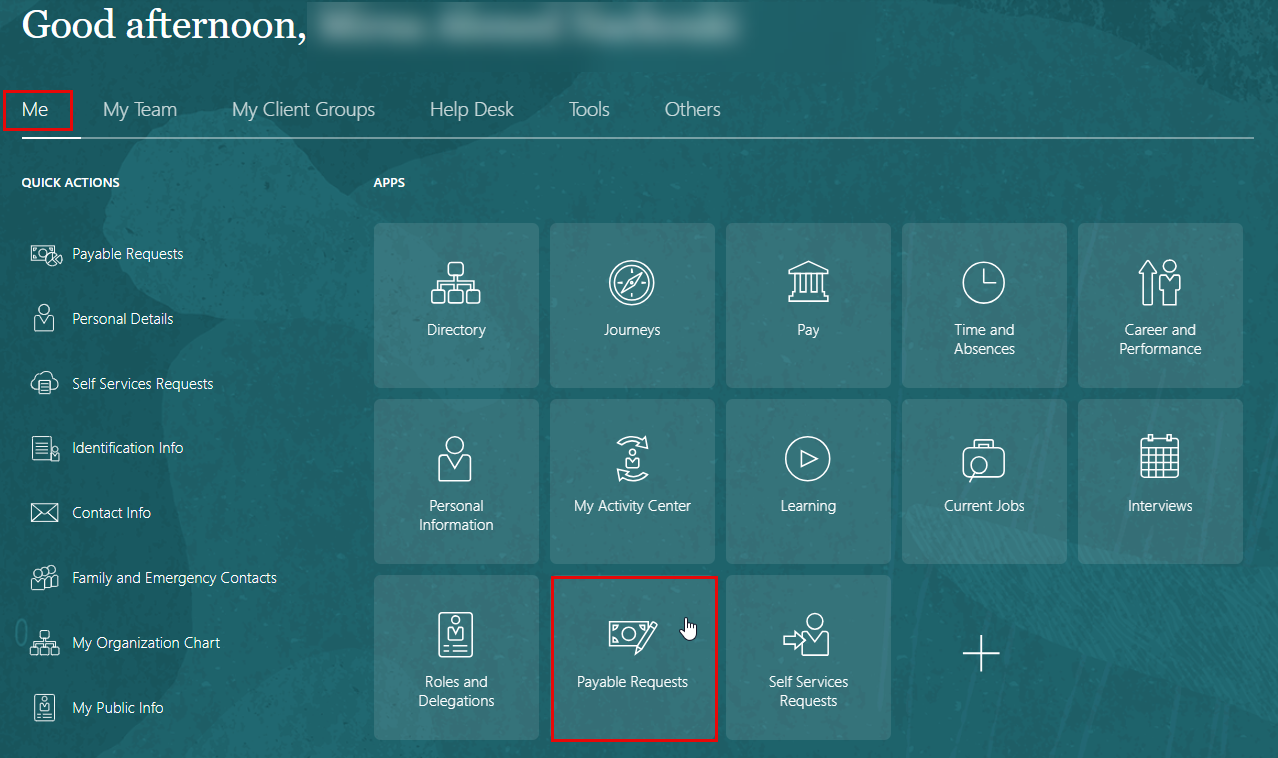
- Navigate to: Home → Me → Payable Requests
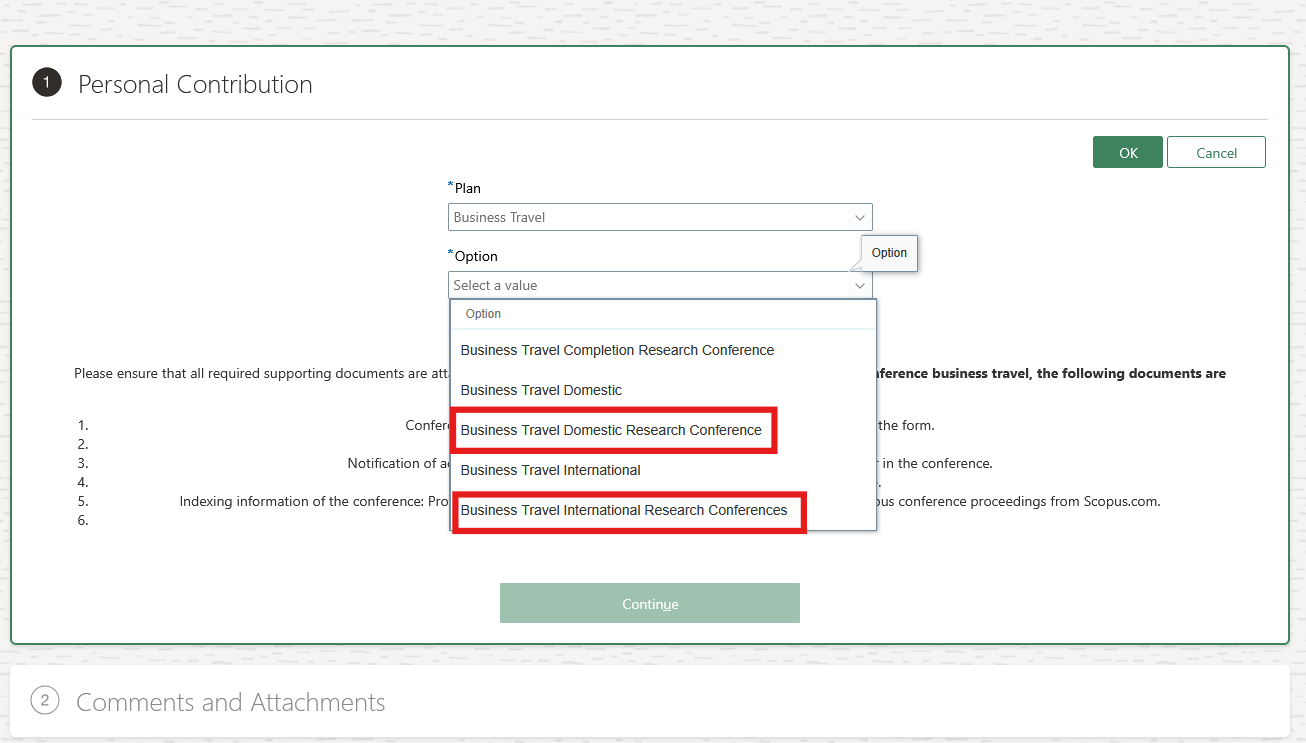
- Select Business Travel from the Plan drop-down menu, and then Choose whether the research conference business trip is Domestic or International from the option drop-down menu. Once selected, click OK.
Required Supporting Documents
For both Domestic and International Research Conference business travel requests, supporting documents are mandatory to ensure proper validation, compliance with university travel policies, and smooth approval processing in Oracle Fusion. These documents confirm the purpose of travel, conference participation, and estimated or actual costs, and must be attached before submission of the request.
- Conference Participation Application Form: Complete all relevant sections of the form.
- Copy of the accepted research paper.
- Notification of acceptance via email or a letter confirming the acceptance of the paper in the conference.
- Peer review reports of the paper from the conference (as applicable).
- Indexing information of the conference: Provide evidence such as screenshots of the conference website or previous conference proceedings from Scopus.
- Any other necessary documents.
Creating a Domestic Research Conference Request
Fill in Required Information
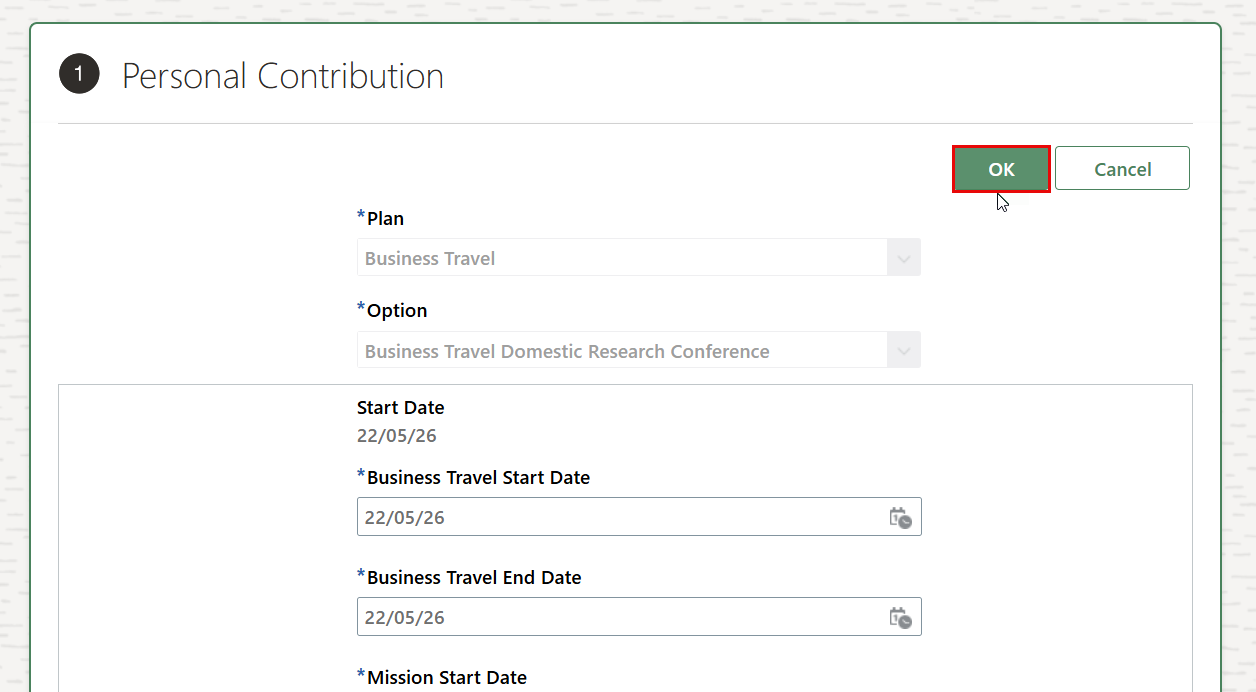
After selecting the business travel type (Business Travel Domestic Research Conference), the corresponding form will be displayed. You can then start entering the required information in the relevant fields.
- Business Travel Start Date: Select the planned start date of your business trip.
- Business Travel End Date: Select the planned end date of your business trip.
- Mission Start Date: Select the official start date of the conference or assignment.
- Mission End Date: Select the official end date of the conference or assignment.
- Payment Type: Select one of the following payment methods:
- Reimbursement
- Advance Payment (100%)
- 50%-50% (Partial advance, partial reimbursement)
- Advance Payment
- Destination: Select the emirate where the conference or assignment will take place.
- Purpose of the Event or Assignment: Provide a brief title or purpose of the conference or assignment.
- Description of Event or Business Assignment: Enter a detailed description of the conference, research activity, or assignment.
- Accommodation to Be Provided By: Select whether accommodation will be provided by AU, the host, or not applicable.
- Transportation to Be Provided By: Select whether transportation will be provided by AU or by the participant (self).
- Registration To Be Provided By: Select whether the conference registration fee will be covered by AU or by the participant (self).
- Trip Purpose: Select the purpose of the trip from the available options.
- Accommodation Cost: Enter the estimated accommodation cost for the trip.
- Registration Cost in AED: Enter the conference registration fee amount in AED.
- Additional Comments: Enter any additional information or remarks related to the request.
- Official Leave Start Date: Select the official leave start date associated with the business trip.
- Official Leave End Date: Select the official leave end date associated with the business trip.
Add Attachments
- Add all relevant attachments with your request.

- You must attach at least one document before proceeding with the submission.
- For Research Conference business travel, the following documents are mandatory:
- Conference Participation Application Form: Complete all relevant sections of the form.
- Copy of the accepted research paper.
- Notification of acceptance via email or a letter confirming the acceptance of the paper in the conference.
- Peer review reports of the paper from the conference (as applicable).
- Indexing information of the conference: Provide evidence such as screenshots of the conference website or previous conference proceedings from Scopus.com.
- Any other necessary documents.
:::
Submit For Approval
- Review all the information entered in the form to ensure accuracy.
- Click on OK located at the top of the page.
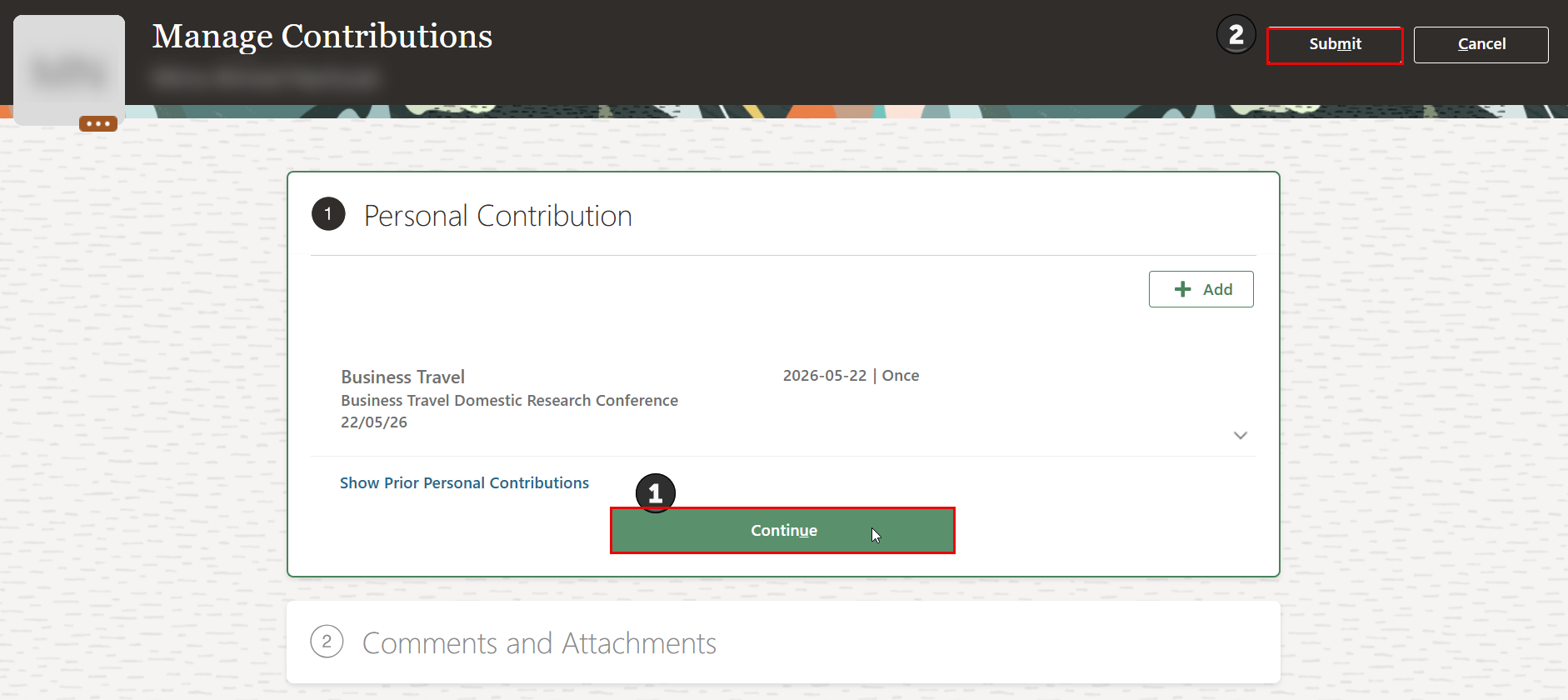
- Click the Continue button, and you may include any additional comments if needed. Then click the Submit button at the top of the page.
Creating an International Research Conference Request
Fill in Required Information
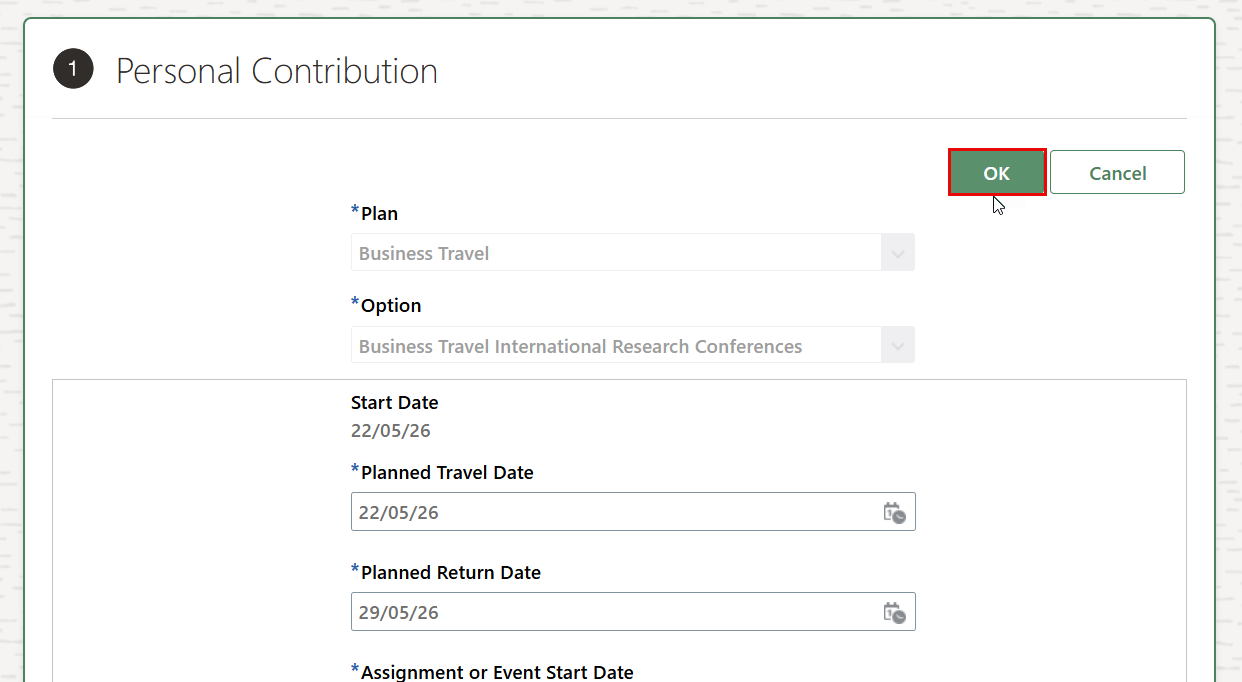
After selecting the business travel type (Business Travel International Research Conference), the corresponding form will be displayed. You can then start entering the required information in the relevant fields.
- Planned Travel Date: Select the planned departure date for the international business trip.
- Planned Return Date: Select the planned return date from the international business trip.
- Assignment or Event Start Date: Enter the official start date of the conference or assignment.
- Assignment or Event End Date: Enter the official end date of the conference or assignment.
- Destination Country: Select the country where the conference or assignment will take place.
- Payment Type: Select one of the following payment methods:
- Reimbursement
- Advance Payment (100%)
- 50%-50% (Partial advance, partial reimbursement)
- Advance Payment
- Travel Duration Mandatory Ticket Attachment: Select whether it is less than 7 hours or equal to or more than 7 hours.
- Airplane Ticket to Be Booked By: Select whether AU or the host will book the flight ticket.
- Visa Required: Select whether a visa is required, not required, or available on arrival.
- Accommodation to Be Provided By: Select whether accommodation will be provided by AU, the host, or not applicable.
- Registration To Be Provided By: Select whether the conference registration fee will be covered by AU or self.
- Trip Purpose: Select the purpose of the trip from the available options.
- Accommodation Cost: Enter the accommodation cost for the trip. Note: Please enter zero (0) if accommodation is provided by host.
- Air Ticket Cost: Enter the estimated airfare cost for the trip. Note: Please enter zero (0) if air ticket is provided by host.
- Visa Cost: Enter the visa application cost.
- Registration Cost in AED: Enter the conference registration fee amount in AED.
- Additional Comments: Enter any additional information or remarks related to the request.
- Official Leave Start Date: Select the official leave start date associated with the business trip.
- Official Leave End Date: Select the official leave end date associated with the business trip.
Add Attachments
- Add all relevant attachments with your request.
-
You must attach all the required documents before proceeding with the submission.
-
For Research Conference business travel, the following documents are mandatory:
- Conference Participation Application Form: Complete all relevant sections of the form.
- Copy of the accepted research paper.
- Notification of acceptance via email or a letter confirming the acceptance of the paper in the conference.
- Peer review reports of the paper from the conference (as applicable).
- Indexing information of the conference: Provide evidence such as screenshots of the conference website or previous conference proceedings from Scopus.com.
- Any other necessary documents.
Submit For Approval
- Review all the information entered in the form to ensure accuracy.
- Click on OK located at the top of the page.
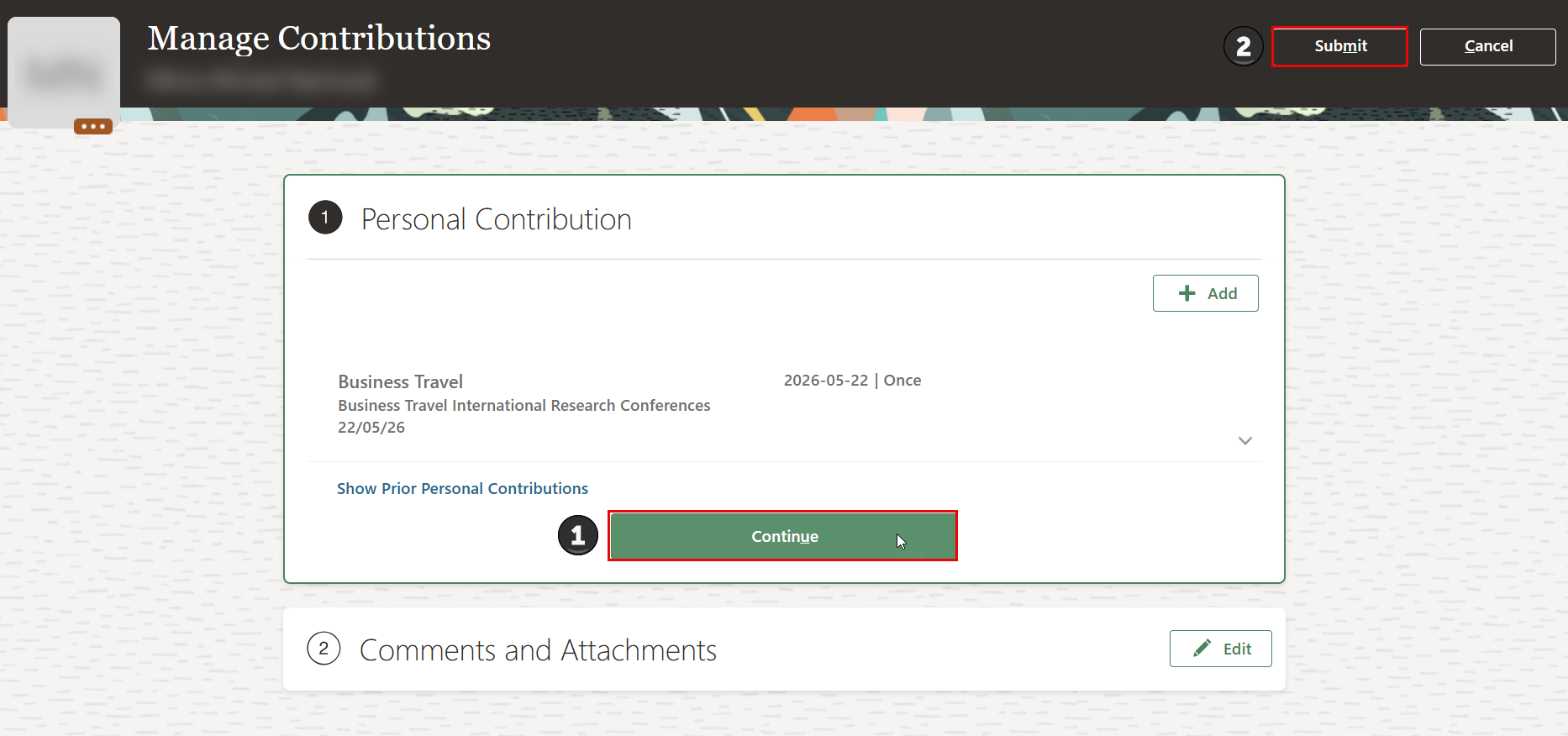
- Click the Continue button, and you may include any additional comments if needed. Then click the Submit button at the top of the page.
Approval workflow
Workflow of Domestic Research Conference Business Travel
-
Faculty / FRP-3 / FRA-2 / FRA-1 Workflow
Requester → Budget → College Secretary → Dean (Dean of the requester) → Community Engagement → HR Operations → HR Operations Head → Deanship of Research and Graduate Studies (DRGS) Office (Notification only) -
Deans
Dean Submits Request → Budget → College Secretary → Community Engagement → HR Operations → HR Operations Head → DRGS Office (Notification Only)
Workflow of International Research Conference Business Travel
-
Faculty Members
Faculty member submits the request → College Secretary (uploads documents of the Research committee feedback and submits) → Office of Budget → Dean Approval (adds comments and submits) → DRG S Office (uploads documents and submits)→ DRGS Dean Approval ( adds comments and submits) → Office of the Vice Chancellor for Academic Affairs Approval → Community Engagement → HR Operations → HR Operations Head → DRG S Office (Notification only) -
International Workflow (FRP-3, FRA-2, FRA-1)
FRP-3 / FRA-2 / FRA-1 Submit Request → DRGS Office (Uploads Documents and Submits) → Budget Approval → DRGS Dean Approval (Adds Comments and Submits) → Office of the Vice Chancellor for Academic Affairs Approval → Community Engagement → HR Operations → HR Operations Head → DRGS Office (Notification Only) -
Deans
Dean Submits Request → College Secretary (Uploads Documents and Submits) → Budget Approval → DRGS Office (Uploads Documents and Submits) → DRGS Dean Approval → Office of the Vice Chancellor for Academic Affairs Approval → Community Engagement → HR Operations → HR Operations Head → DRGS Office (Notification Only)
Submit a Business Travel Completion Request
This step is required to close the Research Conference business travel request after the conference formally concludes. It ensures that all actual travel details and expenses are accurately recorded, verified, and processed for final approval and reimbursement in Oracle Fusion.
To submit a Business Travel Completion Request for the research conference, follow the steps below:
-
Log in to Oracle Fusion using your AU e-mail and password.
-
Navigate to: Home → Me → Payable Requests
-
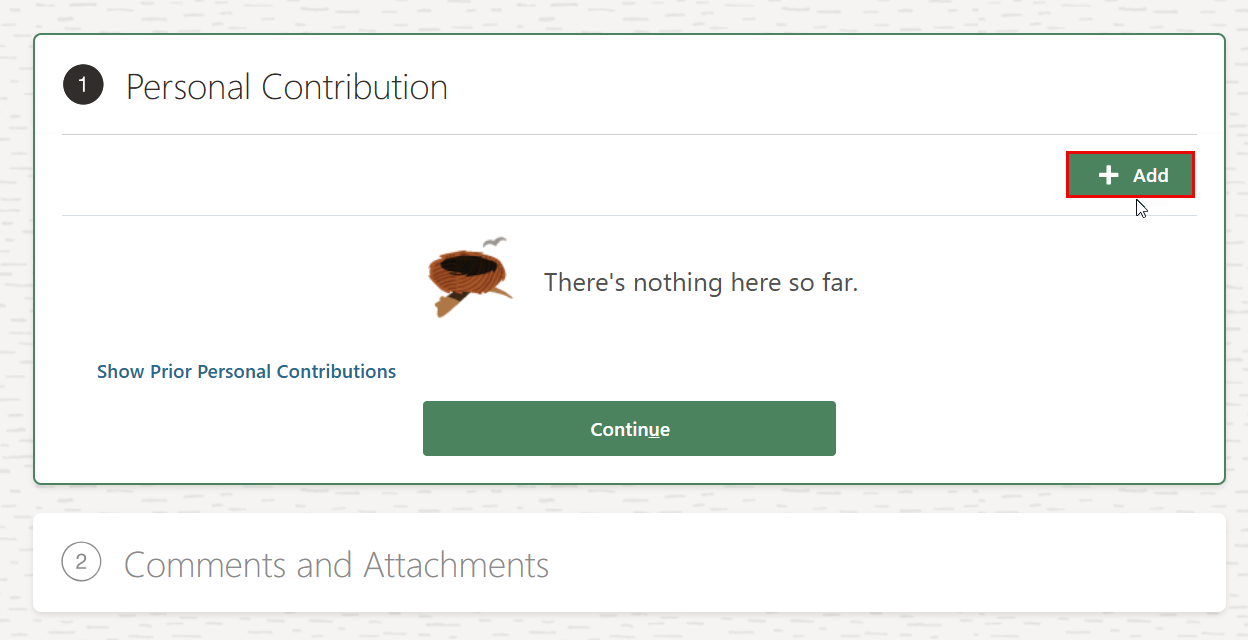
Click Add to initiate a new payable request.
-
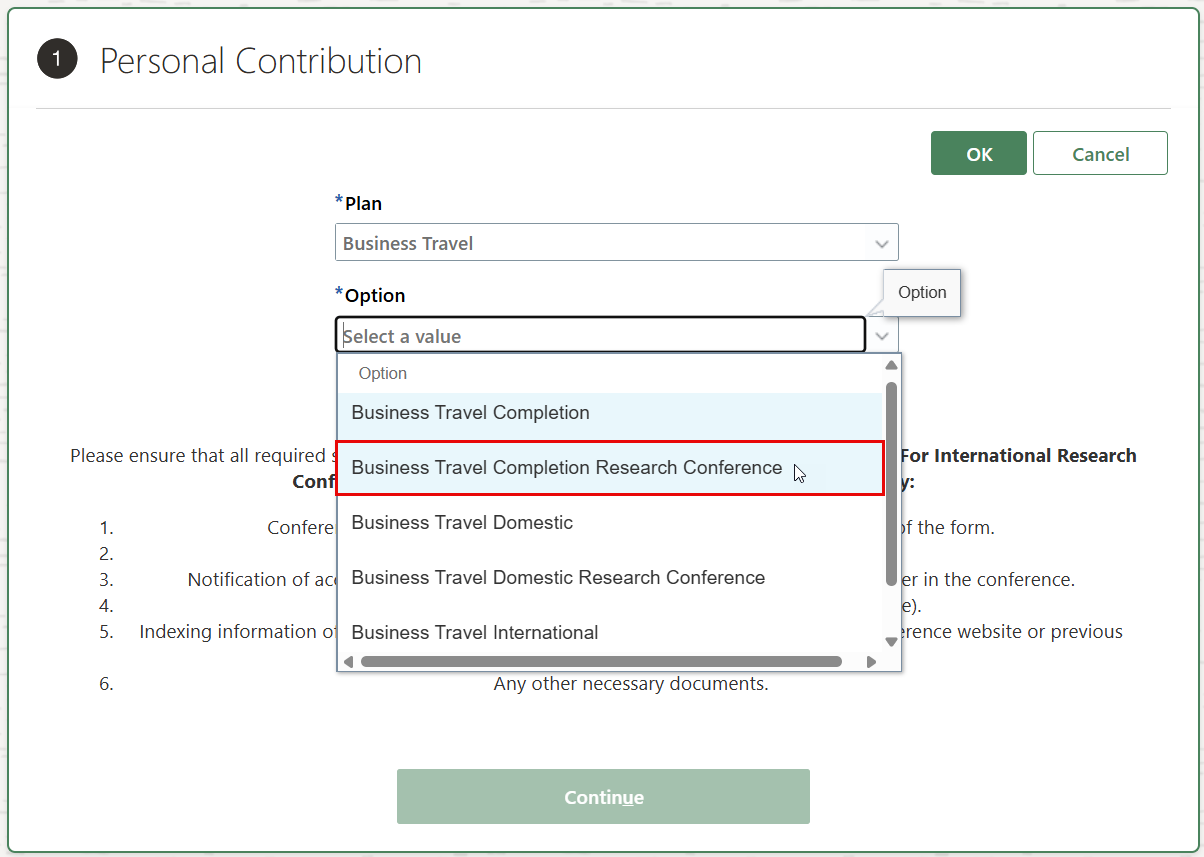
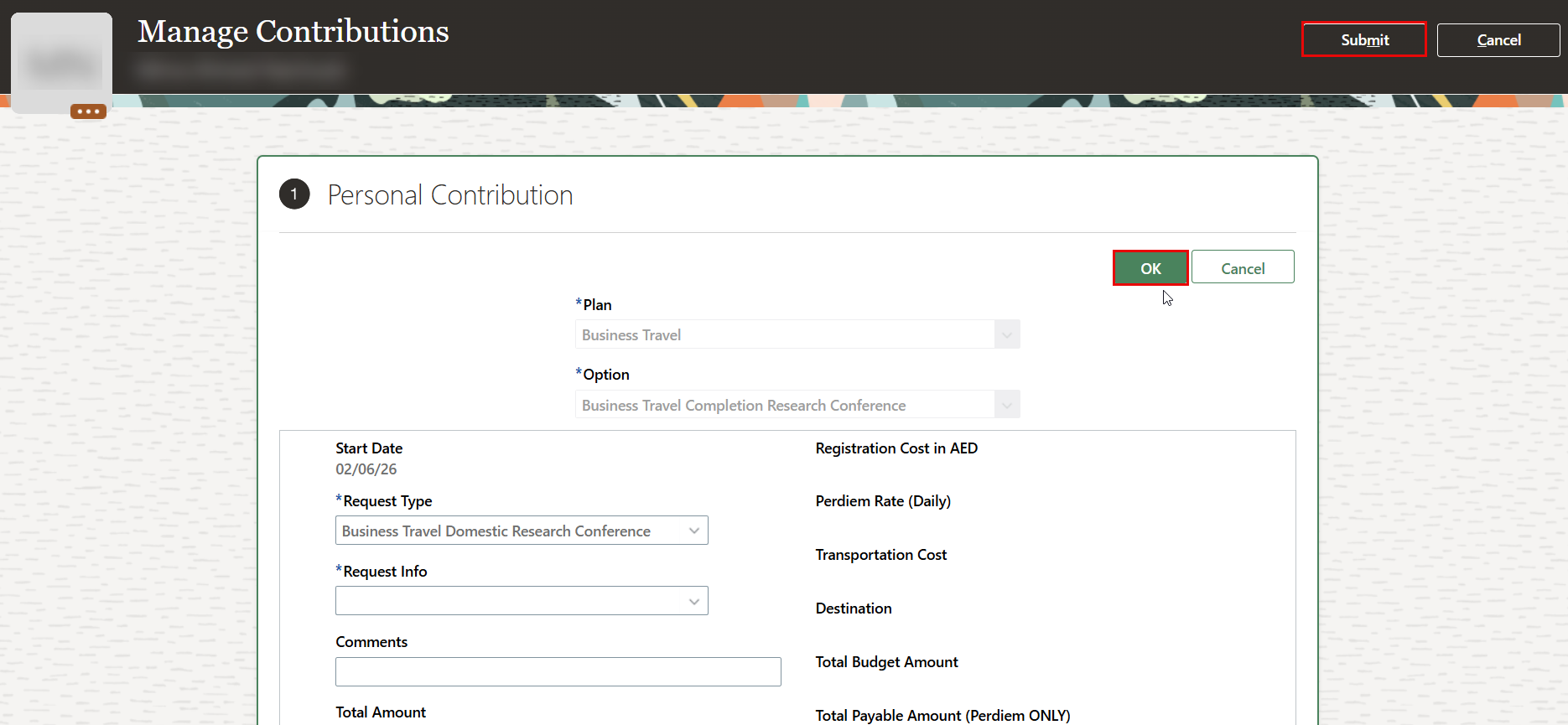
Select Business Travel from the Plan drop-down menu, and then choose Business Travel Completion Research Conference.
-
Select the Request Type to indicate whether the completed research conference business travel was Domestic or International, then select Request Information.
-
Add all relevant attachments to your request in the attachment section.

Make sure to attach the following required documents:
- Certificate of Attendance
- Reimbursement Form
- Copy of Accommodation Booking
- Air Ticket (for international trips)
- Review all the information entered in the form to ensure accuracy, then click the OK button located at the top of the page, and then click Submit.
- The request will be assigned to the Office of HR for review and approval.