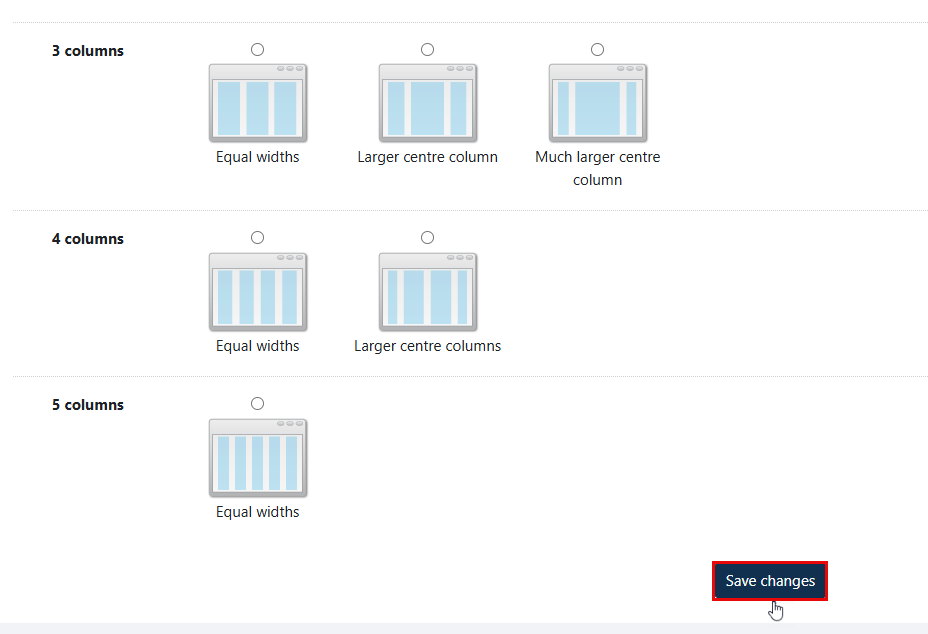
You can change the layout of your display of a view, by following the steps below:
-
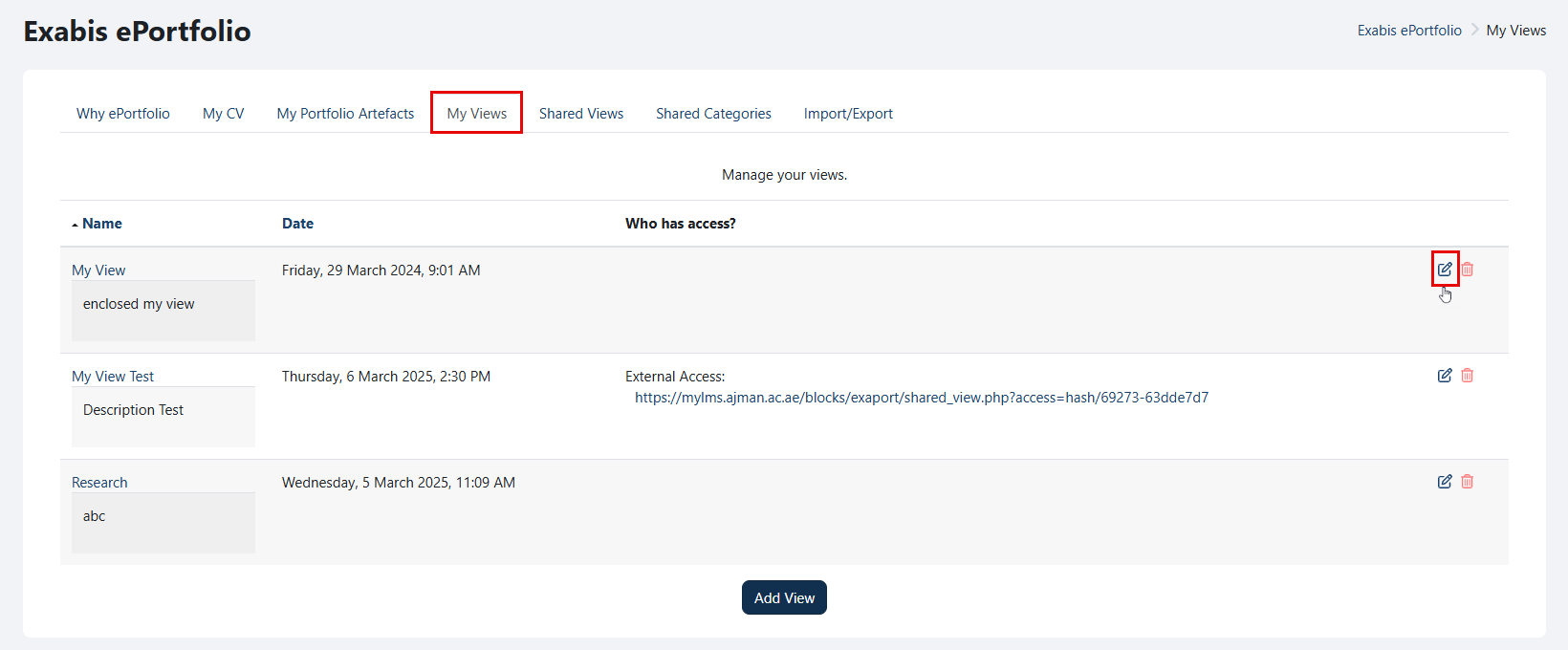
Go to "My Views" and click on the "Edit" icon.
-
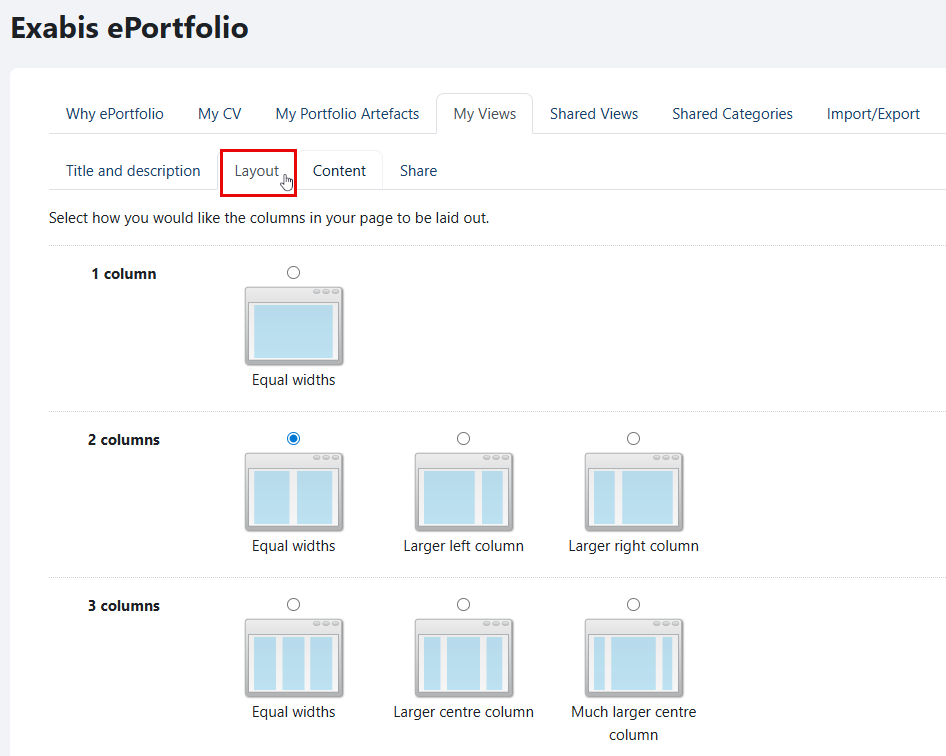
Navigate to the "Layout" tab.
-
Select how you want the columns to be displayed on your page, and then click on the "Save changes" button once you are done.