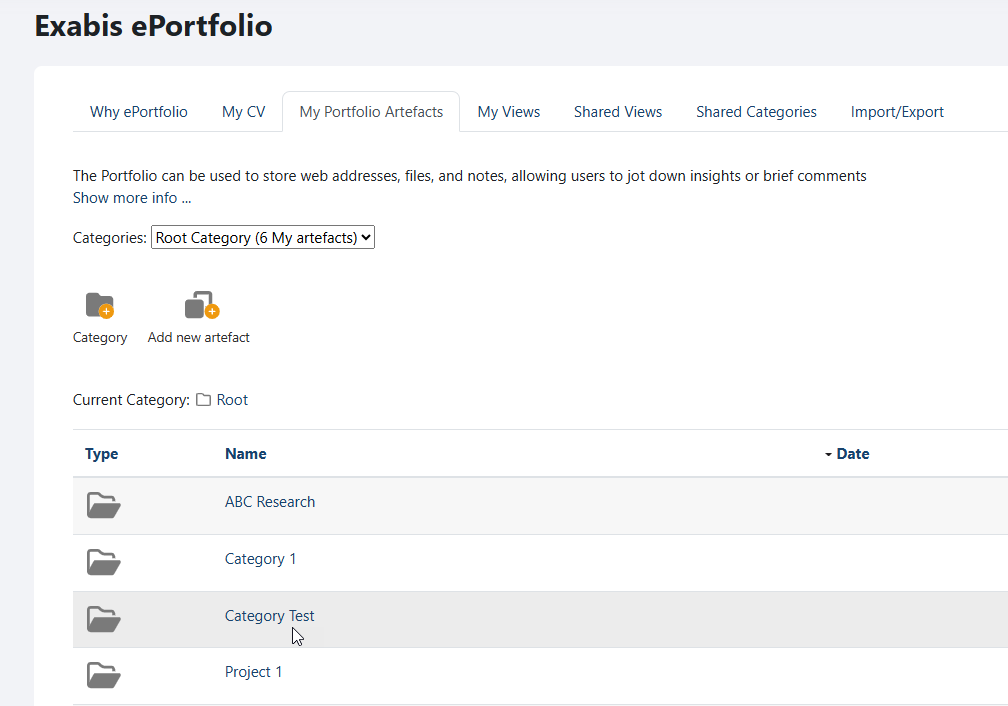
You have the option to establish categories for your artefacts, allowing you to group and organize your files into your portfolio.
To create categories, please follow the steps below:
-
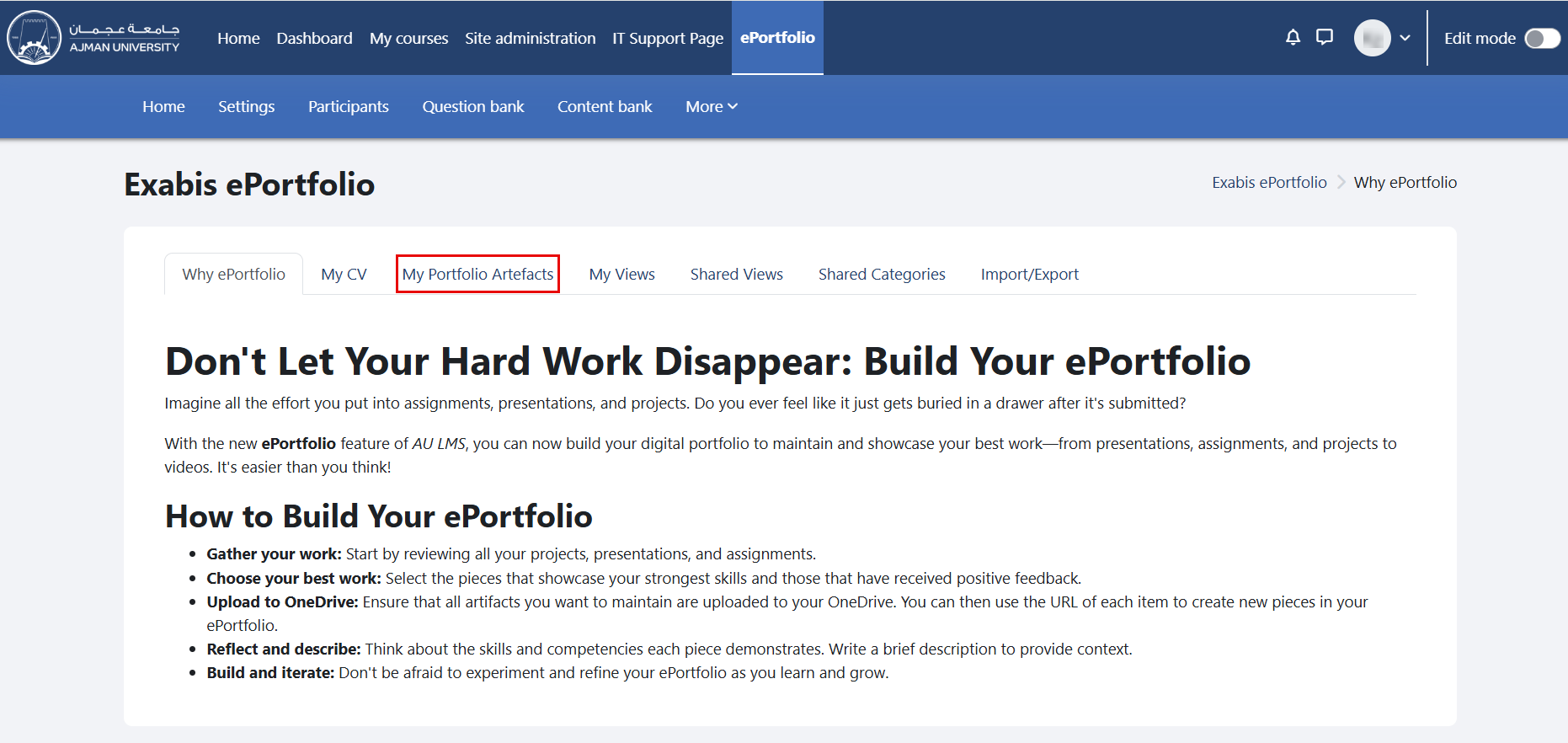
In the ePortfolio page, click on the tab "My Portfolio Artifacts".
-
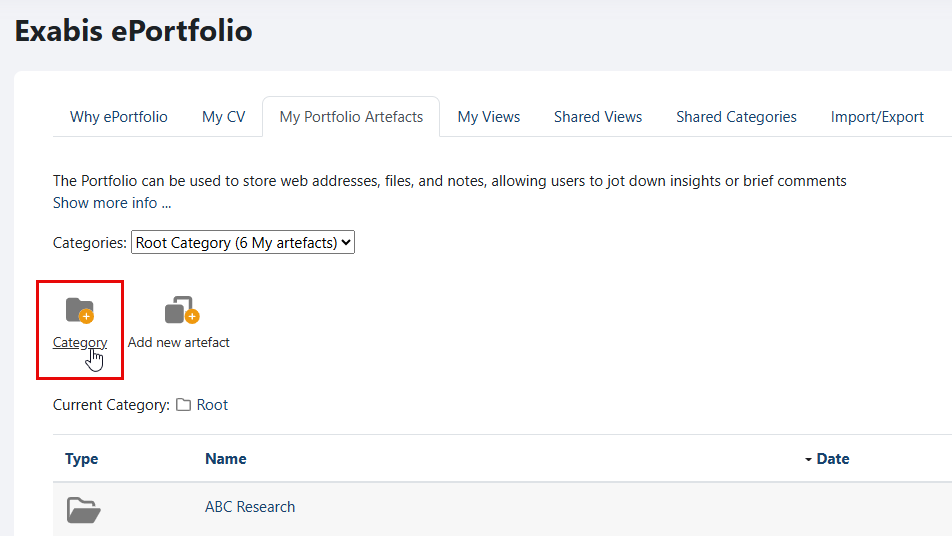
Select "Category" to add a new category to your portfolio.
-
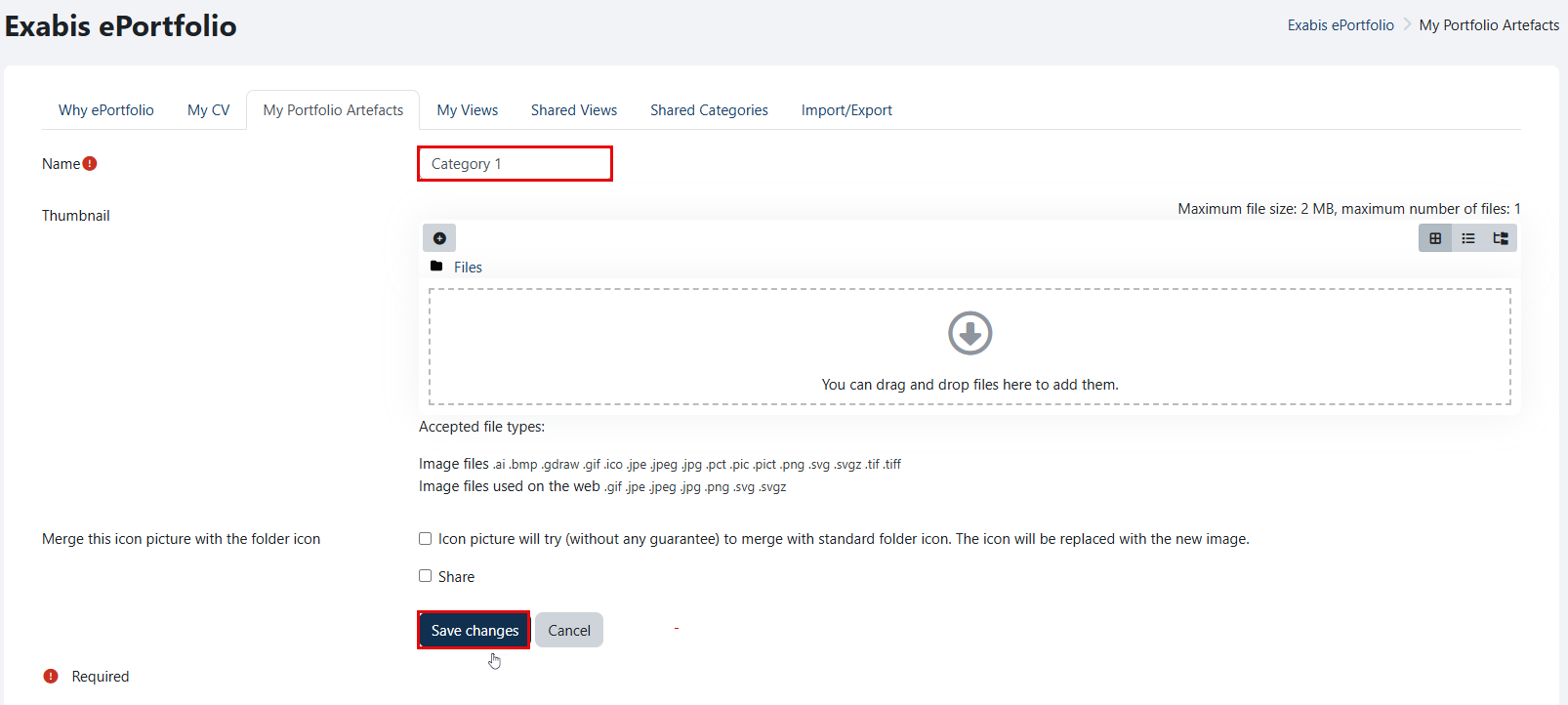
Write a category name, and then click on the "Save changes" button.
-
The created category will be added to your portfolio.