Please Note:
This user manual is currently under review. A revised version reflecting the new Redwood user interface will be available soon.
This guide explains how Heads of Departments can complete the performance calibration process in Oracle HCM.
-
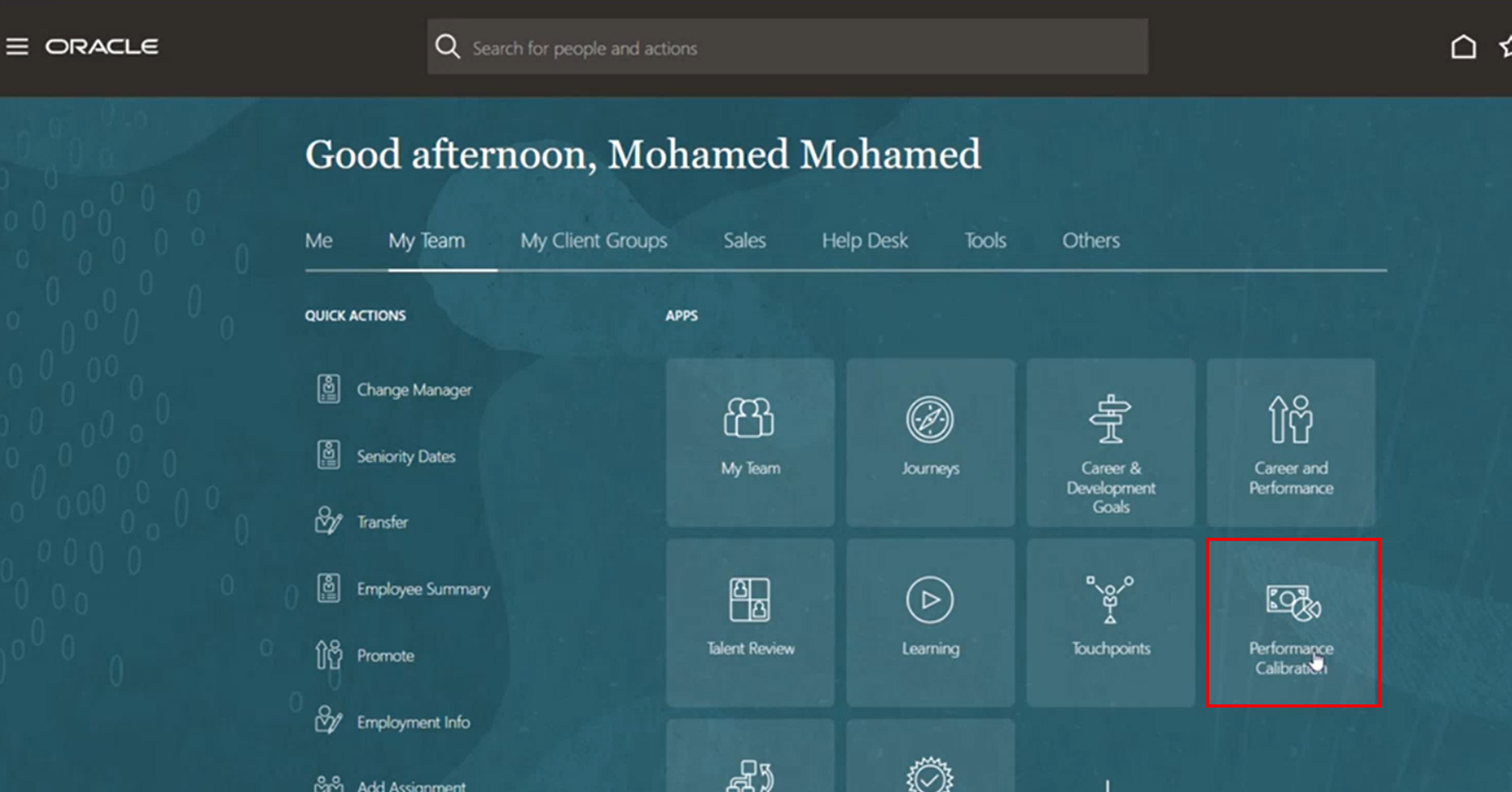
On the Home page, click on "My Team" then select "Performance Calibration".
-
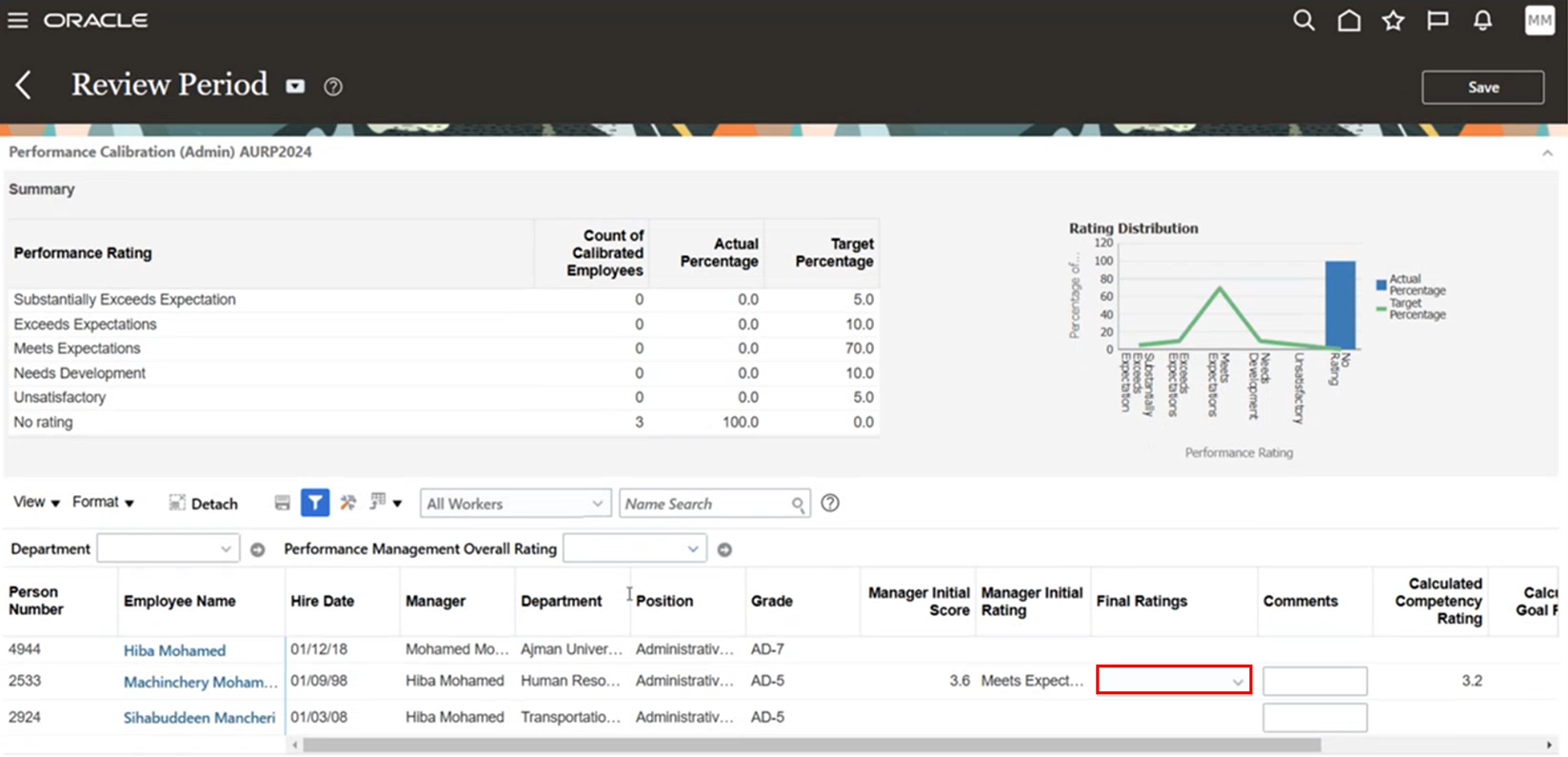
A list of all staff members in your office will be displayed. For each staff member, review and select the final rating.
-
Once all ratings are finalized, click Save.