This user manual is currently under review. A revised version reflecting the new Redwood user interface will be available soon.
Actions
You can perform the following actions from the "Action" tab located in My Team > Learning.
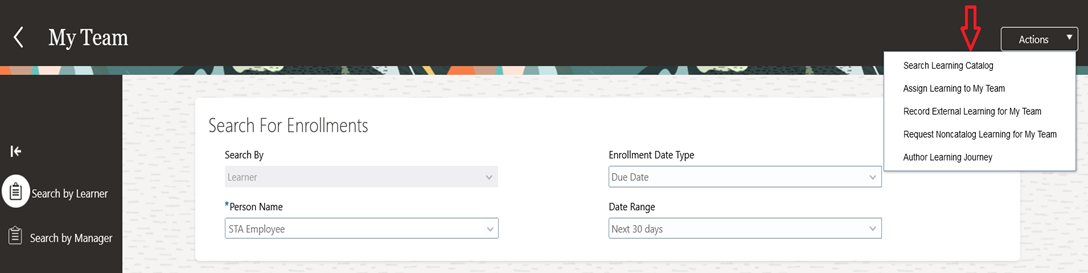
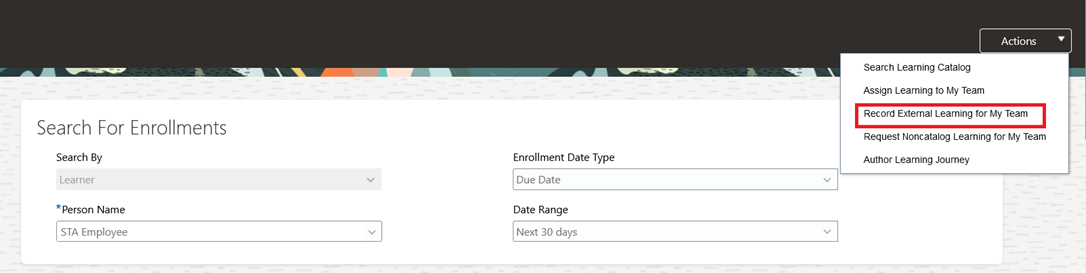
This section helps you record external learning for your team. For example, if your team member has completed a course outside the learning catalog, you can capture those details in the system for record-keeping purposes.
-
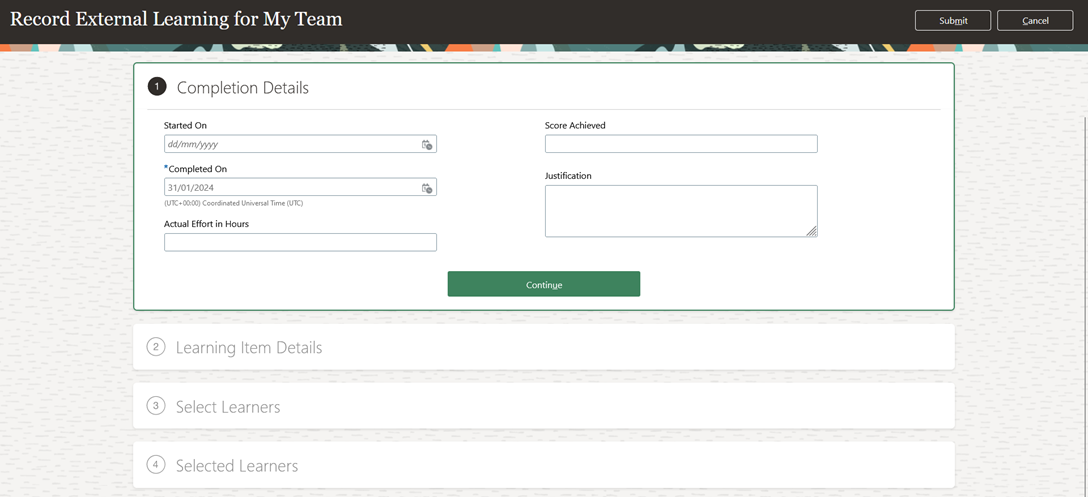
Enter Completion Details.
-
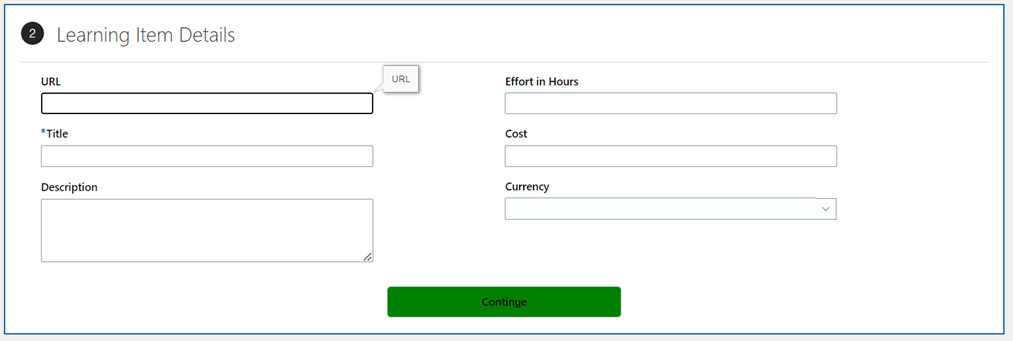
For section 2, "Learning Item Details," enter the applicable details as required.
-
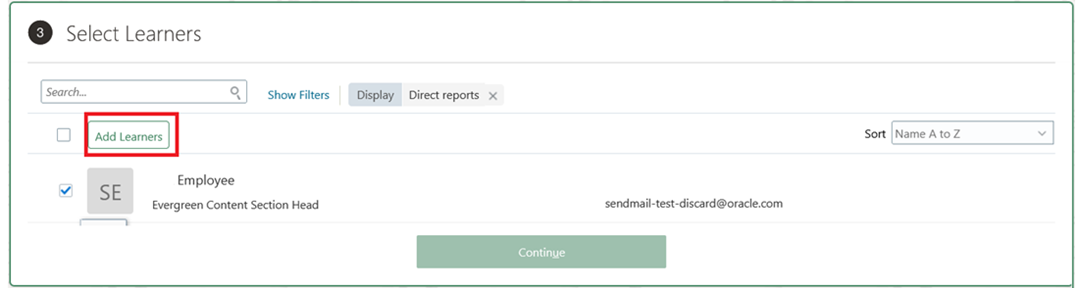
Select the learners for whom you want to record the external learning, and click on the "Add Learner" tab.
-
Upon clicking "Add Learner," you will see the "Added" icon enabled next to the selected learner. Click "Continue."

-
Under the "Selected Learners" section, you can review the final list of added learners. You also have the option to delete any learners if needed. Once finalized, click "Submit", and the request will be submitted for approval.
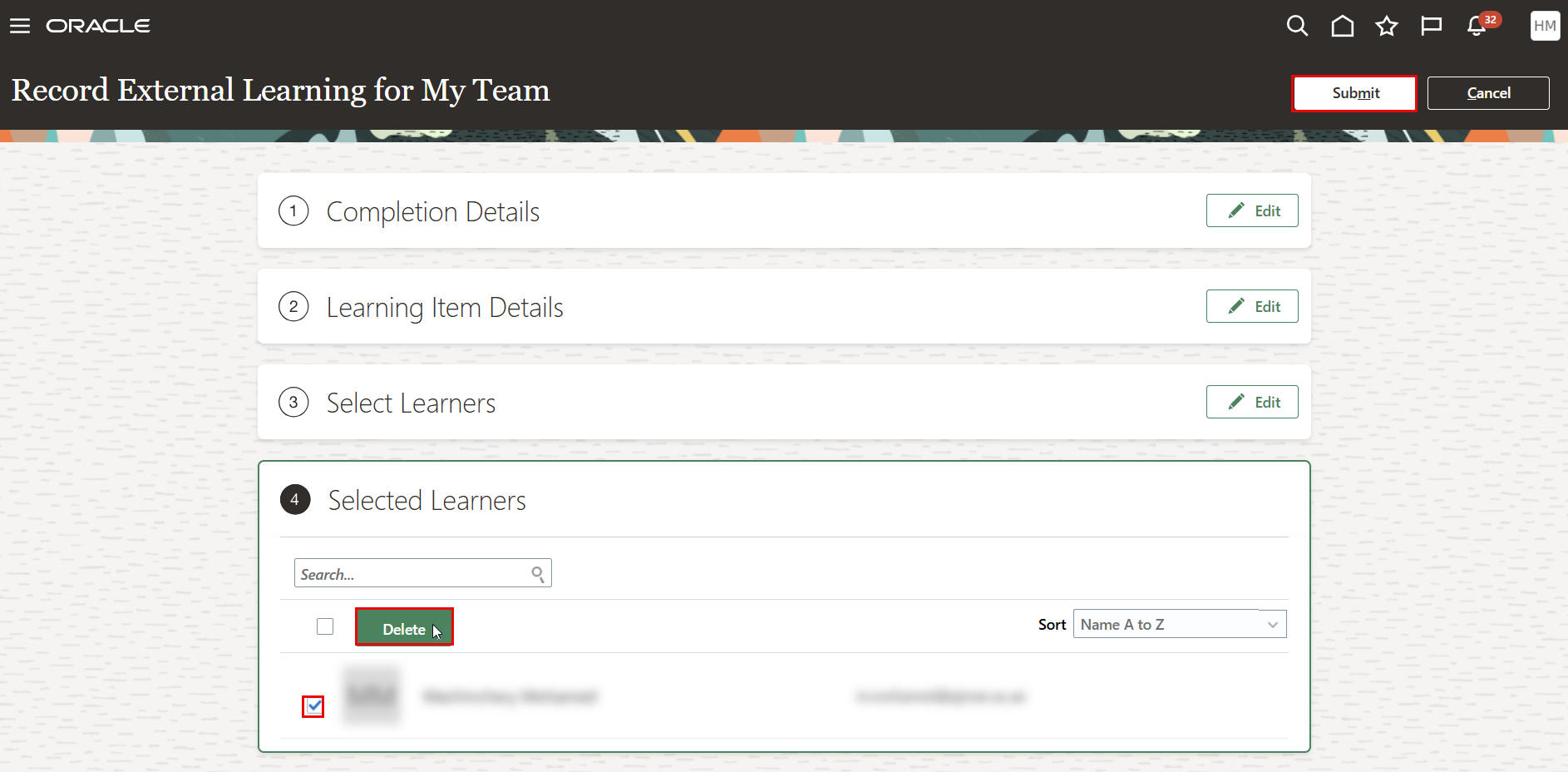
The request raised by the manager will be sent to the Learning Admin for approval.