Please Note:
This user manual is currently under review. A revised version reflecting the new Redwood user interface will be available soon.
-
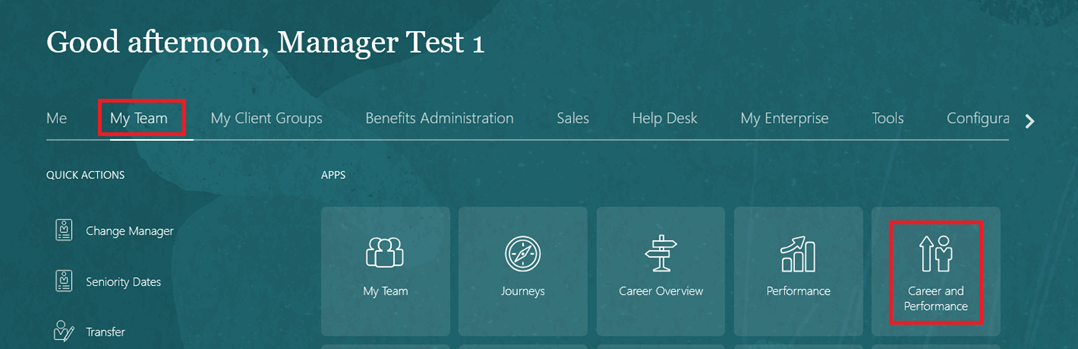
On the Home page, click on "My Team" then select "Performance and Talent Management".
-
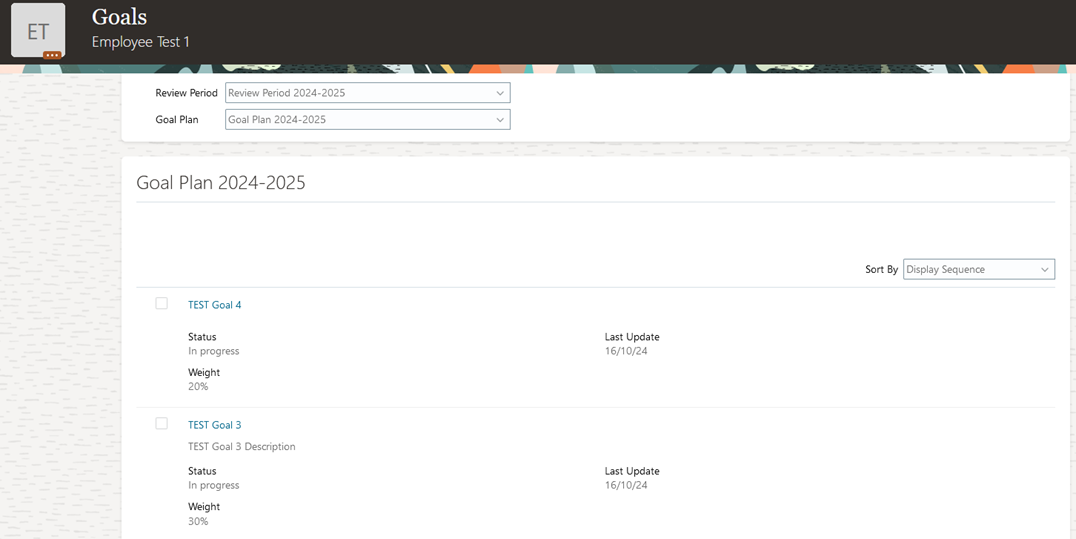
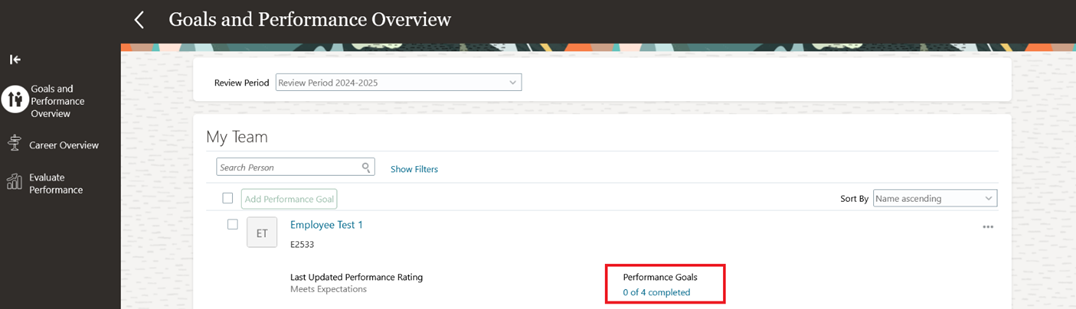
Select an employee and open their completed Performance Goals.
-
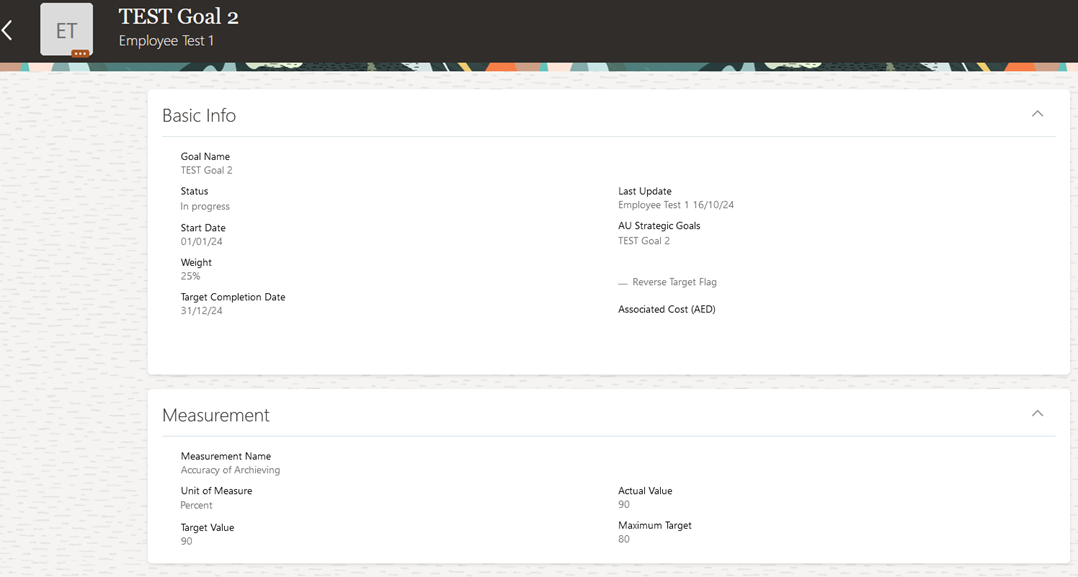
Open any goal to review the progress and achievements.