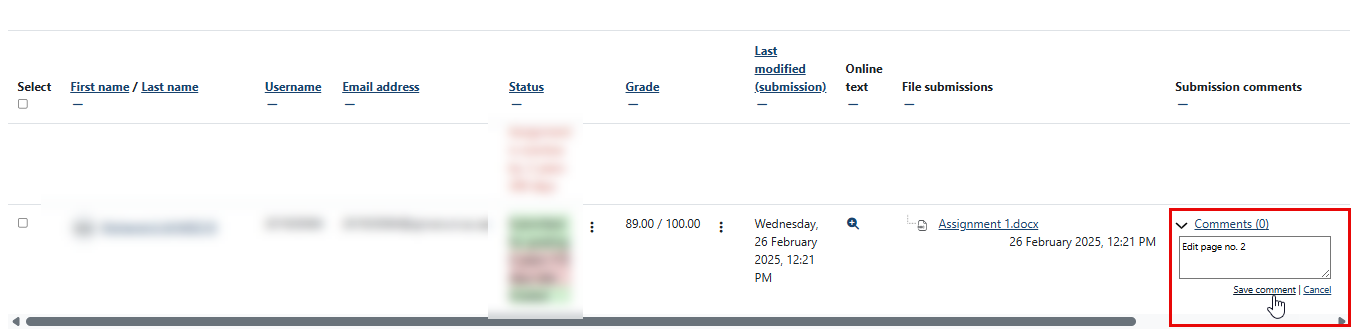
After students submit their assignments, you can add comments to the assignments one by one and each student will be able to view the specific comment that is dedicated to them.
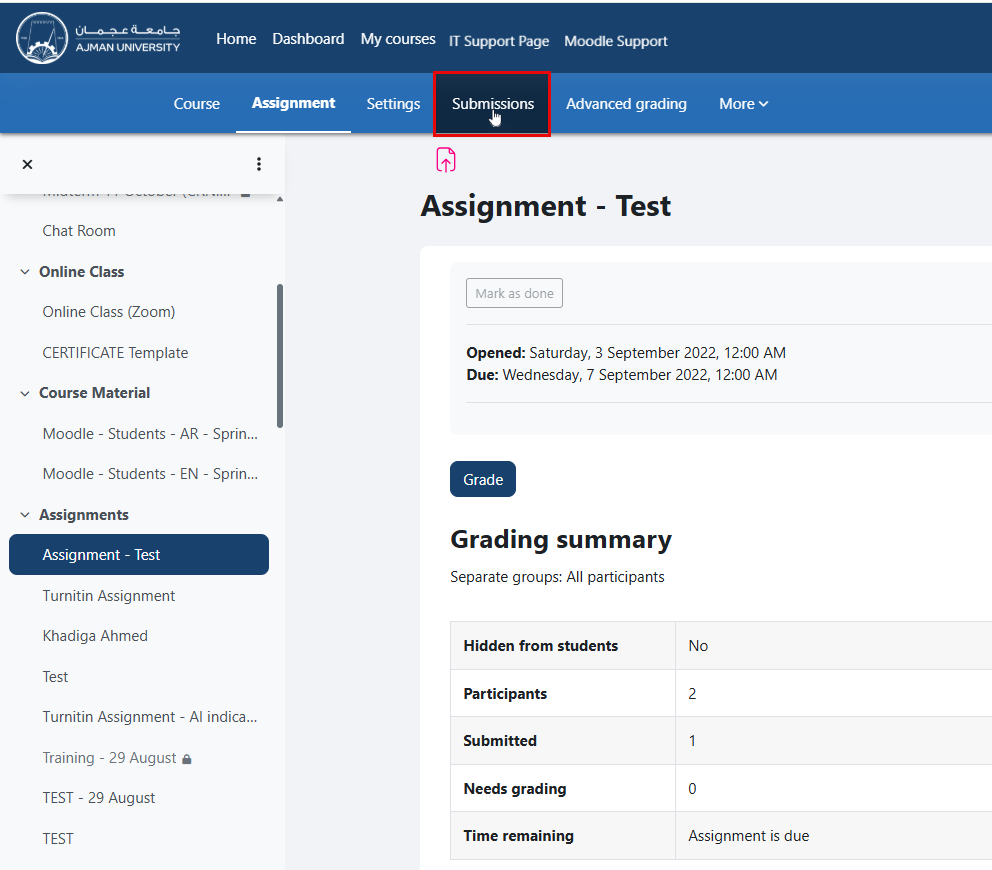
To add comments to students’ standard assignments, follow these steps:
After students submit their assignments, you can add comments to the assignments one by one and each student will be able to view the specific comment that is dedicated to them.
To add comments to students’ standard assignments, follow these steps: