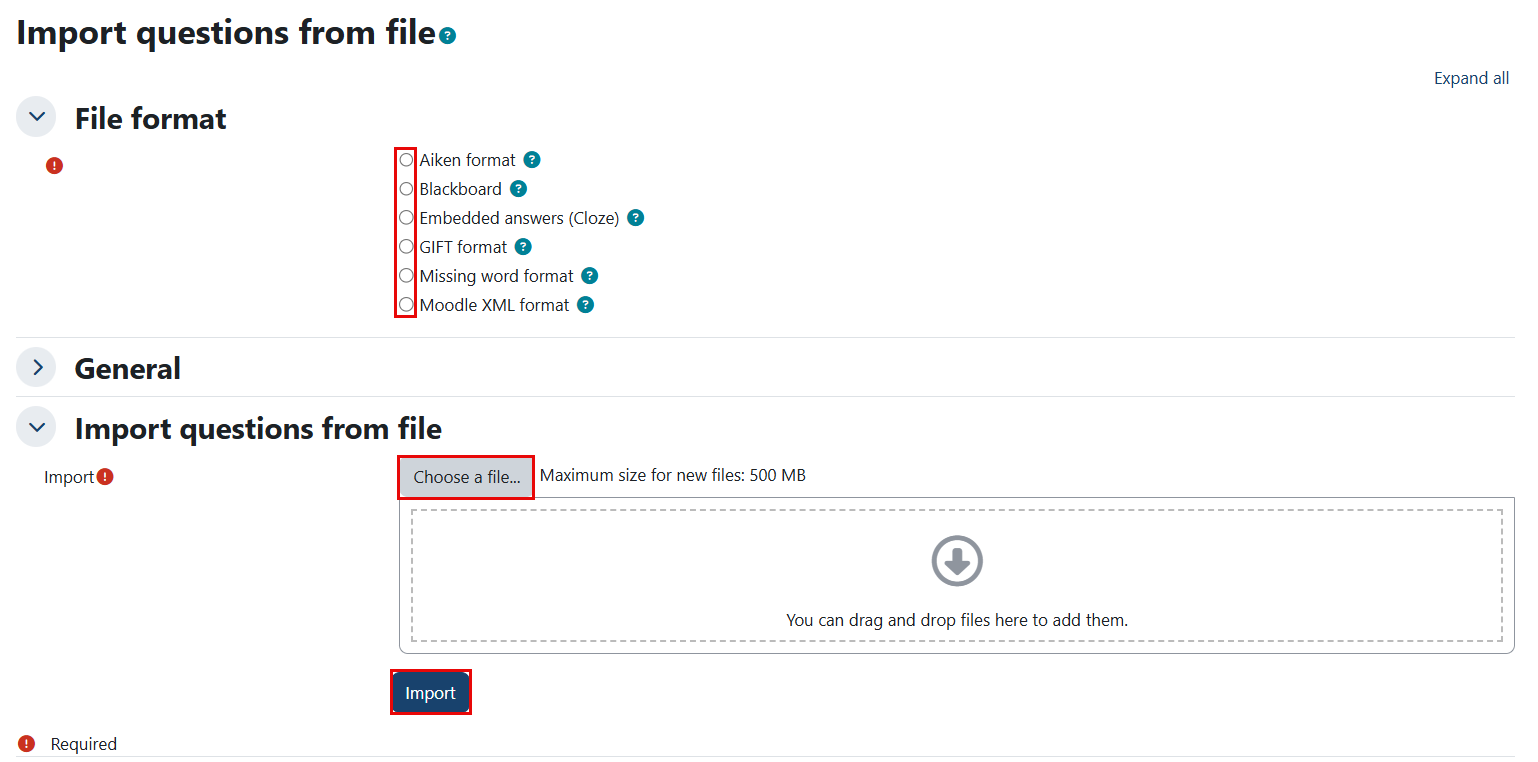
This feature allows you to create, preview, and edit questions within a database of question categories. It is limited to use at the course or quiz level. You can import a question bank by following the steps below:
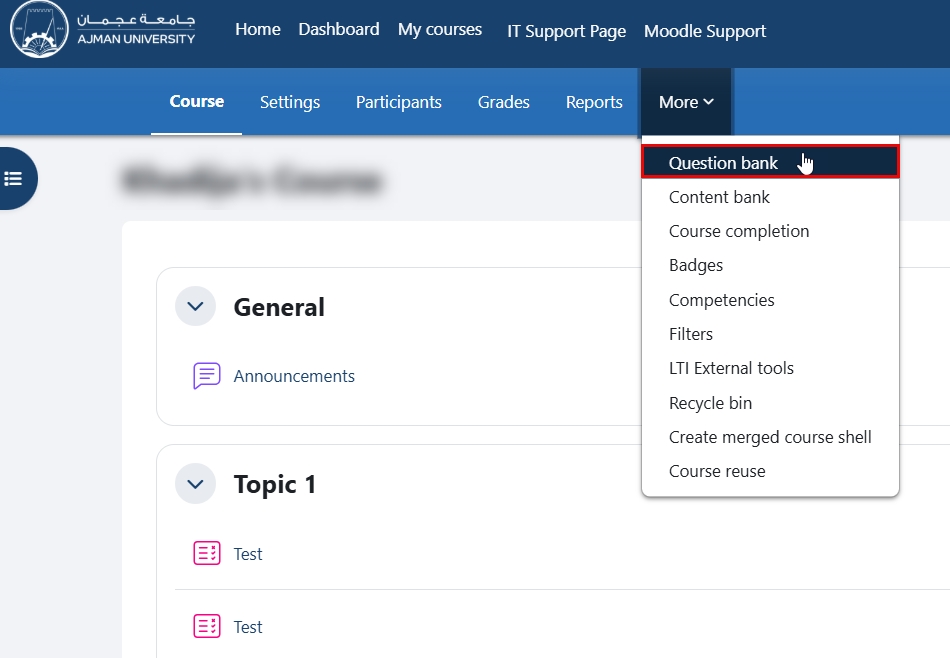
- Within the course, navigate to "More" in the secondary menu, then click on "Question Bank".
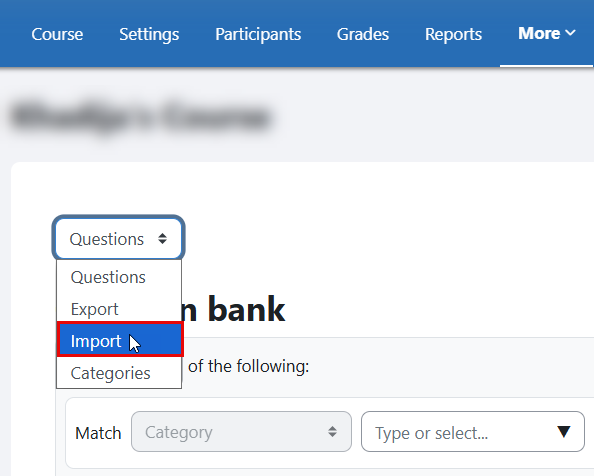
- From the drop-down menu, select the "Import".
- Choose one of the supported file types, upload the file, and click the Import button.