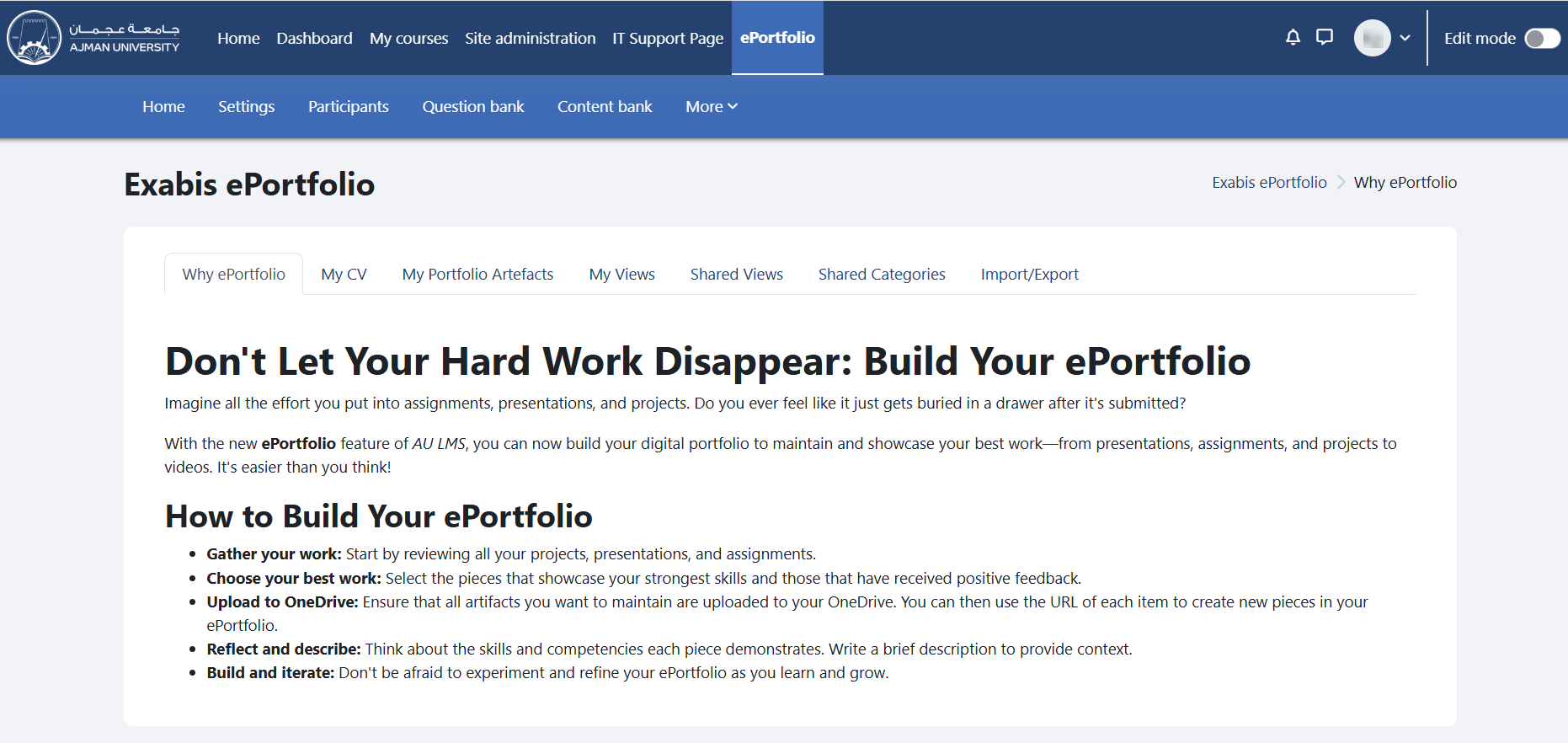
Exabis ePortfolio is a plugin for Moodle that allows students to create and manage electronic portfolios within the Moodle learning management system (LMS).
Electronic portfolios, also known as ePortfolios, are digital collections of artefacts such as documents, images, videos, and other multimedia items that showcase a student's learning, achievements, and reflections over time.
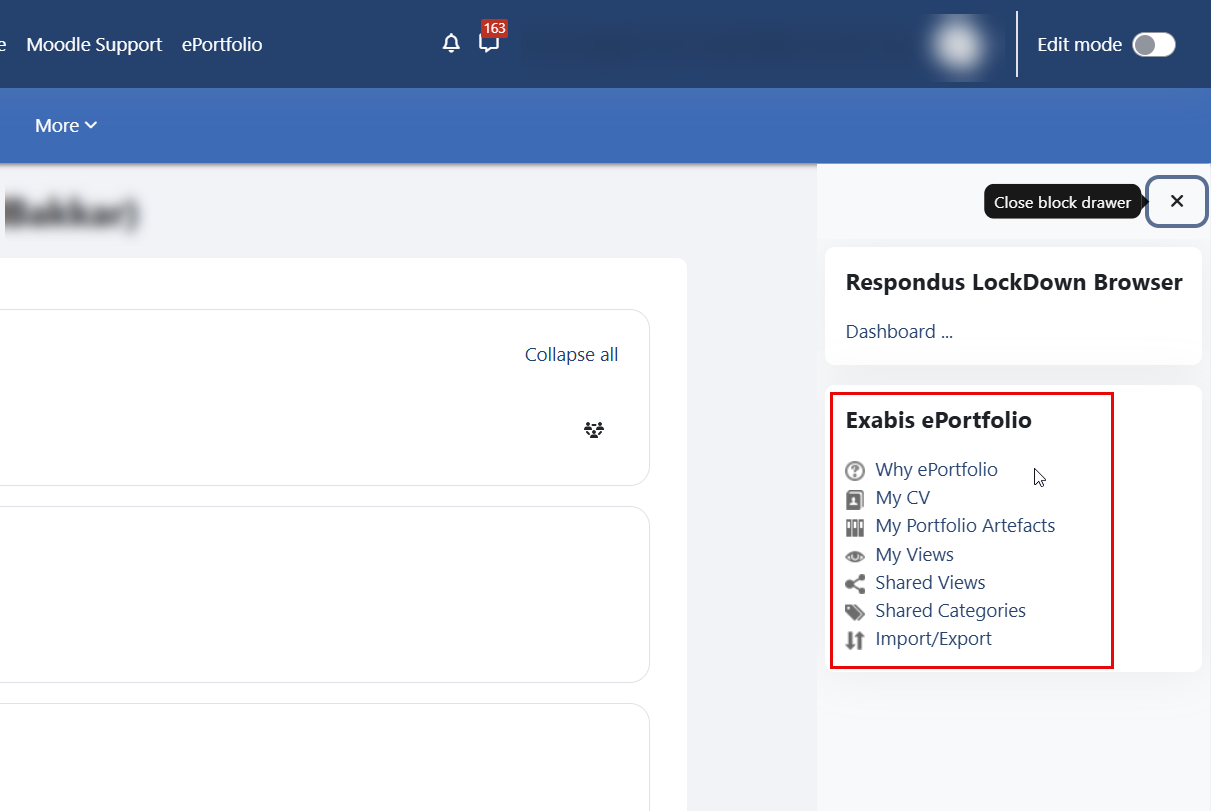
This category includes the following features:
- Fill out your CV
- Create Category
- Share Categories with others
- View Shared Categories
- Upload Artefacts
- Create, Edit and Delete Views
- Change a View's Layout
- Share your View
- View Shared Views
- Import/Export ePortfolio as SCORM-file
To access your ePortfolio, log in to Moodle. You can open it directly from the main menu or from within a course through the block drawer.
Accessing Moodle
You can access Moodle through Ajman University’s website -> Current Students -> Moodle. Log in to Moodle using your Student ID and password.
Accessing ePortfolio
-
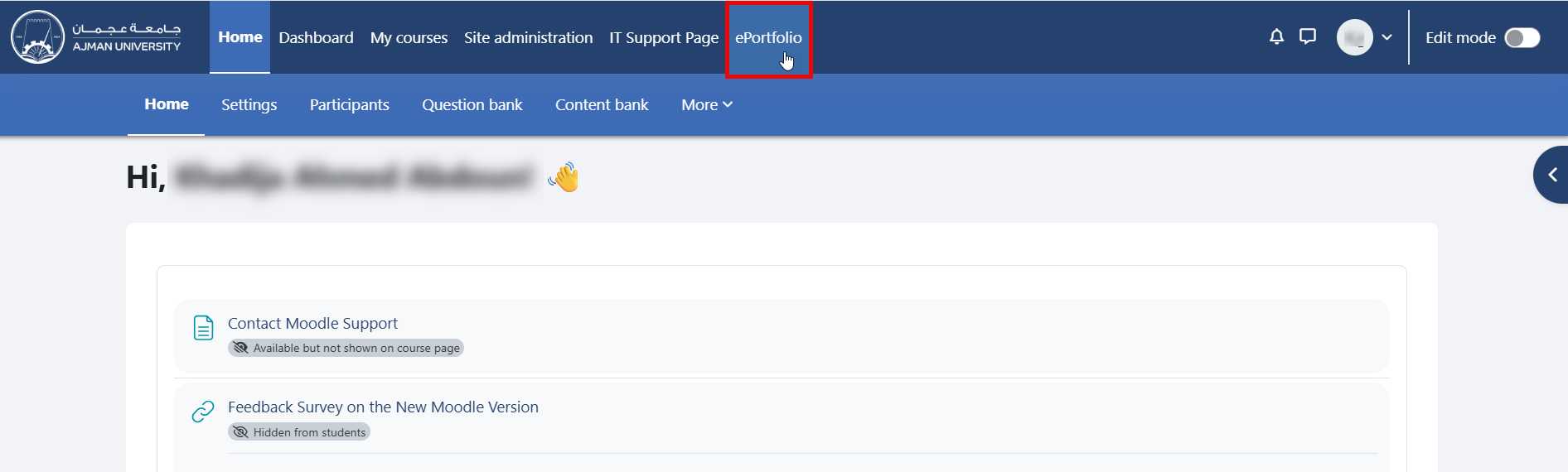
From the main Moodle menu: Access Exabis ePortfolio directly from the main menu after logging in.
-
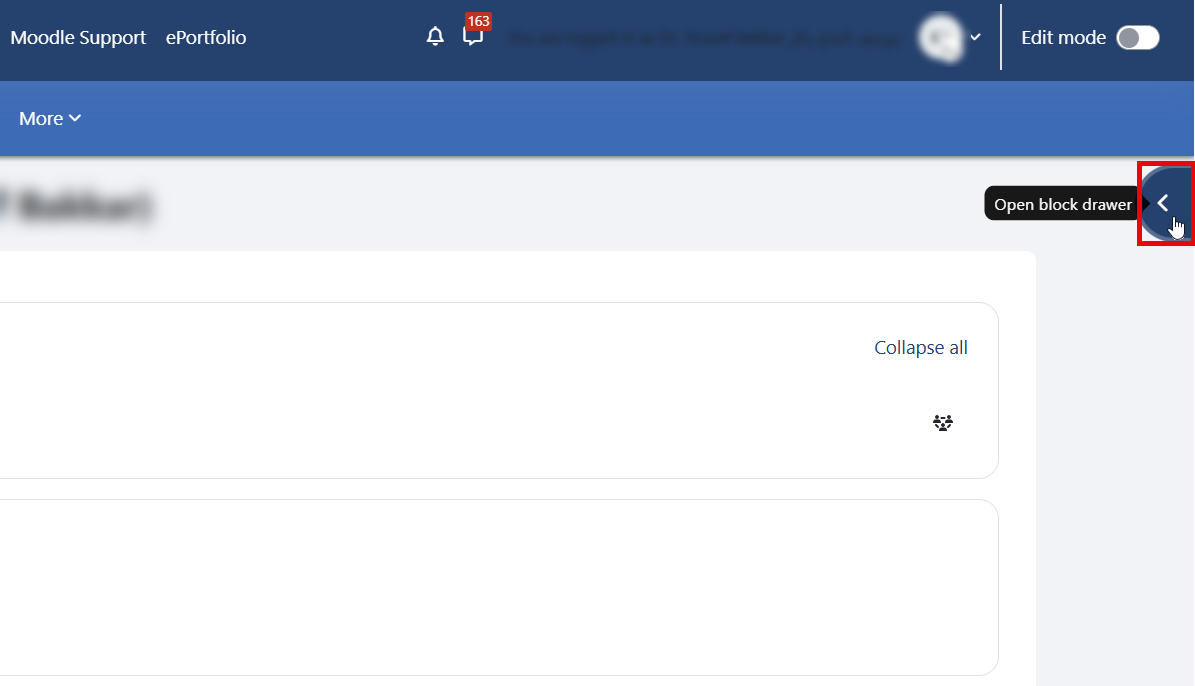
From within a course: Open the block drawer inside the course and click the arrow to access Exabis ePortfolio.
-
Click on one of the Exabis ePortfolio components listed in the block drawer to open it.
You can now begin building and managing your ePortfolio.